


Dados de condução mais claros
Velocidade, RPM, posição da mudança, autonomia de combustível, informações do óleo, temperatura da água, TPMS e avisos suportados são mais fáceis de ler do que no layout analógico original.

| Peso | 4.5 kg |
|---|---|
| Dimensões (C x L x A) | 45 × 35 × 25 cm |
| Carro de apoio | 2009-2012, 2013-2014 |
| Compatibilidade do produto | Plug and play |
| Origem do produto | Não é um produto original genuíno |



De: $1,380.00

Tramitamos o IVA e os direitos de importação aplicáveis às encomendas elegíveis da UE e dos EUA. Poupança estimada: $120-$280 .
Os portes de envio são cobrados à parte. O custo exato do envio é calculado em função do destino e é apresentado no seu carrinho antes de finalizar a compra.
O envio final é confirmado a partir do seu endereço de entrega na finalização da compra.
Análise de compatibilidade, proteção total de compatibilidade, garantia de hardware de 12 meses e assistência técnica contínua após a instalação.
 Proteção de Reembolso Total
Garantia de compatibilidade
Foi confirmada a incompatibilidade com o seu veículo? Receberá um reembolso total.
→
Proteção de Reembolso Total
Garantia de compatibilidade
Foi confirmada a incompatibilidade com o seu veículo? Receberá um reembolso total.
→
 12-Month Garantia de hardware
A garantia do hardware está incluída durante os primeiros 12 meses.
→
Apoio pós-venda a longo prazo
A assistência técnica relativa ao software, o apoio na aquisição de peças e a coordenação das reparações mantêm-se associados à sua encomenda original.
→
12-Month Garantia de hardware
A garantia do hardware está incluída durante os primeiros 12 meses.
→
Apoio pós-venda a longo prazo
A assistência técnica relativa ao software, o apoio na aquisição de peças e a coordenação das reparações mantêm-se associados à sua encomenda original.
→
O nosso objetivo é garantir que a sua encomenda esteja correta antes de nos deixar. Verificamos a compatibilidade, preparamos a configuração correta e contactamo-lo apenas se algo precisar de confirmação.
F-150 2009–2014 · SVT Raptor 2010–2014
Este Painel de instrumentos digital do Ford F150 2009-2014 atualiza a área original do manómetro analógico para um cockpit virtual Linux de 13.1 polegadas. Mantém visíveis as informações importantes originais do veículo, acrescenta vários temas de interface estilo Raptor, suporta os controlos de fábrica do volante e dá ao condutor um layout de instrumentos muito mais moderno.
A iKAGOO prepara a versão correta do Ford F150 Raptor Digital Cluster 2009–2012 ou 2013–2014, a solução de ligação correspondente e orientação de instalação a partir das informações do seu veículo.

Melhorias no uso diário
O valor mais forte não é apenas o tamanho do ecrã. A atualização muda a forma como lê a velocidade, as RPM, a pressão dos pneus, as informações do óleo, os dados de combustível, os avisos e o estado de todo-o-terreno durante a condução normal.
Velocidade, RPM, posição da mudança, autonomia de combustível, informações do óleo, temperatura da água, TPMS e avisos suportados são mais fáceis de ler do que no layout analógico original.
O layout digital mais amplo traz informações suportadas de combustível, temperatura, pressão dos pneus, avisos e transmissão para um ecrã mais claro focado no condutor.
A interface inclui vários temas visuais para condução urbana, condução focada na velocidade, neve, areia, deserto e vistas focadas na transmissão, fazendo com que a atualização se sinta mais próxima de um cockpit Raptor moderno.
Funções de fábrica mantidas
Com a versão correta do ano, a eletrónica original dos instrumentos mantida e uma instalação adequada, o painel continua a apresentar as informações de condução importantes que o seu F-150 fornece.
Concebido para o seu camião
Separamos as versões do painel Ford F150 Raptor Digital Cluster 2009–2012 e 2013–2014 em vez de tratar todos os F-150 de 12.ª geração como idênticos.
Confirmamos o ano do seu modelo, o layout original do painel, os controlos do volante e a configuração de instrumentos necessária antes de preparar a versão correta.
O processo de instalação mantém a eletrónica original necessária dos instrumentos para que os dados específicos do veículo não sejam tratados como um painel de substituição genérico.
Ajudamos a verificar a velocidade, as RPM, a mudança, os avisos, o TPMS, os controlos do volante, as unidades e o comportamento de suspensão antes da remontagem final.
A instalação correspondente foi concebida para ligar sem cortar intencionalmente a cablagem principal de fábrica suportada.
Recebe assistência de instalação e configuração, além de uma garantia limitada de hardware de 12 meses para defeitos de fabrico elegíveis.
Hardware específico para cada veículo
A carcaça moldada segue a abertura original dos instrumentos para que o resultado final pareça uma atualização deliberada do cockpit em vez de um tablet colocado sobre o painel.

Seleção correta do ano
Os layouts de fábrica 2009–2012 e 2013–2014 não são idênticos. Escolha a opção do ano correspondente e envie a fotografia do painel original. O painel pode manter os dados originais suportados do veículo quando a versão correta do ano e a eletrónica dos instrumentos mantida são instaladas corretamente.

Estilos de interface do utilizador de alta definição
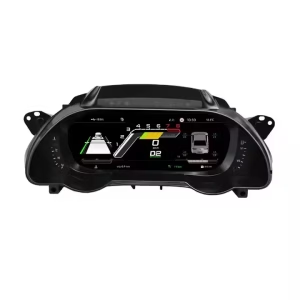
Esta imagem nítida da interface substitui a imagem de baixa resolução do interruptor rotativo. Os estilos disponíveis incluem Gobi Mode, Drive Mode, Snow Mode, Urban Mode, Sandy Mode e Speed Mode, dando ao seu F-150 ou Raptor um cockpit digital mais moderno ao estilo de fábrica.

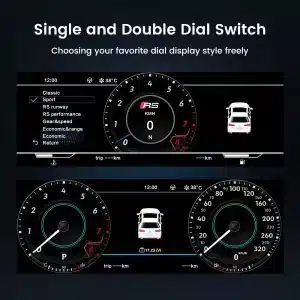
Temas selecionáveis para o cockpit
O ecrã pode priorizar diferentes informações dependendo de como utiliza o veículo: condução urbana, velocidade em autoestrada, condução no deserto, neve, areia, estado da transmissão ou informações diárias do veículo.

Interface multilingue
A interface Linux suporta vários idiomas, incluindo inglês, espanhol, francês, alemão, russo, português, turco, coreano, chinês e árabe. Pergunte ao iKAGOO sobre o seu idioma preferido ao fazer a encomenda.

Avisos e manutenção
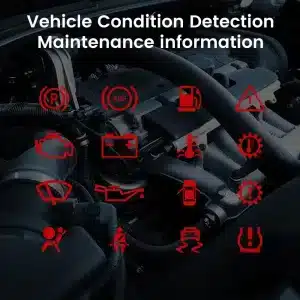
Os indicadores de aviso suportados, as informações de manutenção e as mensagens de estado do veículo continuam a fazer parte da experiência de condução, ajudando-o a notar problemas sem regressar ao limitado ecrã original.

Arranque rápido do Linux
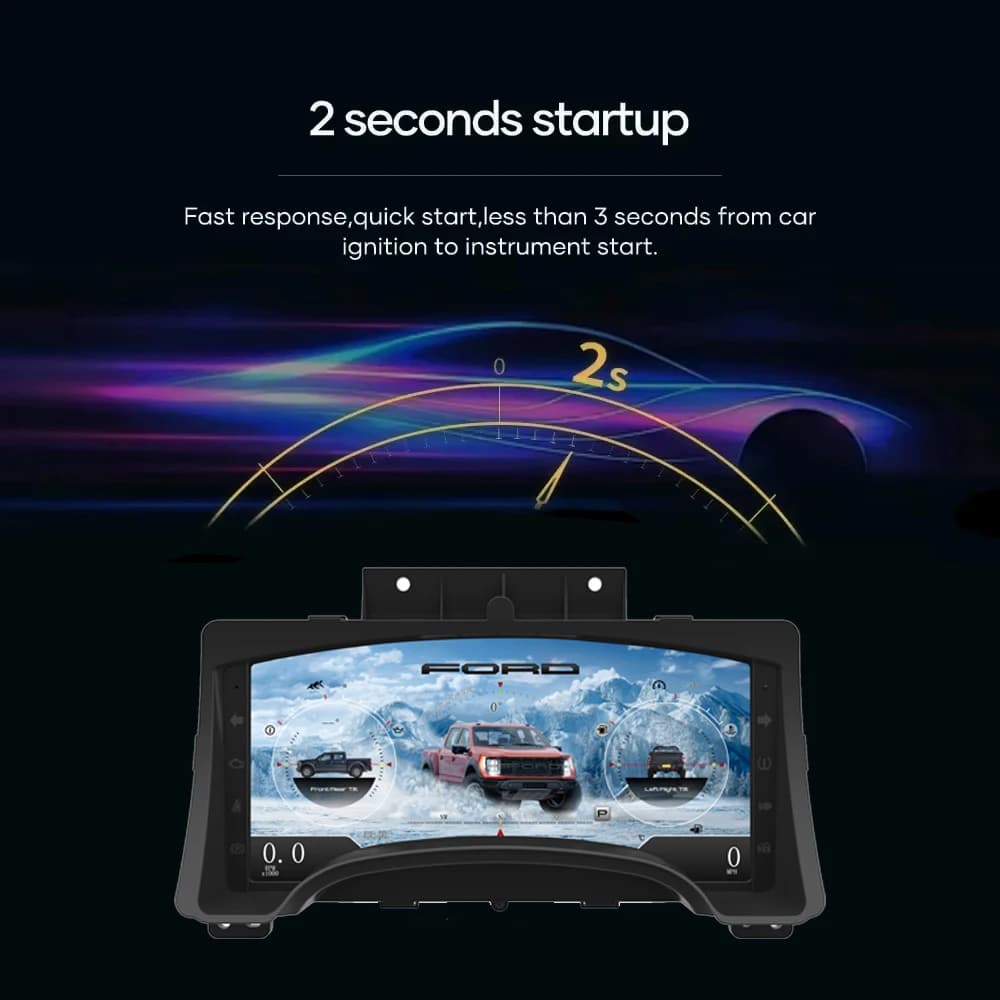
Uma plataforma Linux dedicada mantém o arranque focado nas informações de condução. O tempo de arranque especificado é inferior a dois segundos após a ignição.
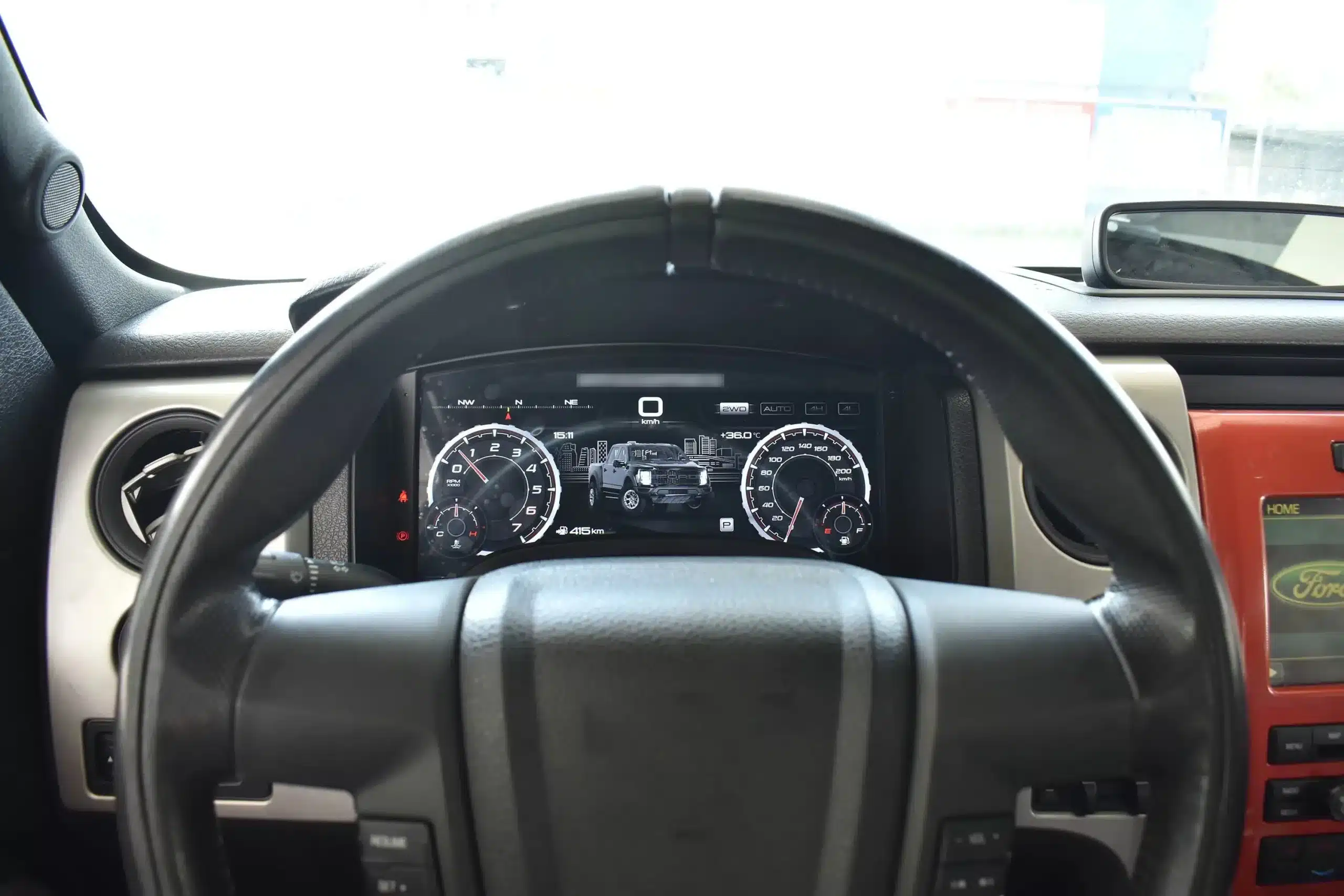
Vista de condução instalada
O ecrã panorâmico fica atrás do volante original e dentro da arquitetura existente do painel de instrumentos, criando uma atualização visual maior enquanto deixa a consola central e o interior circundante intactos.
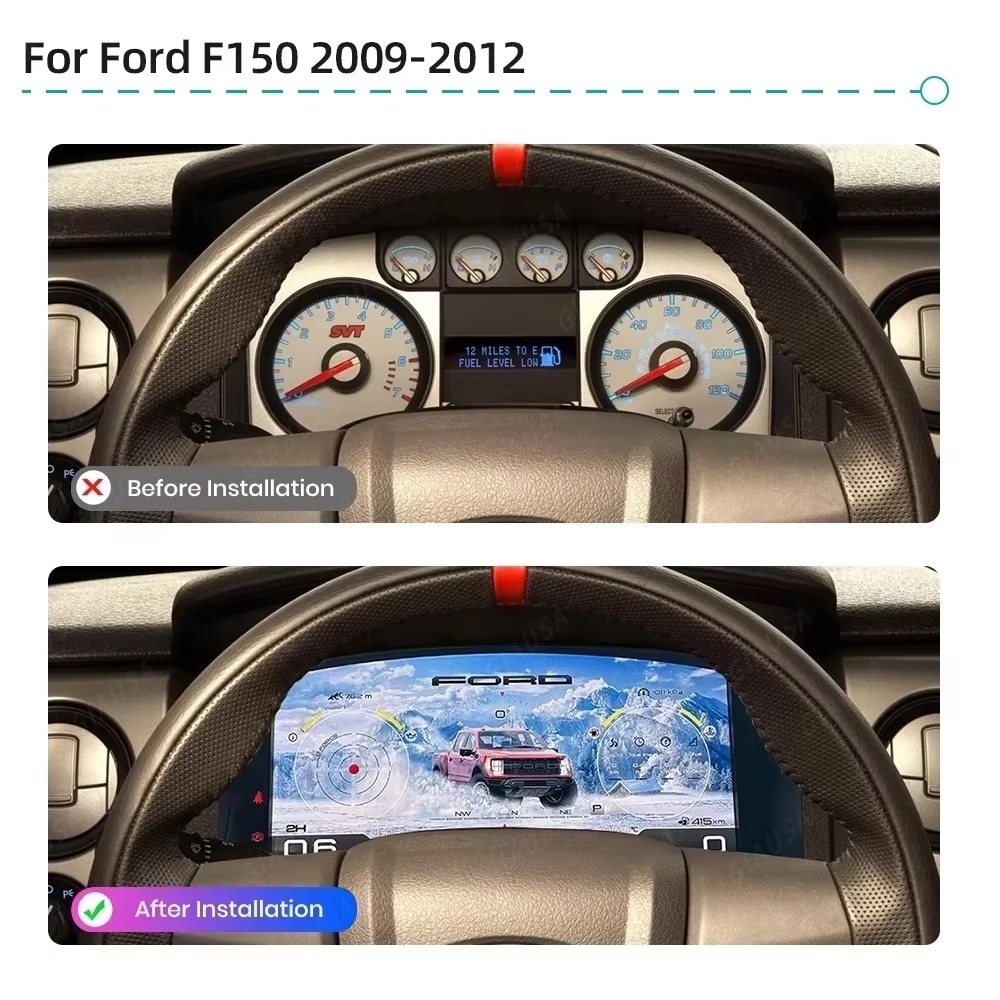
Antes e depois
O painel analógico original fornece informações básicas, enquanto a substituição digital cria uma vista mais ampla, mais brilhante e mais configurável diretamente na linha de visão normal do condutor.
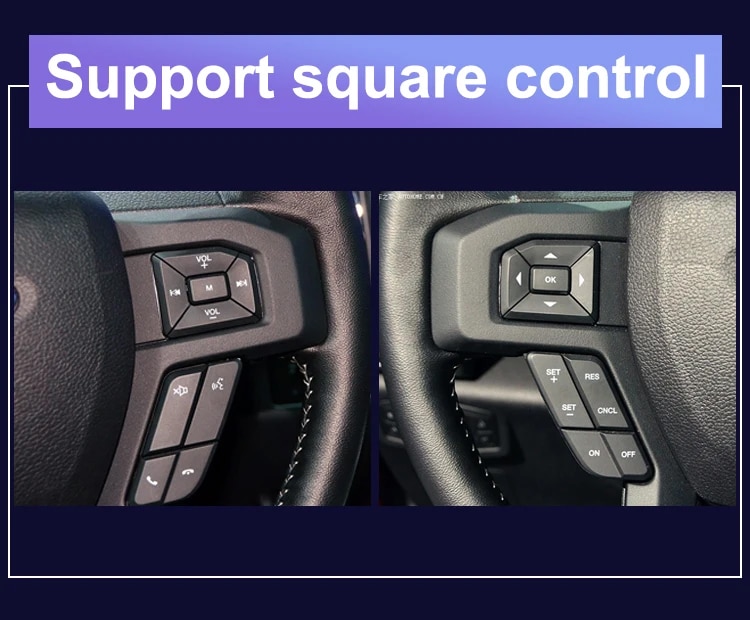
Controlos de fábrica
Os controlos de seta e OK de fábrica suportados permitem-lhe navegar pelas páginas do painel, definições e modos de interface sem adicionar um controlador não relacionado ao painel de instrumentos.
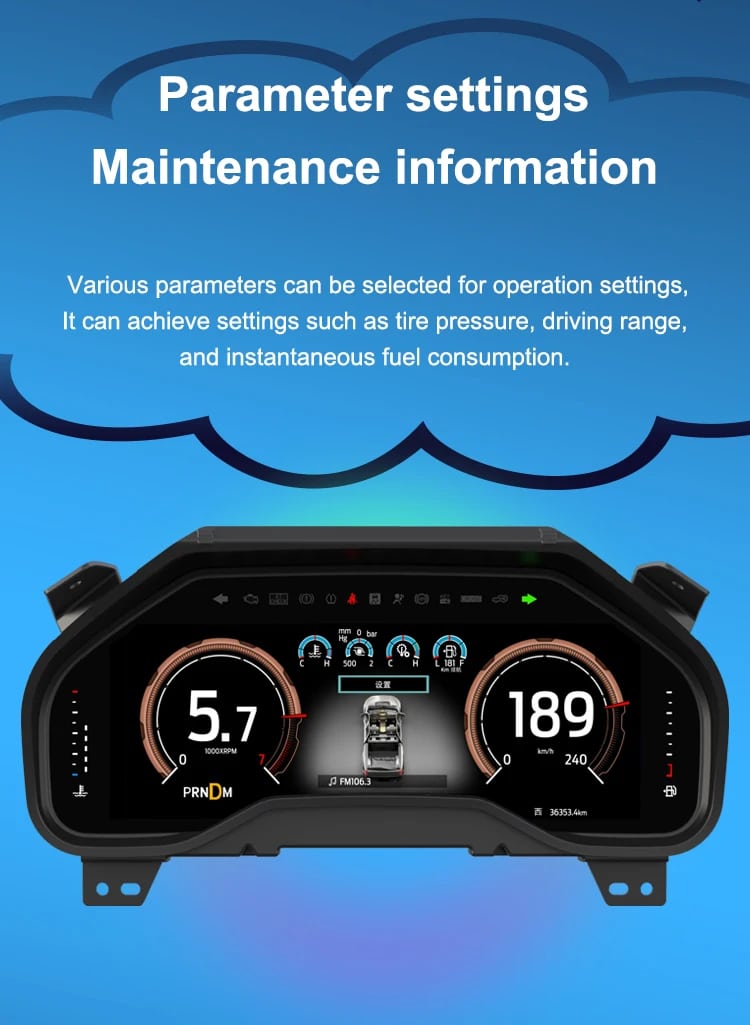
Dados do veículo
O layout do ecrã pode variar conforme a versão do ano e o tema selecionado, mas o objetivo é consistente: tornar as informações suportadas do veículo, de manutenção e fora de estrada mais fáceis de encontrar durante a utilização diária.
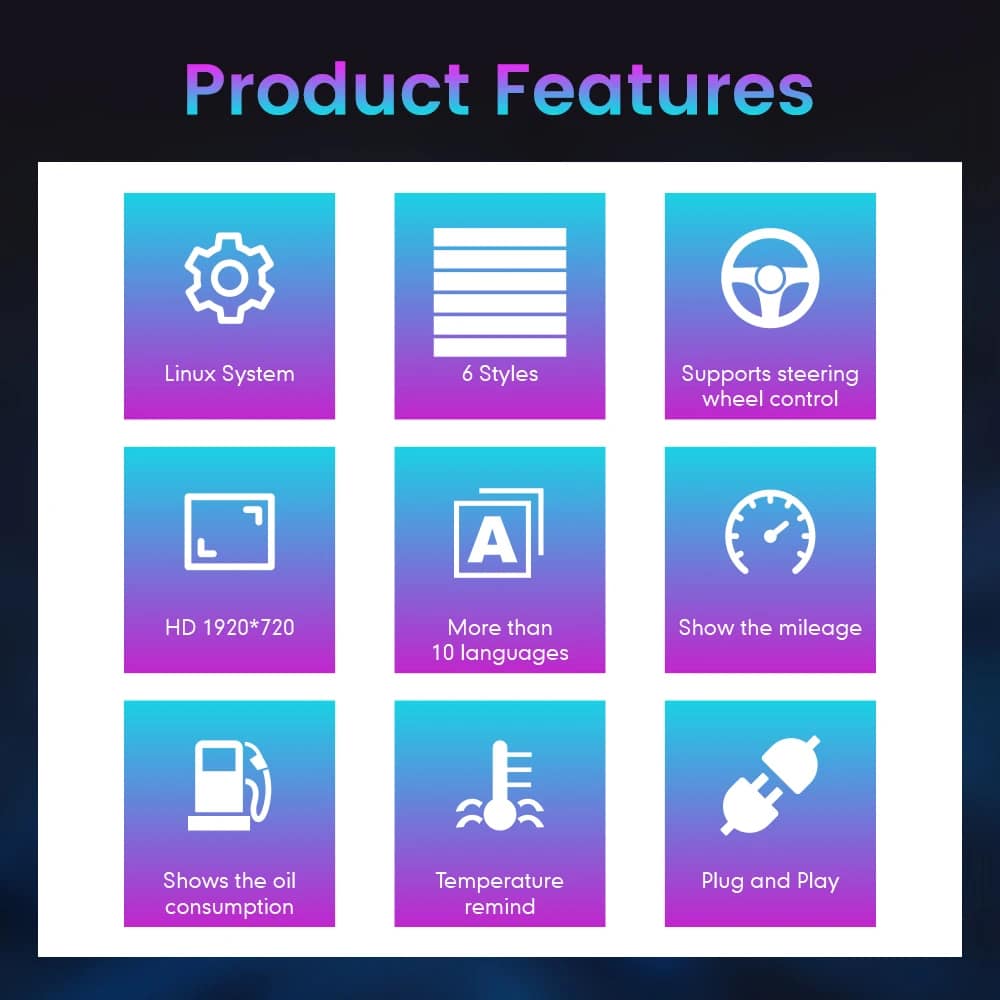
Visão geral das funcionalidades
O painel é construído em torno de Linux, layouts selecionáveis, controlo pelo volante, exibição de quilometragem e informações suportadas do estado do veículo. Para a sua encomenda, o iKAGOO prepara a configuração de 13.1 polegadas, 1920 × 932 indicada nas especificações de compra.
Guia de Nomes de Veículos e Regiões
Este painel é construído em torno da arquitetura do painel de instrumentos F-150 de 12.ª geração. A área de compra disponibiliza atualmente dois grupos de hardware porque a estrutura do painel original muda ao longo da produção.
Selecione a opção Painel Digital Ford F150 Raptor 2009–2012 e forneça uma fotografia nítida do painel original. Isto inclui veículos correspondentes com o layout de indicadores anterior.
Selecione a opção 2013–2014 e forneça a fotografia do painel original posterior para que a versão física correta possa ser preparada.
O Raptor de primeira geração pertence a esta geração F-150. Faça a correspondência pelo ano do modelo e pela aparência do painel original; não existe um SVT Raptor do ano de modelo 2009.
Os nomes de emblemas do mercado mexicano podem referir-se à mesma geração, mas o painel de instrumentos, o painel original e a configuração dos conectores devem corresponder antes de encomendar.
Este produto é preparado em torno do painel de instrumentos de condução à esquerda norte-americano apresentado. Para uma conversão RHD pós-venda, envie fotografias completas do painel e dos controlos do volante antes da compra.
Não escolha esta versão de 2009–2014. Utilize a versão separada Página do painel digital do F-150 2015–2020 .
Especificações do produto
Preparação da encomenda
Indique o ano do modelo, a versão, o tipo de motor/combustível e o mercado.
Envie o painel de instrumentos original e uma fotografia completa do painel de instrumentos do lado do condutor.
A nossa configuração de hardware corresponde à dos anos 2009–2012 ou 2013–2014.
Confirme os controlos originais do volante e o layout do instrumento antes do envio.
Após a entrega, utilize as orientações fornecidas e contacte o iKAGOO se o ecrã, os controlos ou o comportamento dos dados do veículo forem diferentes.
Avaliações de compras no iKAGOO
Uma pontuação de 92/100 não significa que 8% das funções de fábrica sejam perdidas. A pontuação também reflete que a nova interface Linux e a estrutura de menu diferem do painel analógico Ford original.
Adequado para um instalador DIY experiente ou um instalador de eletrónica automóvel. O nível descreve o trabalho necessário; não indica menor qualidade do produto ou menor valor de atualização.
Compare os resultados reais
Instalação
Isto não é um simples acessório USB. Um trabalho correto exige uma remoção cuidadosa dos revestimentos, remoção do painel, manuseamento dos componentes originais, ligação compatível, configuração das definições do veículo e testes completos de funcionamento.
Envio e Apoio ao Cliente
Normalmente 1–3 dias úteis antes do envio, com tempo adicional quando a informação do veículo ou a configuração necessita de esclarecimento.
Entrega típica após o envio: EUA/Canadá 5–9 dias úteis, UE 7–15, Reino Unido/Austrália 7–10, outras regiões suportadas 7–20.
Defeitos de fabrico elegíveis e falhas de hardware em condições de utilização normal estão cobertos pela garantia de hardware limitada atual.
Quando a iKAGOO confirmou a compatibilidade a partir de informação precisa fornecida antes da compra, mas nenhuma solução razoável funciona, aplica-se a política de reembolso publicada atual.
Perguntas dos compradores
Pronto para atualizar
Escolha a versão de ano correta, envie as fotografias do veículo solicitadas e deixe a iKAGOO preparar a configuração do painel digital compatível, a configuração da interface e a orientação de instalação para o seu camião.
É necessário ter logged in para publicar um comentário.


Informações claras sobre compatibilidade do veículo, preparação da encomenda, entrega internacional, garantia, devoluções e suporte pós-venda.
A eletrónica específica do veículo requer a versão correta, cablagem e configuração. O nosso processo foi concebido para reduzir problemas evitáveis de compatibilidade e instalação.
O modelo do veículo, o ano, o sistema original e as informações de configuração relevantes podem ser revistos antes da compra para reduzir o risco de selecionar a versão errada.
Antes do envio, o pedido é verificado em relação às informações confirmadas do veículo para que a versão, a configuração e os componentes específicos do veículo necessários possam ser preparados.
O nosso objetivo é garantir que a sua encomenda esteja correta antes de nos deixar. Verificamos a compatibilidade, preparamos a configuração correta e contactamos apenas se algo ainda precisar de confirmação.
Um resumo prático dos principais termos que se aplicam a encomendas iKAGOO específicas de veículo.
A maioria das encomendas iKAGOO são expedidas do nosso armazém na China após a verificação da configuração do produto e das informações do veículo.
O processamento normal de encomendas é de aproximadamente 1-3 dias úteis. O prazo de entrega estimado após a expedição é geralmente:
O desalfandegamento, feriados, condições meteorológicas, atrasos do transportador e entrega em áreas remotas podem afetar estas estimativas.
O envio internacional normal normalmente não inclui IVA do país de destino, direitos de importação, taxas de corretagem ou taxas de desalfandegamento.
Para destinos elegíveis da União Europeia, O envio DDP pode estar disponível. Os encargos relacionados com a importação são incluídos apenas quando o DDP é selecionado no checkout ou confirmados por escrito pela iKAGOO antes do envio.
Quando o DDP não é selecionado, os encargos cobrados pelas alfândegas locais ou pela transportadora são normalmente da responsabilidade do destinatário.
O envio expresso ou acelerado pode estar disponível para produtos e destinos selecionados. A disponibilidade, a transportadora e quaisquer custos adicionais são confirmados antes do envio.
Dependendo da rota e do tipo de produto, a iKAGOO pode utilizar a DHL, a FedEx, a UPS, o EMS, a 4PX ou outro fornecedor de logística com rastreio.
Após a expedição, o número de rastreio ou a ligação de rastreio é normalmente enviado para o endereço de email utilizado na encomenda. As atualizações de rastreio podem demorar vários dias úteis a aparecer durante as transferências entre transportadoras internacionais.
A elegibilidade para devolução depende do motivo da devolução, do estado do produto, do estado de instalação, das provas de apoio e de a devolução ter sido aprovada pela iKAGOO.
Para uma devolução aprovada sem defeito, o produto deve normalmente permanecer não utilizado, não instalado, completo e adequado para revenda. O cliente é geralmente responsável pelos custos de envio da devolução aprovada.
Os custos de envio originais, DDP, IVA, direitos aduaneiros e outros custos logísticos são geralmente não reembolsáveis, exceto se exigido por lei ou confirmado de outra forma pela iKAGOO.
Não envie um produto de volta antes de receber um endereço de devolução aprovado e instruções de devolução da iKAGOO.
Pode ser aplicada proteção adicional quando a iKAGOO analisou a compatibilidade do veículo, o cliente forneceu informações precisas sobre o veículo e foram concluídos passos razoáveis de instalação e diagnóstico.
Se a iKAGOO confirmar que não existe nenhuma solução técnica razoável disponível e o problema for comunicado dentro de 7 dias úteis após a entrega, o cliente pode ser elegível para um reembolso do preço do produto sem ser obrigado a devolver o produto.
O envio original, DDP, IVA, direitos aduaneiros e outros encargos de terceiros não estão incluídos neste reembolso do preço do produto.
Os produtos elegíveis incluem uma Garantia limitada de 12 meses para o hardware cobrindo defeitos de fabrico verificados e falhas de hardware elegíveis sob uso normal.
Dependendo do problema verificado, o suporte pode incluir diagnóstico remoto, assistência de configuração, peças de substituição, reparação, substituição, reembolso parcial ou reembolso total.
A inspeção ou exame por terceiros não anula automaticamente toda a garantia. No entanto, danos causados por reparação não autorizada, modificação incorreta, circuitos partidos, remontagem inadequada, fiação incorreta, impacto, entrada de água ou uso indevido não são normalmente cobertos.
Contacte a iKAGOO antes de desmontar, modificar ou reparar o produto para que o procedimento de diagnóstico correto possa ser fornecido.
Contacte a iKAGOO no prazo de 7 dias úteis após a entrega e conserve a embalagem original, a etiqueta de envio, os acessórios e o produto.
Por favor, forneça fotografias ou vídeos nítidos que mostrem:
Após verificação, a iKAGOO poderá providenciar o envio de peças em falta, substituição, reparação, reembolso ou outra solução razoável.
Contacte a iKAGOO o mais rapidamente possível e antes da instalação. Para alterações de morada, configuração do veículo ou produto, contacte- nos preferencialmente dentro de 12 horas após a realização da encomenda.
Uma troca ou devolução pode ser aprovada quando um produto selecionado incorretamente permanecer não utilizado, não instalado, completo e adequado para revenda. Os clientes são normalmente responsáveis pelos custos de envio relevantes e diferenças de preço.
Os produtos específicos para veículos podem entrar em aquisição, programação, teste ou configuração pouco tempo após o pagamento. Assim que a preparação ou o envio tiver começado, o cancelamento pode deixar de ser possível, ou podem ser deduzidos custos razoáveis já incorridos.
O conteúdo da embalagem varia de acordo com o produto, modelo do veículo, sistema de fábrica e configuração selecionada.
Dependendo do produto, a embalagem pode incluir o dispositivo principal, cablagens específicas do veículo, interface CANBUS, adaptadores, cabos USB, antenas, microfones, ferragens de montagem ou outros acessórios de instalação necessários.
Consulte as fotos relevantes do produto, especificações e confirmação da encomenda para o conteúdo exato da sua encomenda.
Pode contactar a iKAGOO através do formulário de contacto do site, WhatsApp ou outros canais de suporte disponíveis. O tempo de resposta típico é dentro de 24 horas úteis.
Para um diagnóstico técnico mais rápido, inclua o número da encomenda, modelo e ano do veículo, fotos relevantes do sistema de fábrica, fotos do produto e um vídeo claro que mostre o problema.
Os pagamentos são processados através dos métodos de pagamento seguros apresentados no checkout.
As opções de cartão, carteira e parcelamento disponíveis podem variar conforme o país, a moeda, o prestador de pagamento e a elegibilidade do cliente.
Os serviços de parcelamento, incluindo as opções oferecidas pela PayPal ou por outro prestador de pagamento, estão sujeitos à disponibilidade regional e aos requisitos de aprovação desse prestador.
Esta secção é um guia simplificado para o cliente. As páginas de políticas publicadas na íntegra, a confirmação da encomenda e a lei do consumidor aplicável prevalecem se qualquer redação for diferente.
Painel de instrumentos digital para o Volkswagen Golf 6, Golf Mk6, Golf VI e Typ 5K 2008–201...
De: $1,380.00
O envio final é confirmado a partir do seu endereço de entrega na finalização da compra.

Selecione o que pretende comprar. Apenas mostramos os detalhes necessários para esse produto.
Iremos rever os detalhes e enviar a versão recomendada do versão do produto recomendada para o seu correio eletrónico.
Utilizamos cookies essenciais para manter o site seguro e a funcionar corretamente. Com o seu consentimento, também podemos utilizar cookies de análise para melhorar a experiência de navegação. Consulte a nossa Política de privacidade.






Michael Brown -
Instalei isto no meu Raptor de 2009. O ‘Modo Off-road’ é absolutamente fantástico — ver em tempo real os ângulos de inclinação longitudinal e transversal, bem como a pressão dos pneus, no ecrã HD de 13,1 polegadas faz com que os indicadores analógicos de série pareçam ter saído da Idade da Pedra. A instalação foi verdadeiramente «plug-and-play»
A instalação foi do tipo «plug-and-play», o menu funciona sem atrasos, os efeitos visuais são impressionantes e a resolução é extremamente elevada