Tema XStore

No products in the cart.

Até 22%
  • Unidade principal Android Audi Q7 2006-2015
  • 03 6
  • 10 1
  • 09 1
  • 02 5
  • 06 3

Unidade principal Android para Audi Q7 2006–2015, 10,25″, com CarPlay

Marca:

De: $325.00

Isento de direitos Apenas UE e EUA
Detalhes
Seguro por PayPal
Serviço de pré-pagamento de impostos DDP

Tratamos de todos os impostos e IVA. Poupança estimada: $120-$280.

EUA (48 Estados)ÁustriaBélgicaBulgáriaCroáciaChipreRepública ChecaDinamarcaEstóniaFinlândiaFrançaAlemanhaGréciaHungriaIrlandaItáliaLetóniaLituâniaLuxemburgoMaltaPaíses BaixosPolóniaPortugalRoméniaEslováquiaEslovéniaEspanhaSuécia
ou

Tem alguma pergunta?

Não hesite em Entrar em contacto

Pagar com segurança com Paypal Pagar com segurança com Visa Pagar com segurança com Master Card Pagar com segurança com JCB Pagar com segurança com American Express Pagar com segurança com a Alipay Pagar com segurança com o Google pay Pagar com segurança com Klarna Pagar com segurança com DISCOVER Pagar em segurança com o Apple Pay
Garantia de um pagamento seguro e protegido Checkout
Proteção ao Comprador da iKAGOO

Proteção de compra para este produto

Verificação de compatibilidade, checkout seguro, entrega com acompanhamento e assistência pós-venda eficaz.

A elegibilidade, os períodos de comunicação e as medidas corretivas dependem da política aplicável da iKAGOO e da análise do caso.

Ver políticas de proteção

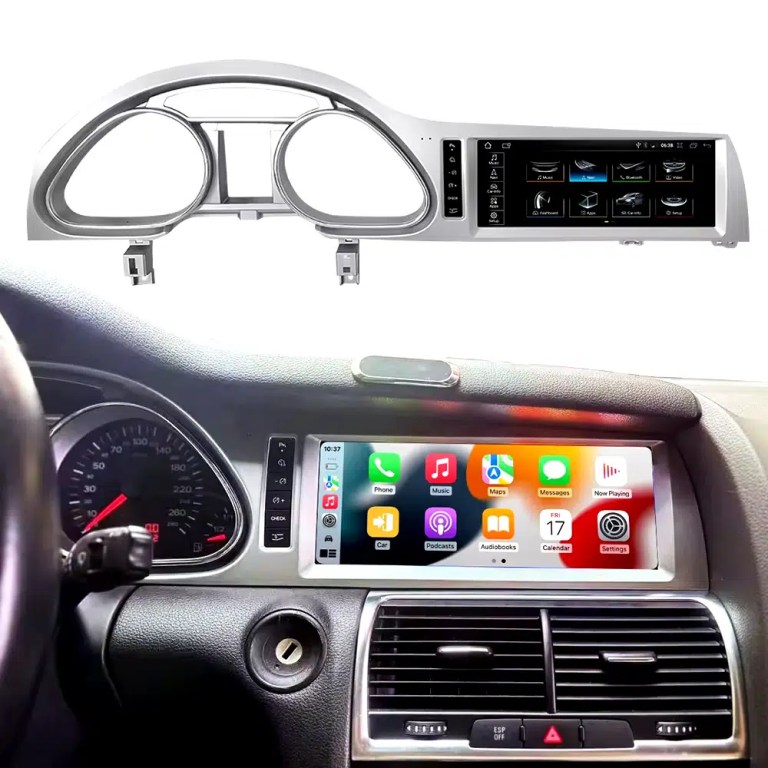
Installed Result First: Audi Q7 Android Head Unit That Still Looks Built Into the Dashboard

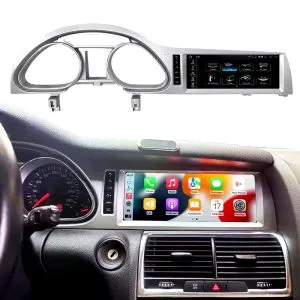
This is the first image buyers should see. It shows the actual Q7 cockpit result: the 10.25-inch Android screen, Audi dashboard trim, original gauge area and CarPlay-style interface working together instead of looking like a loose aftermarket tablet.

Audi Q7 Android head unit 2006 2015 installed dashboard CarPlay view

Check Dashboard, CD Panel, MMI and MOST Audio Before Ordering

The Audi Q7 Android head unit must be matched to the actual Q7 4L dashboard, not only the model year. Q7 vehicles can use different CD panels, MMI systems, Bose amplifiers, MOST fiber-optic audio routes and LHD/RHD frames.

Four Checks That Prevent the Wrong Order

  • Dashboard route: 2005–2009 and 2010–2015 Q7 layouts can differ.
  • CD / MMI panel: check card-slot layout, button layout and original control panel.
  • Audio system: Bose, external amplifier or MOST fiber optic may require a decoder.
  • Steering side: LHD and RHD frames must be confirmed before shipment.

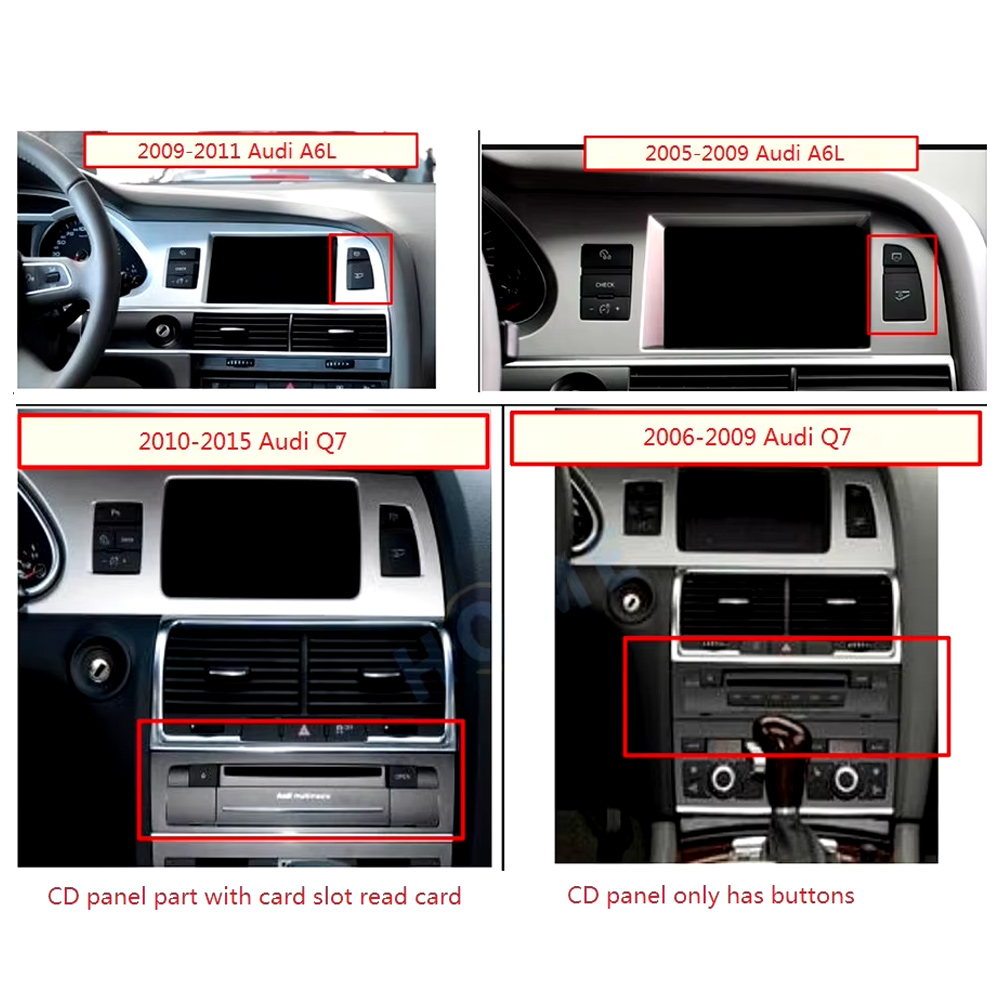
Use This Dashboard Reference Before You Buy

This image belongs near the top because it reduces wrong orders. The original dashboard and CD-panel layout decide the correct screen, frame and integration route.

Audi Q7 2005 2009 2010 2015 dashboard CD panel compatibility comparison
Audi Q7 4L · 2006–2015 · 10.25-inch Android upgrade
Audi Q7 Android Head Unit for CarPlay, Android Auto, MMI and DSP Upgrade

This iKAGOO Audi Q7 Android head unit upgrades selected Audi Q7 4L vehicles with a vehicle-specific 10.25-inch Android screen, wireless CarPlay, Android Auto, GPS navigation, WiFi / 4G, Bluetooth, DSP audio and supported original Audi system switching.

10.25-inch display CarPlay sem fios Android Auto DSP audio WiFi / 4G MMI check

Choose this upgrade if your original Audi Q7 screen feels outdated but you still want the interior to look factory-style. iKAGOO checks your model year, dashboard frame, MMI system, LHD/RHD position, amplifier, MOST fiber optic requirement and connector photos before shipment.

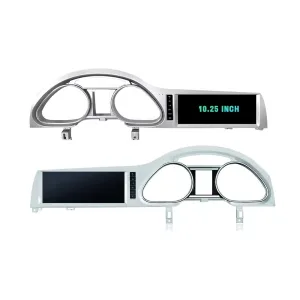
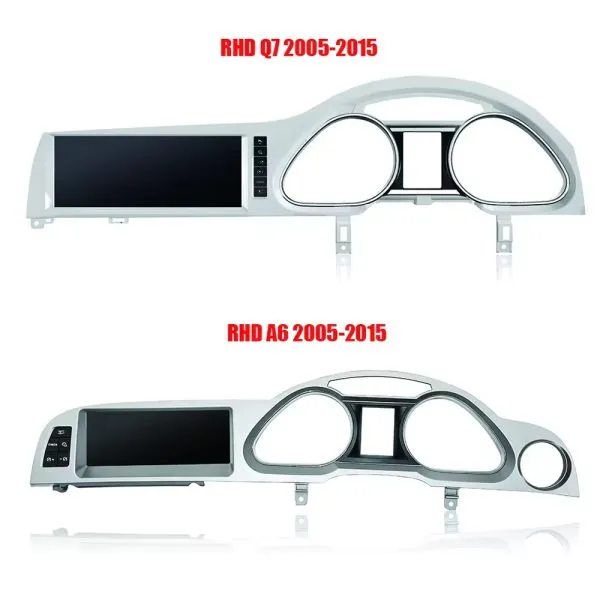
Confirm the 10.25-Inch Q7 Frame Shape

The product frame view helps you compare the left-hand and right-hand display routes before your installer removes the original dashboard parts.

Audi Q7 Android head unit 10.25 inch LHD RHD frame product view

Resposta rápida

This iKAGOO upgrade is a vehicle-specific Audi Q7 Android head unit for selected Audi Q7 4L vehicles in the 2006–2015 range. It upgrades the original screen area with a 10.25-inch Android display route and adds wireless CarPlay, Android Auto, GPS navigation, Bluetooth, WiFi / 4G, DSP audio and app support where the selected hardware version supports these functions. It is not a universal Audi screen. The correct version depends on the dashboard frame, CD / MMI panel, LHD/RHD layout, original amplifier, MOST fiber-optic route, camera system and connector layout. Some 2010–2015 vehicles may need a fiber-optic decoder, especially when Bose or an external amplifier is used.

Why This Audi Q7 Android Head Unit Makes Sense

Modern Screen Without Ruining the Q7 Interior

The 10.25-inch display gives the first-generation Q7 a newer cockpit feel while staying inside the original dashboard structure.

CarPlay sem fios e Android Auto

Use phone maps, calls, music, messages and voice assistant functions through a larger in-dash screen instead of relying only on the old MMI display.

MMI, Audio and Camera Matching

Q7 upgrades fail when audio, MMI or camera routes are guessed. This page puts Bose, MOST, MMI and decoder checks at the front.

Original Audi Functions Supported

Original System Retention

  • Supported original Audi menu access can be retained through the matched integration route.
  • Original steering-wheel controls can work through the matched CAN decoder where the vehicle configuration supports them.
  • Original parking information and original rear camera may be retained when the correct video interface or decoder is prepared.
  • Original speaker and amplifier output depends on the verified audio system and adapter requirement.

Android Daily-Use Functions

  • Wireless Apple CarPlay and Android Auto support phone maps, calls, music and supported app interfaces.
  • WiFi and optional 4G support online maps, app downloads and network-based functions where local service allows it.
  • Bluetooth, music, video, maps, messaging and phone-call functions are available on supported configurations.
  • DSP and equalizer functions are available where the selected motherboard and hardware version support them.

Confirm Your Audi Q7 4L Version Before We Prepare the Head Unit

Audi Q7 4L vehicles can use different dashboard frames, MMI panels, CD layouts, Bose amplifiers, MOST fiber-optic audio routes, camera systems and LHD/RHD interiors. iKAGOO checks your photos before shipment so the correct Audi Q7 Android head unit, frame, harness and decoder route can be prepared.

Compatibilidade

Audi Q7 4L 2006–2015

Made for selected Audi Q7 4L vehicles. Some 2005–2009 and 2010–2015 dashboard routes must be checked by photo before shipment.

MMI Panel

MMI / CD Panel Must Match

The original CD panel, card-slot layout and MMI control area decide the correct screen frame and system-switching route.

Audio Risk

Bose / MOST Fiber Optic Check

This is the key Q7 risk. Bose, external amplifier or MOST fiber optic may require a decoder to keep original speaker output working.

Layout

LHD / RHD + Camera Route

Left-hand-drive, right-hand-drive, original rear camera and 360 camera routes must be confirmed before the order is prepared.

Before shipment, send us: dashboard photo · original screen photo · CD/MMI panel photo · amplifier/Bose information · LHD/RHD · camera details

Help iKAGOO Prepare the Correct Version Before Shipment

Vehicle Information Needed

  • Exact vehicle year and market region.
  • Left-hand drive or right-hand drive.
  • Original dashboard and screen photo.
  • Original CD / MMI control-panel photo.
  • Factory amplifier information: Bose, external amplifier or standard audio.
  • Photo of original connectors if requested.
  • Whether the vehicle has MOST fiber optic, original rear camera or 360 camera.
  • Preferred hardware version: 2+32GB, 4+64GB or 8+256GB.

Why These Details Matter

These details help iKAGOO prepare the correct screen frame, Android unit, wiring harness, CAN decoder, audio adapter, fiber-optic decoder and camera route. They also reduce the risk of no sound, no original menu, wrong frame, wrong LHD/RHD layout or unsupported camera input after installation.

Bose, MOST Fiber Optic and Audio Decoder Warning

This is the most important technical risk on many Audi Q7 4L Android upgrades. If the car uses an external amplifier and MOST fiber-optic audio network, the screen may power on but the speakers may have no sound unless the correct decoder route is prepared.

When a Decoder May Be Needed

  • The vehicle uses Bose or an external factory amplifier.
  • O sistema de áudio original inclui um cabo de fibra ótica de cor laranja.
  • O amplificador original comunica através da rede MOST.
  • O ecrã do Android funciona, mas os altifalantes originais não emitem som.
  • A análise de compatibilidade confirma a utilização de uma ligação de áudio por fibra ótica.

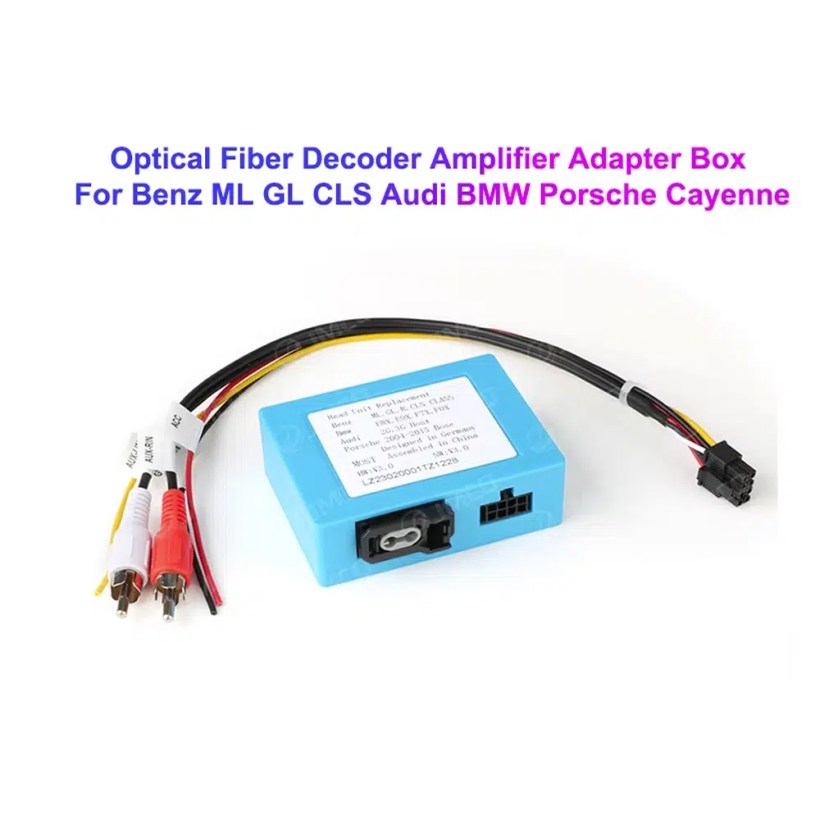
Decoder Example

This image shows the type of fiber-optic decoder commonly used in luxury vehicle audio integration. The required decoder must match the original Audi audio system and connector route.

Audi Q7 MOST optical fiber decoder amplifier adapter box

Key Product Specifications

Tipo de produtoAudi Q7 Android head unit / Android stereo / Android screen upgrade.
Montagem principalAudi Q7 4L 2006–2015, subject to dashboard and system verification.
Tamanho do ecrã10.25 inch vehicle-specific display.
SistemaAndroid platform. Current page contains Android 13 attribute data and Android 16 description text, so final OS should follow the confirmed selected version.
MotherboardTSK / TSK8259 / TSK8667 according to selected hardware version.
Opções de memória2GB+32GB / 4GB+64GB / 8GB+256GB routes shown in current variation.
CPU8-core CPU route according to selected motherboard.
Integração com smartphonesWireless Apple CarPlay and Android Auto on supported firmware and compatible phones.
NavegaçãoGPS / Glonass navigation support with compatible online or offline map apps.
BluetoothBT 4.0 / BT 5.0 according to selected hardware route.
RedeWiFi / optional 4G support where selected hardware and local network conditions allow it.
ÁudioDSP and equalizer functions where selected hardware supports them.
CâmaraRear camera AHD / CVBS and 360 camera routes require version and vehicle confirmation.
Package dataListed weight 3.5 kg; listed dimensions 85 × 35 × 25 cm.

Hardware Platform and Configuration Difference

G5 / TSK8259 Direction

Usually used for the basic hardware route. Current page information lists Android platform data, 8-core CPU route, Bluetooth 4.x direction and supported CarPlay / Android Auto depending on firmware and selected version.

  • 2GB + 32GB route on current variation.
  • Wireless CarPlay / Android Auto on supported firmware.
  • WiFi and optional compatible 4G where hardware supports it.
  • Camera and CAN integration must still match the vehicle.

G6 / TSK8667 Direction

Used for stronger hardware routes such as 4GB + 64GB and 8GB + 256GB options. Suitable for buyers who want smoother Android operation, better storage and stronger daily-use performance.

  • 4GB + 64GB or 8GB + 256GB route.
  • Bluetooth 5.0 direction where selected hardware supports it.
  • DSP support depends on selected hardware.
  • Recommended for long-term ownership and heavier app use.

The product title, variation name, checkout option and delivered hardware should use the same memory and motherboard specification. Do not combine specifications from different hardware versions.

Choose the Right Hardware Version

Basic

2GB + 32GB

Suitable for basic CarPlay, Android Auto, Bluetooth and navigation use. Choose this only if your expectations are simple and you do not plan heavy app use.

  • Basic app use
  • Lower cost route
  • Best for light daily use
Balanced

4GB + 64GB

A more balanced route for buyers who want better app switching, navigation and daily media use without jumping to the top version.

  • Better memory balance
  • Good daily usability
  • Recommended over basic version
Recomendado

8 GB + 256 GB

Recommended for buyers who want the strongest current option shown on the page, larger storage and better long-term Android usability.

  • Highest listed storage route
  • Better for multitasking
  • Best long-term choice
  • Confirm motherboard before shipment

Compatibilidade e processo de instalação do iKAGOO

PASSO 01

Análise do veículo

Submit the year, dashboard photos, steering position and original audio-system details.

PASSO 02

Correspondência de configurações

O iKAGOO verifica os requisitos relativos à estrutura, ao chicote elétrico, ao descodificador CAN, ao amplificador e à fibra ótica.

PASSO 03

Preparação pré-expedição

A unidade Android e os acessórios correspondentes estão preparados para a configuração confirmada do veículo.

PASSO 04

Apoio à instalação

Estão disponíveis orientações sobre a ligação, a configuração e os testes das funções suportadas.

Why Owners Choose iKAGOO

Preparação específica para cada veículo

iKAGOO checks your Audi Q7 year, dashboard photos, MMI system, steering side and audio system before shipment so the correct version can be prepared.

MMI and Audio Matching

The correct CAN decoder, amplifier route and fiber-optic requirement matter more than buying a screen by size alone.

Original Function Integration

The upgrade is prepared to retain supported original menus, steering-wheel controls, original camera and vehicle information where the matched route allows it.

Proteção da cablagem de fábrica

The matched harness route is designed to avoid unnecessary cutting of the original wiring when the vehicle and harness match.

Installation and Setup Support

If your installer needs help identifying the MMI type, fiber-optic route or function test result, iKAGOO can provide order-based support.

12-Month Garantia de hardware

Eligible hardware issues are handled under the iKAGOO 12-month limited warranty, with after-sales support for diagnosis and suitable solutions.

iKAGOO Purchase Assessment for This Audi Q7 Android Head Unit

Valor da atualização

Necessidade de atualização do iKAGOO

89/100

Strong Upgrade Case. The first-generation Audi Q7 interior benefits clearly from a modern 10.25-inch Android screen, wireless smartphone integration, navigation and improved media usability.

  • Visible dashboard modernization
  • CarPlay sem fios e Android Auto
  • Navigation, apps and DSP value
Based on the iKAGOO Upgrade Necessity Standard
Factory Retention

Compatibilidade com o veículo original

84/100

Good compatibility route when the correct dashboard frame, MMI route, CAN decoder, amplifier adapter and fiber-optic requirement are verified before shipment.

A score of 84/100 does not mean that 16% of factory functions are lost. It means this product requires stricter checking because Audi Q7 4L audio and MMI configurations vary.

Based on the Factory Function Retention Standard
Install Level

Dificuldade de instalação

Nível 3

Advanced DIY. Suitable for experienced DIY installers or an automotive electronics technician. Audi Q7 MMI, MOST fiber optic, amplifier and camera routes must be checked carefully before final reassembly.

Based on the Car Electronics Installation Difficulty Guide

Keep the Old MMI, Add a Box or Upgrade with iKAGOO?

Keep Original

Factory MMI Only

Best only if you are satisfied with the old screen size, old interface and limited smartphone integration.

  • No upgrade cost
  • Old interface remains
  • Limited app experience
Basic Add-On

CarPlay-Only Module

Useful if you only need phone projection, but it does not give the Q7 a new Android display or modern interface layout.

  • Limited visual change
  • No full Android system
  • Depends on original screen condition
Generic Screen

Universal Android Screen

May be cheaper, but Audi Q7 dashboard frame, MMI, Bose, MOST fiber and camera integration can become the real risk.

  • Fitment uncertainty
  • May look aftermarket
  • Higher audio risk
Recomendado

iKAGOO Audi Q7 Android Head Unit

Best for owners who want a vehicle-specific 10.25-inch screen, CarPlay, Android Auto, navigation, DSP and configuration review before shipment.

  • 10.25-inch Q7-specific frame
  • Wireless CP & AA
  • MMI system switching
  • Fiber-optic decoder check
  • Preparação específica para cada veículo

Purchase Conclusion

If you want your Audi Q7 4L to feel modern without making the dashboard look cheap or creating MMI/audio problems, this iKAGOO Android head unit is the stronger route than a generic screen or a small add-on box.

Product Photos and What They Help You Decide

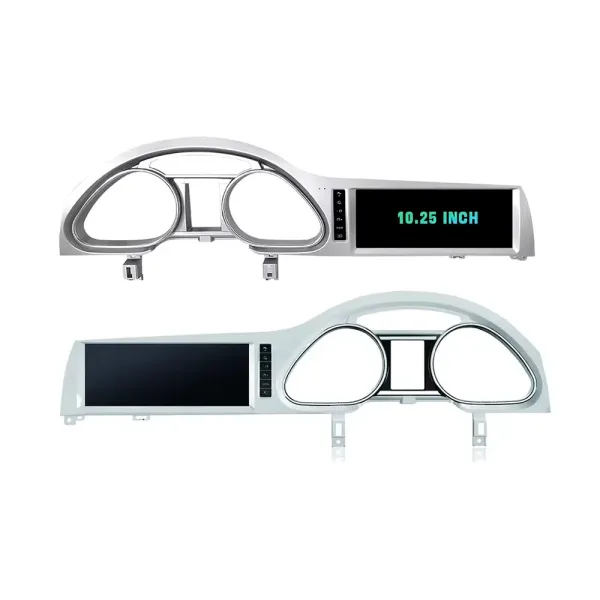
Confirm LHD and RHD Product Frame Routes

This image helps you understand that Q7 frame orientation matters. Do not order without confirming steering side and dashboard layout.

Audi Q7 Android head unit RHD and LHD frame route product comparison

Understand the Screen Display Area

The screen reference explains the display route and reminds buyers that the confirmed order specification takes priority over general promotional images.

Audi Q7 Android head unit screen display area reference

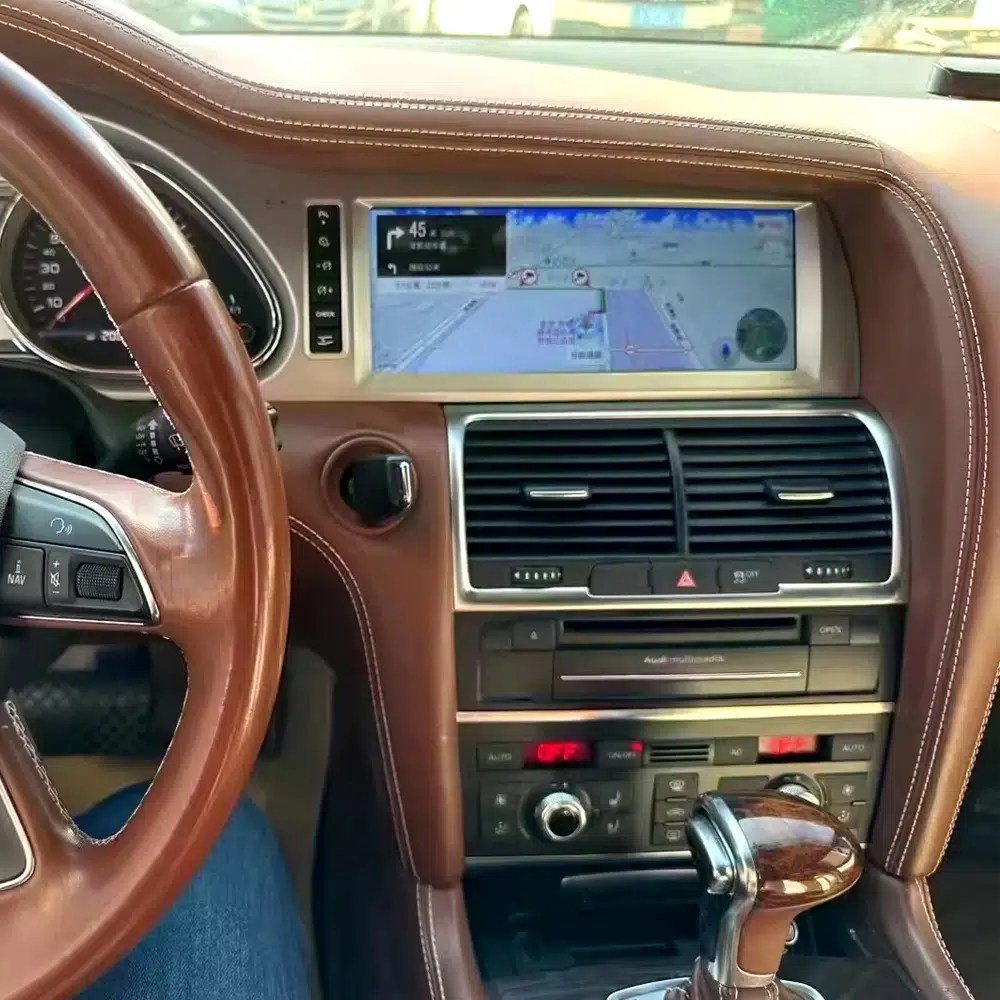
See Navigation Working in a Real Audi Q7 Interior

This installed navigation view helps you judge the screen position, driver visibility and how the display looks inside a used Q7 cabin.

Audi Q7 Android navigation screen installed in vehicle dashboard

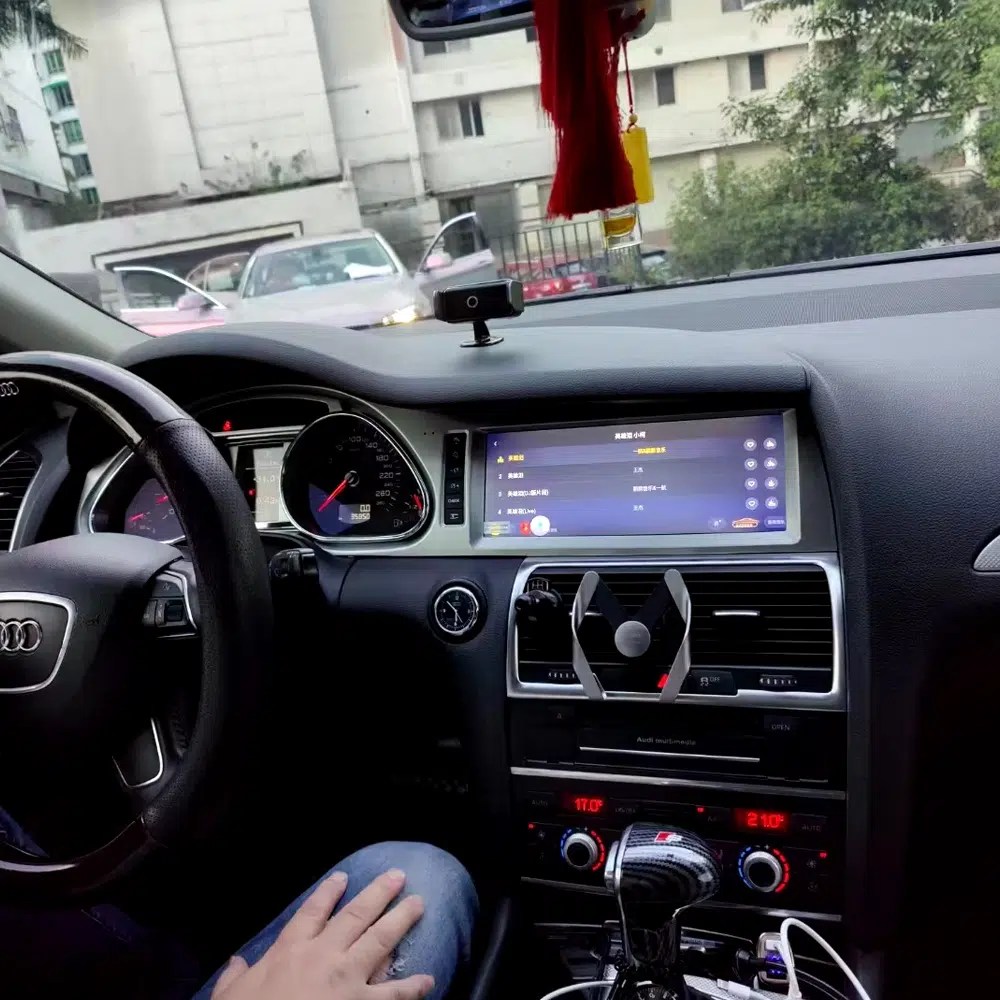
Review Another Real Installation Interface

This cabin photo gives another practical reference for screen angle, dashboard integration and menu readability after installation.

Audi Q7 Android head unit installed original dashboard interface view

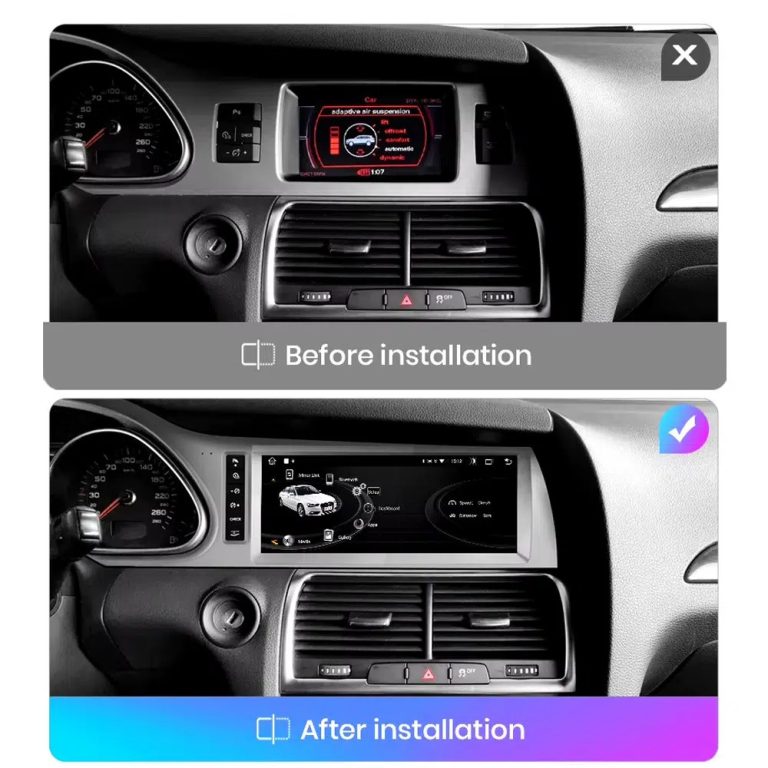
Compare the Old Screen Before and After the Upgrade

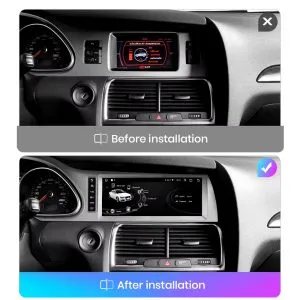
The before-and-after image shows the main visual upgrade: the old small screen area becomes a wider Android interface with a cleaner modern layout.

Audi Q7 original screen before and Android screen after installation comparison

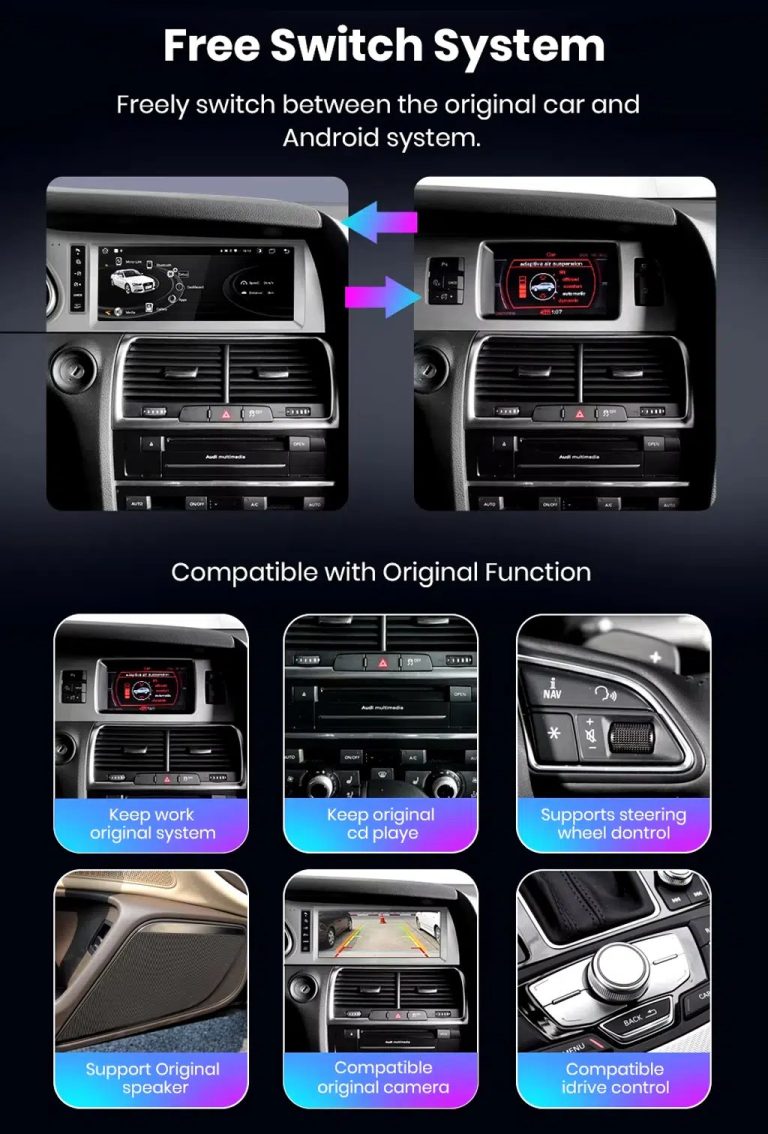
Switch Between Android and Original Audi System

Original-system switching is important for Q7 owners because it helps retain access to supported Audi menus while adding modern Android functions.

Funções de alternância entre o sistema Android do Audi Q7 e o sistema original do veículo

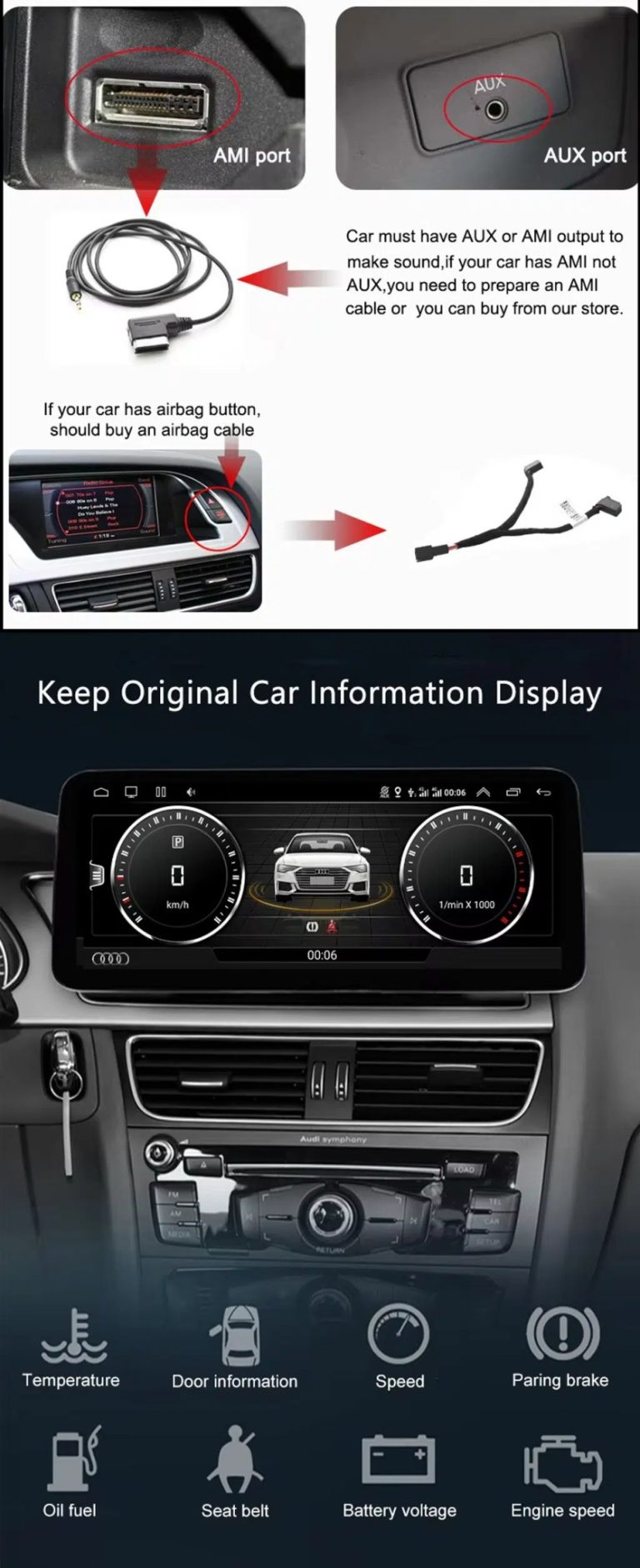
Check AUX, AMI and Original Vehicle Information

Some Audi Q7 configurations need the correct AUX, AMI or adapter route for sound and original data display. This should be checked before installation.

Audi Q7 Android head unit AUX AMI cable and original vehicle information display

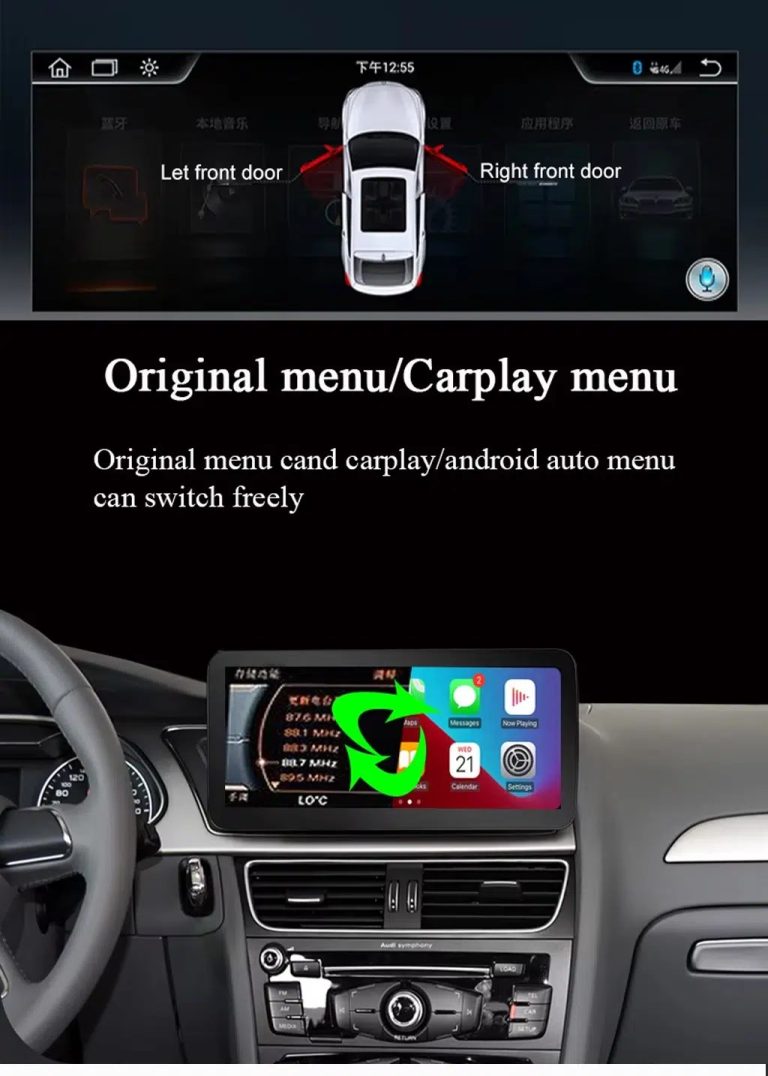
Use Original Menu and CarPlay Menu Switching

This visual explains how the owner can move between the supported original Audi interface and modern CarPlay / Android Auto style display.

Audi Q7 Android head unit original menu CarPlay menu switching

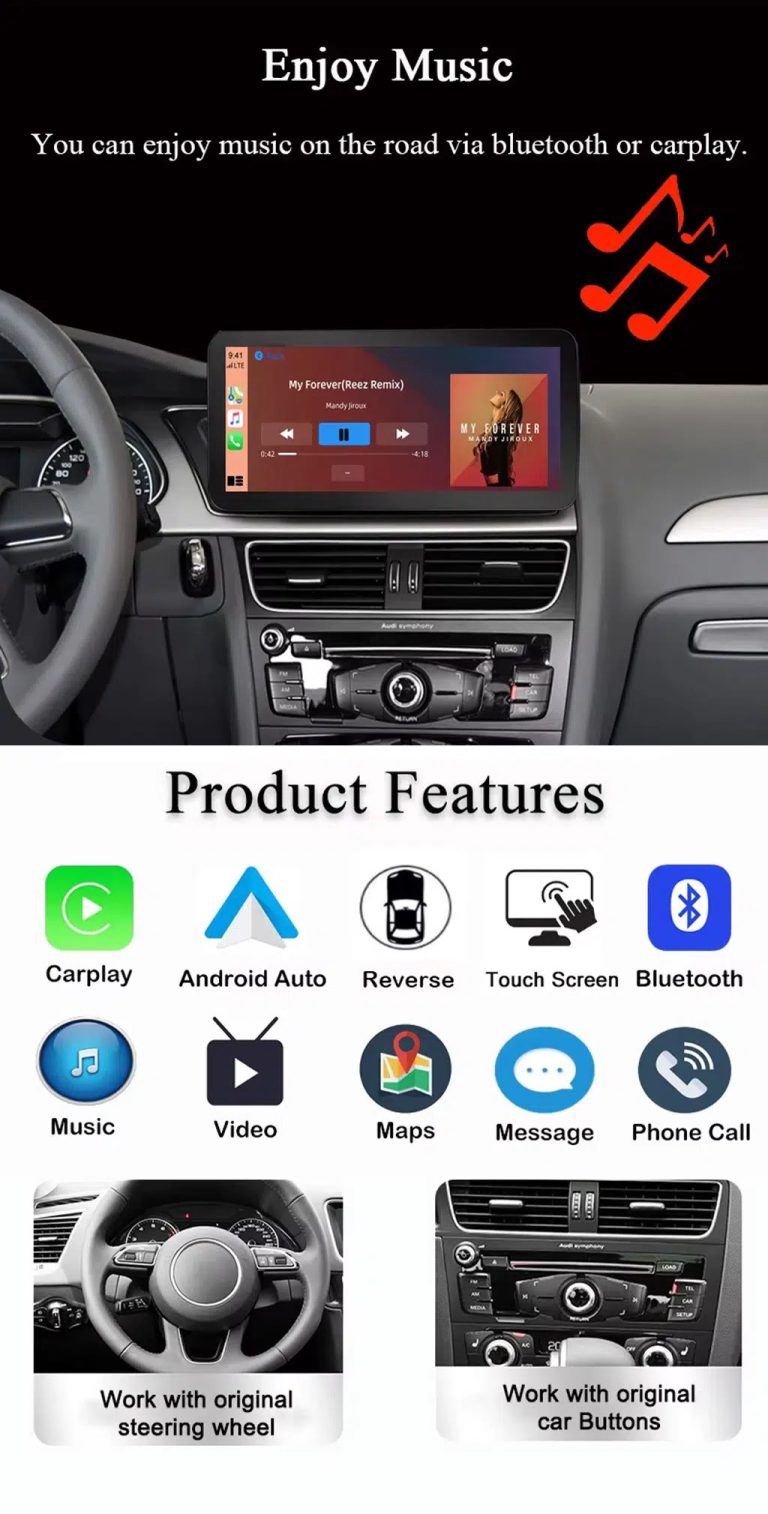
Use Music, Bluetooth, Maps and Steering-Wheel Controls

The function overview shows why the upgrade is useful every day: calls, music, maps, Bluetooth, touch operation and supported steering-wheel controls.

Audi Q7 Android head unit music Bluetooth maps CarPlay steering wheel features

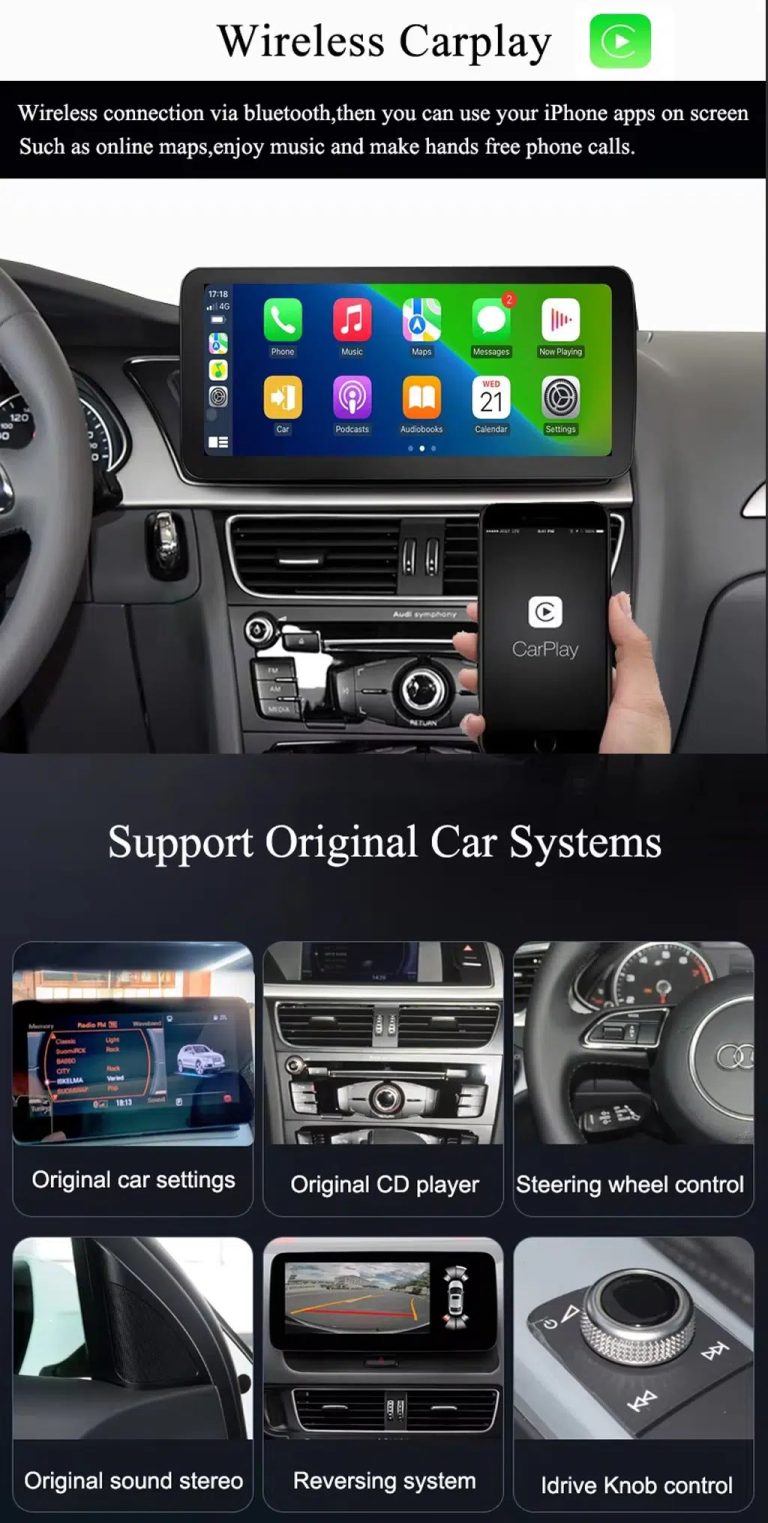
Show Wireless CarPlay and Original System Value Together

This image is useful because it combines wireless CarPlay with original car system retention, helping buyers understand that this upgrade is more than a simple screen swap.

Audi Q7 Android head unit wireless CarPlay and original system support

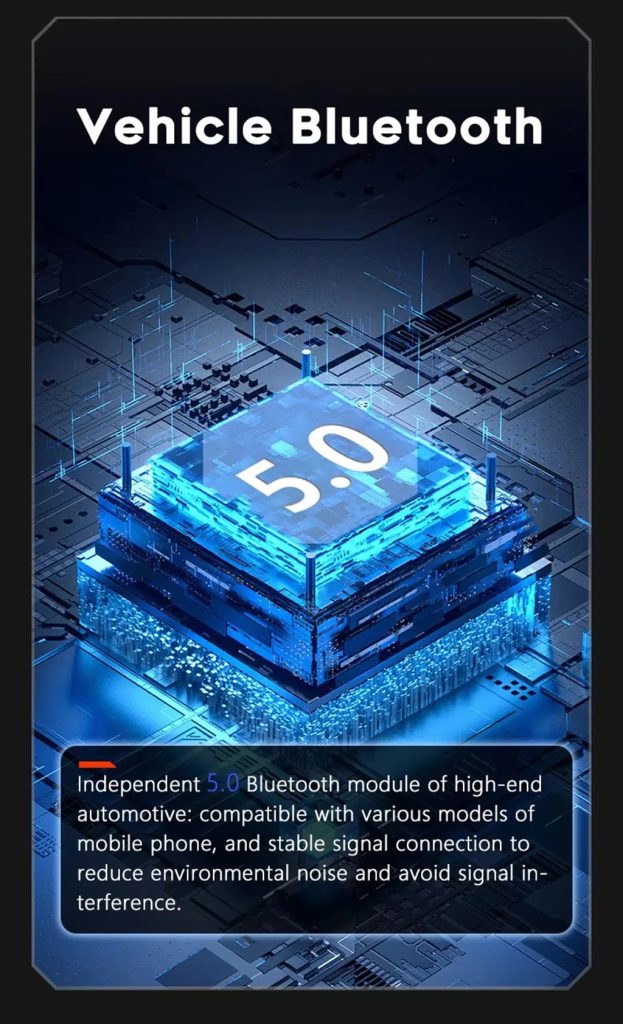
Improve Bluetooth Stability Where Supported

Bluetooth version depends on selected hardware, but the upgrade direction supports clearer phone and media connection than relying only on older factory behavior.

Audi Q7 Android head unit Bluetooth 5 feature reference

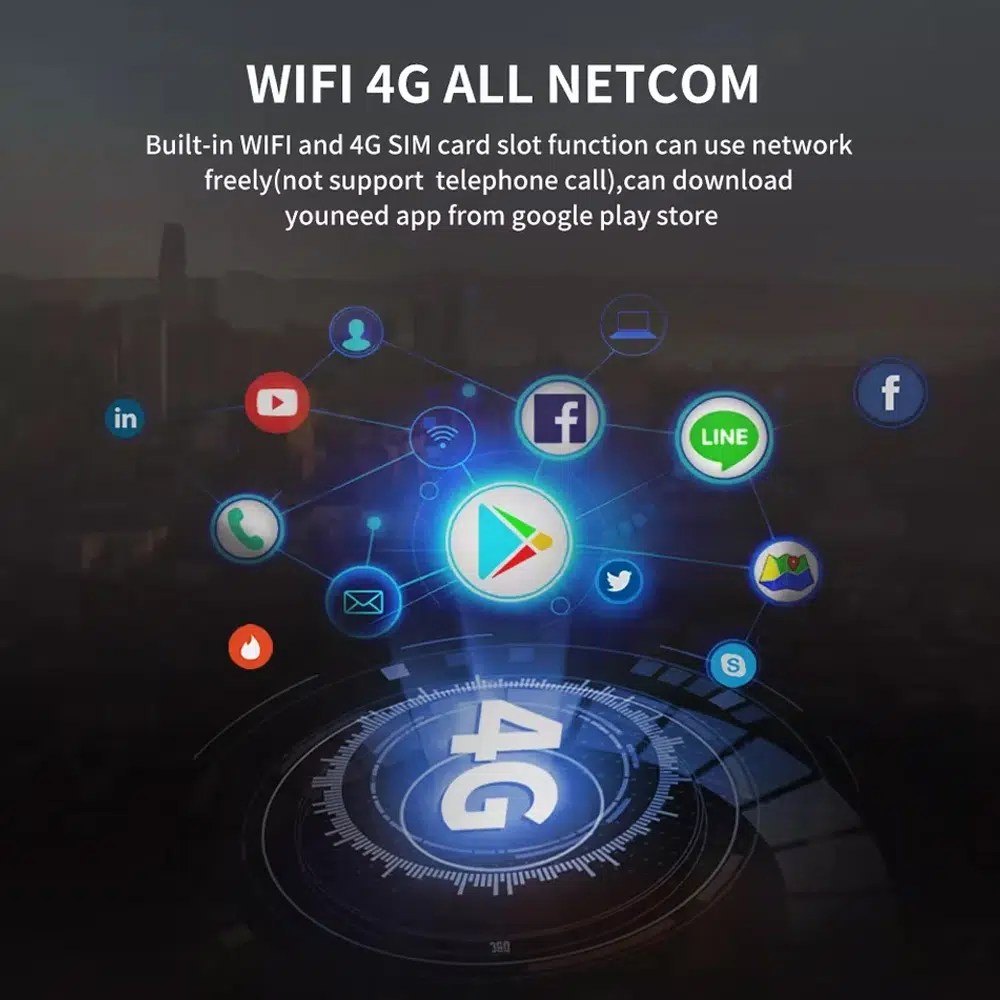
Use WiFi and 4G for Apps and Online Navigation

WiFi and compatible 4G support online maps, app downloads and connected Android functions where local network and selected hardware allow it.

Audi Q7 Android head unit WiFi 4G Google Play app connection

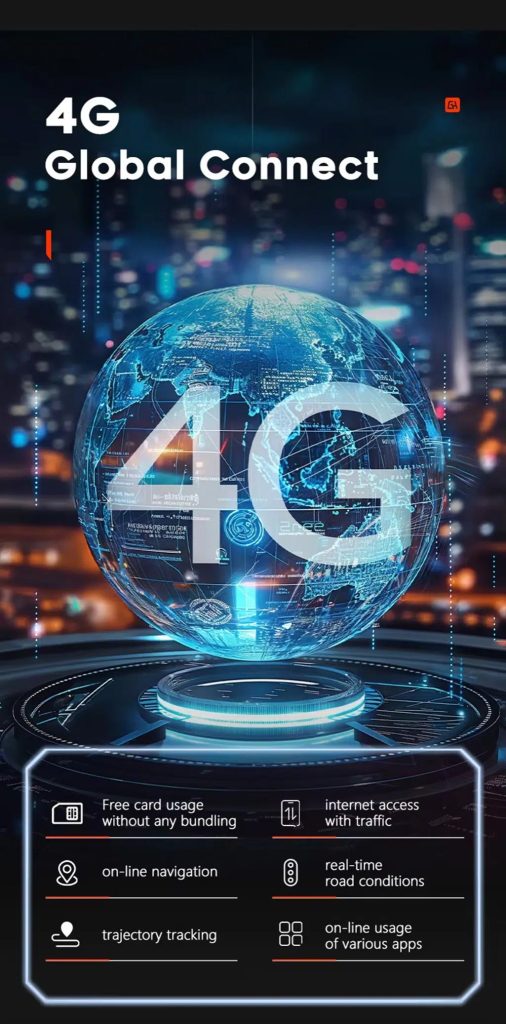
Use 4G Global Connect Where Available

This image supports the network-use value of the Android head unit: online navigation, traffic information and app access depend on active network service.

Audi Q7 Android head unit 4G global connect online navigation traffic apps

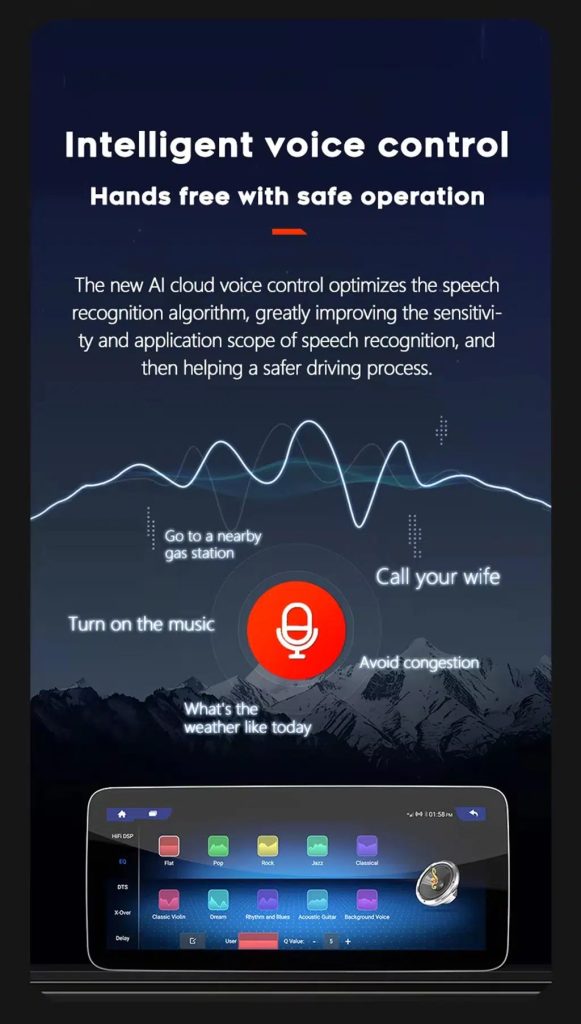
Use Voice Control With Compatible Apps

Voice control can make navigation, music and calls easier, but actual recognition depends on app, microphone, language, internet connection and phone compatibility.

Audi Q7 Android head unit intelligent voice control function

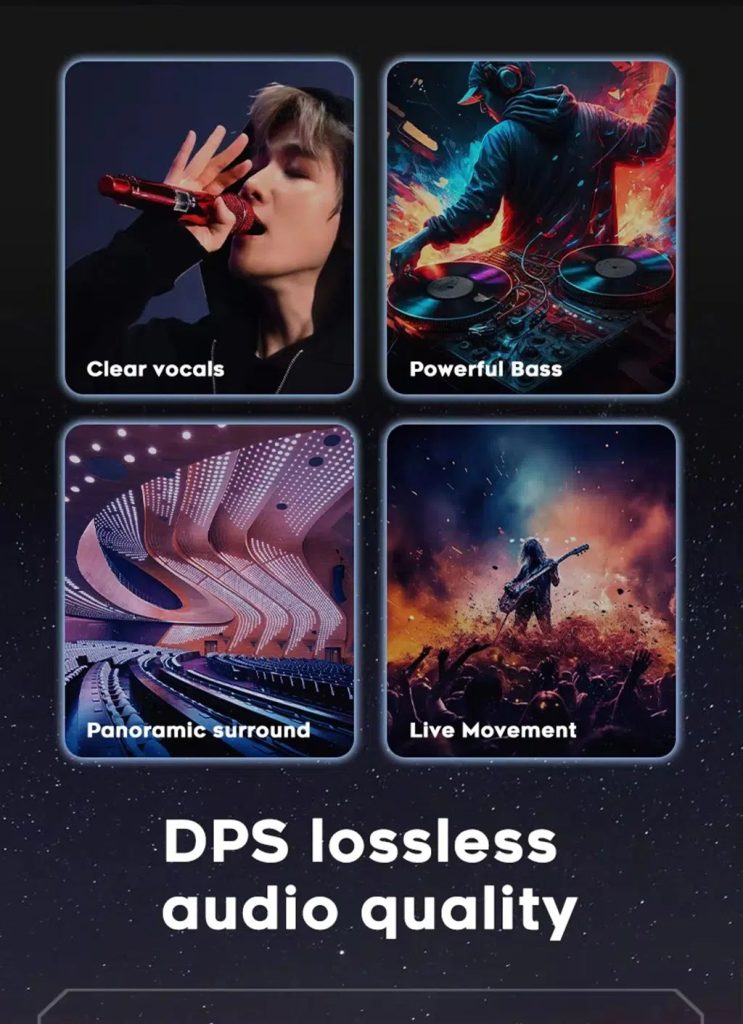
Improve Audio With DSP Where Supported

DSP helps tune vocals, bass, surround feeling and live-movement sound effects when the selected hardware version includes the supported DSP route.

Audi Q7 Android head unit DSP lossless audio quality feature

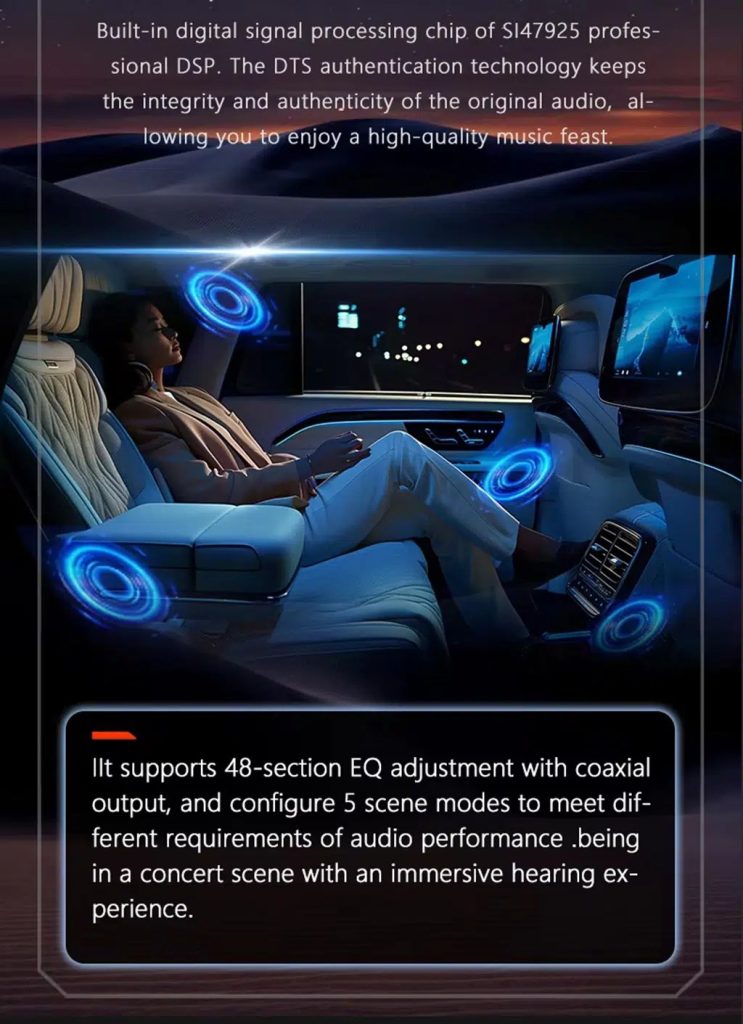
Review Multimedia and DSP Function Reference

This additional media image supports the buyer’s understanding of the audio and entertainment function direction before choosing the hardware version.

Audi Q7 Android head unit DSP and multimedia function illustration

Check Product Size, Rear Ports and Accessories

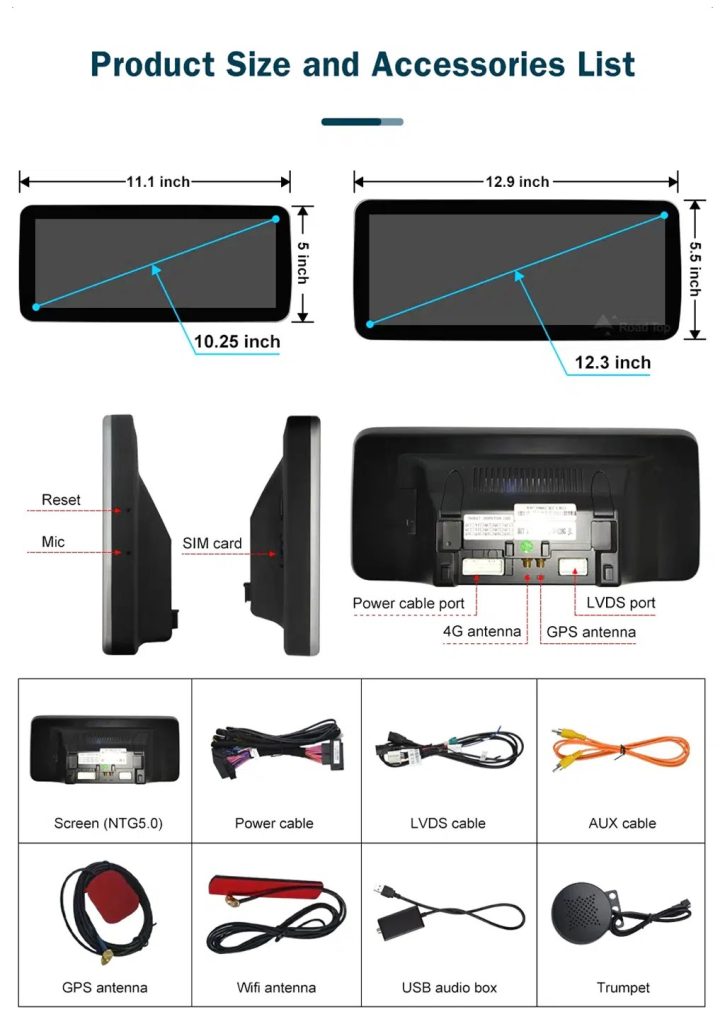
This accessory image helps the installer understand screen size, rear connection area, LVDS, power cable, AUX cable, GPS antenna, WiFi antenna, USB audio box and other included parts.

Audi Q7 Android head unit product size ports and accessories list

Understand the IPS Blue Screen Advantage

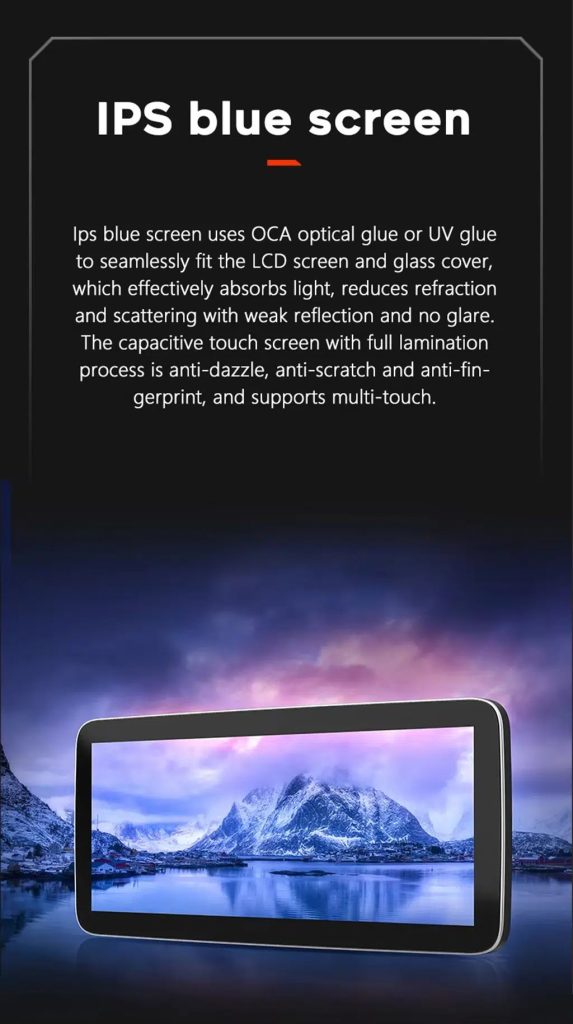
The IPS blue screen and capacitive touch direction helps the display feel clearer, smoother and more comfortable for daily dashboard use.

Audi Q7 Android head unit IPS blue screen capacitive touch display

Review the Product Gallery Before-and-After Reference

This gallery image gives another quick reference for the original Q7 display before installation and the wider Android interface after installation.

Audi Q7 Android head unit product gallery before after reference

Confirm Another Installed Dashboard Angle

This gallery view shows the unit installed in the Q7 dashboard with a modern interface, helping buyers compare the final visual balance.

Audi Q7 Android head unit installed dashboard gallery reference

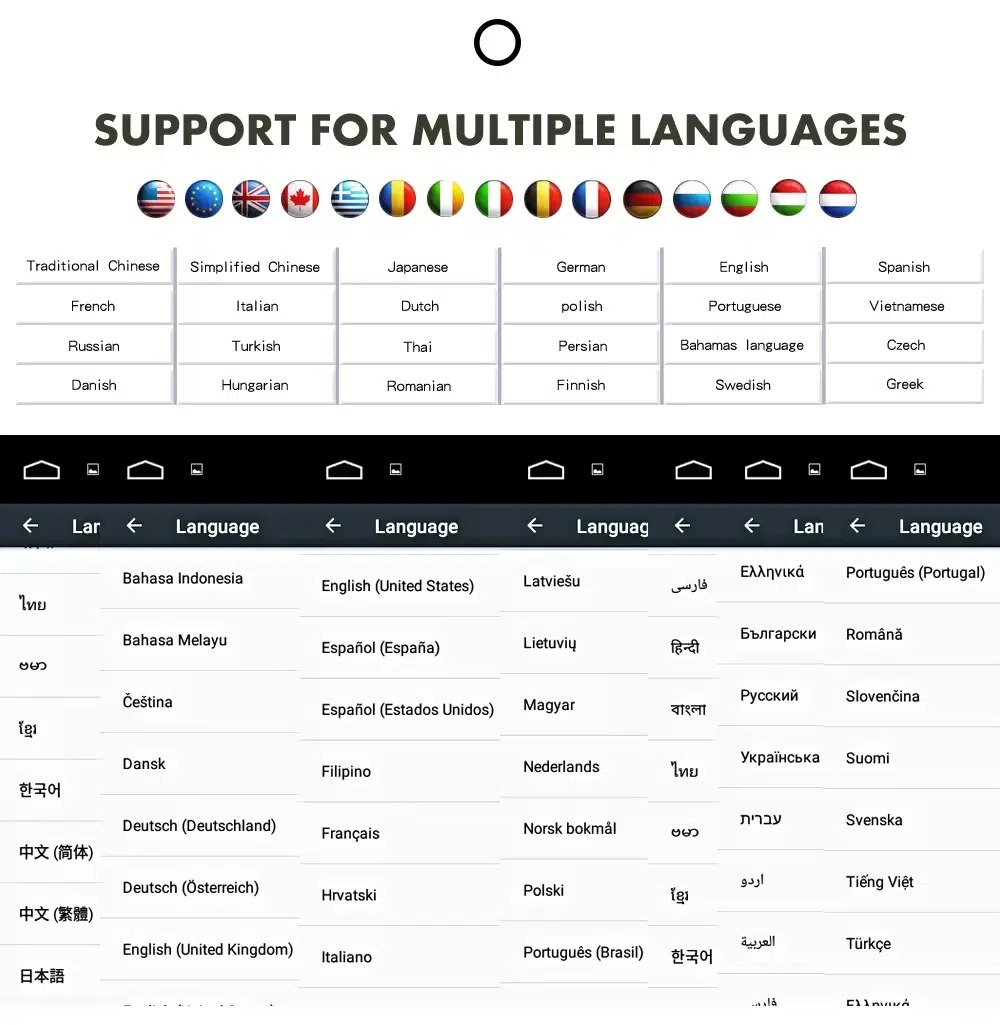
Confirm Multilingual Interface Support

Multiple language support helps international owners and installers use the Android interface in a familiar language. Final availability depends on firmware and app settings.

Audi Q7 Android head unit multiple language interface support
InglêsAlemãoFrancêsEspanholItalianoPortuguêsPaíses BaixosРусскийالعربية日本語中文

Installation Route for the Audi Q7 Android Head Unit

Main Work Required

  • Confirm dashboard year route, CD panel, MMI system and steering side before shipment.
  • Check whether the car has Bose, external amplifier or MOST fiber optic.
  • Remove the original screen area and required dashboard trim carefully.
  • Connect the matched power harness, CAN decoder, LVDS/video route and audio adapter.
  • Install fiber-optic decoder when confirmed necessary.
  • Connect GPS, USB, camera, microphone and 4G/WiFi accessories according to selected configuration.
  • Power on before final reassembly.
  • Test original menu switching, CarPlay, Android Auto, audio, steering-wheel controls, cameras, Bluetooth, GPS and sleep/wake behavior.

Programa de instalação recomendado

This is Level 3 — Advanced DIY. It is suitable for experienced DIY installers or an automotive electronics technician familiar with Audi MMI, dashboard trim, CANBUS, factory amplifiers and MOST fiber-optic systems.

Do not treat “plug-and-play” as “no configuration.” A plug-and-play harness only works correctly when the vehicle system and required adapters are matched first.

O que está normalmente incluído

Ecrã do Android

Conjunto de ecrã específico para o veículo, com a configuração de hardware Android selecionada.

Chicote elétrico

Cablagem de alimentação, sinal e integração selecionada de acordo com o veículo confirmado.

Decodificador CAN

Decodificador compatível com os comandos de direção suportados e com a integração de informações do veículo.

Antena GPS

Antena GPS externa para as funções de navegação do Android compatíveis.

Ligações USB

Entradas USB de expansão para dispositivos compatíveis, acessórios e atualizações de software.

Adaptadores opcionais

Descodificador de fibra ótica, interface de câmara, cabo AMI ou outros adaptadores, caso se confirme que são necessários.

O conteúdo da embalagem varia consoante a versão selecionada e a configuração do veículo confirmada. Deve verificar-se os detalhes finais da encomenda antes do envio.

Stop Installation and Contact iKAGOO If This Happens

  • The screen frame does not match the dashboard opening.
  • The connector shape or pin layout clearly does not match the supplied harness.
  • The car has Bose / MOST fiber optic but no confirmed decoder route.
  • No sound comes from the speakers after power-on testing.
  • The original MMI menu cannot be accessed after connection.
  • A fiber-optic cable is bent sharply, crushed or left disconnected.
  • A connector pin is bent, loose or damaged.
  • A fuse blows repeatedly.
  • You smell abnormal heat, burning or smoke.
  • The installation would require cutting the main factory wiring harness.

Shipping, Warranty and After-Sales Support

Preparação da encomenda

Normal order preparation is usually 1–3 business days after your vehicle configuration has been checked.

Envio internacional com acompanhamento

International delivery is tracked. Estimated delivery time depends on destination, customs clearance and the shipping method selected at checkout.

12-Month Garantia de hardware

Eligible hardware issues are handled under the iKAGOO limited warranty. Damage from incorrect wiring, misuse, water ingress or unauthorized modification is not normally covered.

Vehicle-specific products require correct information before shipment. If iKAGOO confirmed compatibility before purchase, your information was accurate, and no reasonable installation solution is available after supported troubleshooting, the current published return and refund policy applies.

Audi Q7 Android Head Unit FAQ

Is this Audi Q7 Android head unit for every Q7 from 2006 to 2015?

No, not automatically. Compatibility depends on dashboard structure, CD/MMI panel, steering side, amplifier, MOST fiber optic, camera system and connector layout. Vehicle photos must be checked before shipment.

Does this product support 2005 Audi Q7?

Yes, some product routes show 2005–2009 compatibility, but the main product title uses 2006–2015. Send dashboard and CD panel photos before ordering if your vehicle is 2005 or market-year unclear.

É compatível com CarPlay sem fios e Android Auto?

Yes, supported configurations provide wireless Apple CarPlay and Android Auto for compatible smartphones. Connection behavior depends on the phone, firmware and selected hardware version.

Will the original Audi MMI menu still work?

Yes, supported original Audi menu access can be retained through the matched system-switching route, but the original MMI system and connector route must be confirmed first.

Will Bose or the factory amplifier still work?

Yes, it can work when the correct audio route is prepared. Some Bose, external amplifier or MOST fiber-optic systems may require a compatible decoder.

Todos os Audi Q7 precisam de uma caixa de fibra ótica?

No, not every vehicle needs one. The requirement depends on the original amplifier and MOST fiber-optic audio configuration, not only the model year.

Can the original rear camera be retained?

Yes, retention may be possible with the correct video interface or decoder. The original camera format must be checked before ordering.

Does it work with LHD and RHD vehicles?

Yes, compatible routes may be available for both steering positions, but the frame and button orientation must be confirmed from dashboard photographs.

A instalação é "plug-and-play"?

Yes, the matched harness is designed for clean connection, but installation is still Level 3 — Advanced DIY because Audi MMI, amplifier, MOST fiber optic, camera and CANBUS functions must be checked and tested carefully.

O que devo enviar antes de fazer a encomenda?

Yes, send your vehicle year, LHD/RHD position, original dashboard photo, original screen photo, CD/MMI panel photo, amplifier details, connector photos if requested, and whether you need Bose/MOST, rear camera or 360 camera support.

Make Your Audi Q7 4L Feel Modern Again

Choose the Audi Q7 Android head unit if you want a 10.25-inch factory-style screen, wireless CarPlay, Android Auto, navigation, DSP audio and a configuration review for your Q7 dashboard, MMI and audio system.

Comentários

Ainda não há comentários.

Seja o primeiro a avaliar “Audi Q7 Android Head Unit 2006–2015 10.25″ CarPlay”

Your email address will not be published. Required fields are marked

Tem de estar com a sessão iniciada para poder adicionar fotos à sua avaliação.

Envio, garantia, devoluções e apoio ao cliente da iKAGOO
Apoio ao Cliente da iKAGOO

Envio, Garantia e Devoluções

Informações claras sobre o processamento de encomendas, entregas internacionais, produtos específicos para veículos, assistência ao abrigo da garantia, devoluções e encomendas danificadas.

Processamento da encomenda Normalmente, 1 a 3 dias úteis antes do envio.
Envio internacional Normalmente, entre 5 e 20 dias úteis após o envio, dependendo do destino.
Garantia do hardware Garantia limitada de 12 meses para defeitos de fabrico elegíveis.
Assistência específica para cada veículo Estão disponíveis serviços de assistência em matéria de compatibilidade, ligações e configuração.

Perguntas Frequentes

Estas respostas apresentam um resumo prático. As páginas completas com as políticas, cujos links se encontram abaixo, aplicam-se a todas as encomendas.

01

De onde são enviadas as encomendas e quanto tempo demora a entrega?

A maioria das encomendas da iKAGOO é enviada a partir do nosso centro de distribuição na China após a verificação da configuração do produto e dos dados do veículo. O processamento normal de uma encomenda demora aproximadamente 1-3 dias úteis.

Os prazos de entrega estimados após o envio são:

  • EUA e Canadá: aproximadamente 5 a 9 dias úteis
  • União Europeia: aproximadamente 7 a 15 dias úteis
  • Reino Unido e Austrália: aproximadamente 7 a 10 dias úteis
  • Outras regiões suportadas: aproximadamente 7 a 20 dias úteis

As estimativas de entrega podem ser afetadas pelo desalfandegamento, feriados locais, entregas em zonas remotas, condições meteorológicas ou atrasos da transportadora.

02

Terei de pagar imposto de importação, IVA ou taxas aduaneiras?

O envio internacional padrão normalmente não inclui o IVA do país de destino, direitos de importação, despesas de corretagem ou taxas de desalfandegamento.

Para destinos elegíveis na União Europeia, um opcional Serviço de envio DDP podem estar disponíveis. As taxas relacionadas com a importação só estão incluídas quando se seleciona a opção DDP no momento do pagamento ou quando tal for confirmado pela iKAGOO por escrito antes do envio.

Quando a opção DDP não estiver selecionada, o destinatário é responsável por quaisquer encargos cobrados pelas autoridades aduaneiras locais ou pela empresa de entregas.

03

Posso solicitar envio expresso?

O envio expresso ou prioritário poderá estar disponível para determinados produtos e destinos. A disponibilidade, a transportadora e os custos adicionais são confirmados antes do envio.

Dependendo do destino e do tipo de produto, a iKAGOO poderá recorrer a transportadoras como a DHL, a FedEx, a UPS, a EMS, a 4PX ou outro prestador de serviços logísticos com acompanhamento de envios.

04

Como posso acompanhar a minha encomenda?

Após o envio da encomenda, o número de rastreio ou o link de rastreio será normalmente enviado para o endereço de e-mail utilizado na encomenda.

As atualizações do acompanhamento podem demorar vários dias úteis a aparecer enquanto uma encomenda é transferida entre transportadoras internacionais e locais.

05

Qual é a política de devoluções e reembolsos da iKAGOO?

A elegibilidade para devolução depende do motivo da devolução, do estado do produto, do estado da instalação, das provas apresentadas e do facto de a devolução ter sido aprovada pela iKAGOO.

No caso de uma devolução por motivos que não sejam defeitos, o produto deve, normalmente, estar sem uso, não instalado, completo e em condições de ser revendido. O cliente é, geralmente, responsável pelos custos de envio da devolução aprovada.

Os custos de envio originais, os custos DDP, o IVA, os direitos aduaneiros e outros custos logísticos não são, em geral, reembolsáveis, a menos que exigido pela legislação aplicável ou confirmado de outra forma pela iKAGOO.

Não devolva um produto sem ter recebido um endereço de devolução aprovado e as instruções de devolução da iKAGOO.

06

O que acontece se o iKAGOO confirmar a compatibilidade, mas o produto não puder ser instalado?

Pode ser aplicável uma proteção adicional caso a iKAGOO tenha confirmado a compatibilidade antes da compra, o cliente tenha fornecido informações precisas sobre o veículo e tenha colaborado com as etapas razoáveis de instalação e diagnóstico.

Se a iKAGOO confirmar que não existe nenhuma solução técnica razoável disponível e o problema for comunicado no prazo de 7 dias úteis após a entrega, o cliente poderá ter direito a um reembolso do preço do produto sem ser obrigado a devolver o produto.

Os portes de envio originais, o DDP, o IVA, os direitos aduaneiros e outros encargos de terceiros não estão incluídos neste reembolso do preço do produto.

07

Que garantia oferece a iKAGOO?

Os produtos iKAGOO elegíveis incluem um Garantia limitada de 12 meses para o hardware abrangendo defeitos de fabrico comprovados e avarias de hardware elegíveis em condições normais de utilização.

Dependendo do problema, a solução pode incluir diagnóstico remoto, assistência na configuração, peças de substituição, reparação, substituição do produto, reembolso parcial ou reembolso total.

A garantia não cobre, normalmente, danos causados por ligações elétricas incorretas, modificações não autorizadas, danos acidentais, infiltração de água, impactos, utilização indevida, tensão inadequada, erros de instalação ou equipamento de terceiros incompatível.

08

A abertura da embalagem do produto implica automaticamente o cancelamento da garantia?

A inspeção ou a análise por terceiros não anula automaticamente a totalidade da garantia. No entanto, os danos causados por reparações não autorizadas, substituição de componentes, modificações incorretas, circuitos danificados ou remontagem inadequada não estão abrangidos pela garantia.

Contacte a iKAGOO antes de desmontar ou reparar o produto, para que lhe possa ser indicado o procedimento de diagnóstico correto.

09

E se a minha encomenda chegar danificada ou com peças em falta?

Contacte a iKAGOO no prazo de 7 dias úteis após a entrega e guarde a embalagem original, a etiqueta de envio, os acessórios e o produto.

Por favor, forneça fotografias ou vídeos nítidos que mostrem:

  • A caixa de cartão exterior e a etiqueta de envio
  • Quaisquer danos visíveis na embalagem
  • O produto e a área afetada
  • Todos os acessórios e cabos recebidos

Após verificação, a iKAGOO poderá providenciar o envio das peças em falta, a substituição, a reparação, o reembolso ou outra solução razoável, consoante o caso específico.

10

O que devo fazer se tiver encomendado o produto errado?

Contacte a iKAGOO antes de instalar ou utilizar o produto. A troca ou devolução poderá ser aprovada desde que o produto se encontre sem uso, não instalado, completo e em condições de ser revendido.

Normalmente, os clientes são responsáveis pelos custos de envio e por qualquer diferença de preço quando for selecionado o produto, modelo de veículo, ano ou configuração de fábrica errados.

Não é fornecida automaticamente uma etiqueta de devolução pré-paga gratuita.

11

Posso alterar ou cancelar a minha encomenda após o pagamento?

Entre em contacto com a iKAGOO o mais rapidamente possível, de preferência no prazo de 12 horas após a realização da encomenda, ao solicitar um endereço, a configuração de um veículo ou uma alteração no produto.

Uma alteração ou cancelamento só entra em vigor após confirmação por parte da iKAGOO. Os produtos específicos para cada veículo podem entrar na fase de aquisição, programação, testes, configuração ou preparação personalizada pouco tempo após o pagamento.

Assim que a preparação ou o envio tiverem começado, poderá não ser possível cancelar a encomenda, ou poderão ser deduzidos os custos razoáveis já incorridos.

12

O que está incluído no pacote?

O conteúdo da embalagem varia consoante o produto, o modelo do veículo, o sistema de fábrica e a configuração selecionada.

Dependendo do produto, a embalagem pode incluir o dispositivo principal, feixes de cabos específicos para o veículo, interface CANBUS, adaptadores, cabos USB, antenas, microfones, acessórios de montagem e outros acessórios de instalação.

Consulte a página do produto em questão, as fotografias da embalagem e a confirmação da encomenda para conhecer os componentes exatos incluídos.

13

Como posso contactar o apoio ao cliente da iKAGOO?

Pode contactar a iKAGOO através do formulário de contacto, por e-mail, pelo WhatsApp ou pelos canais de apoio disponíveis no site. O tempo de resposta habitual é de 24 horas úteis.

Para obter um apoio técnico mais rápido, indique o número da encomenda, o modelo e o ano do veículo, fotografias do sistema de fábrica, fotografias do produto e um vídeo nítido que mostre o problema.

Visite: Contacto e Apoio ao Cliente da iKAGOO

14

O pagamento é seguro e existem opções de pagamento a prestações?

Os pagamentos são processados através dos métodos de pagamento seguros apresentados durante o processo de finalização da compra. As opções disponíveis de cartão, carteira digital e pagamento a prestações podem variar consoante o país, a moeda, o prestador de serviços de pagamento e a elegibilidade do cliente.

Qualquer serviço de pagamento a prestações, incluindo as opções oferecidas pelo PayPal ou por outro prestador, está sujeito à disponibilidade regional e às regras de aprovação desse prestador.

Leia as políticas completas da iKAGOO

Consulte as páginas completas das condições gerais antes de efetuar a encomenda, especialmente no que diz respeito a produtos específicos para cada veículo, disposições fiscais internacionais e devoluções relacionadas com a instalação.
Estas Perguntas Frequentes constituem um guia simplificado para o cliente. As páginas completas da política publicada, a confirmação da encomenda e a legislação aplicável em matéria de defesa do consumidor prevalecem em caso de discrepância entre os textos.

Unidade principal Android Audi Q7 2006-2015 Audi Q7 Android Head Unit 2006...

De: $325.00

Ver opções