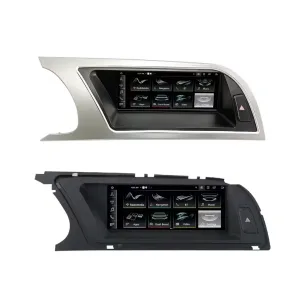
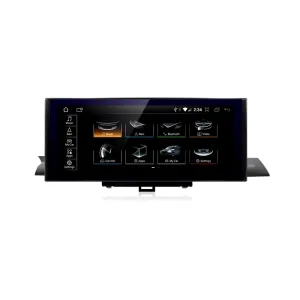
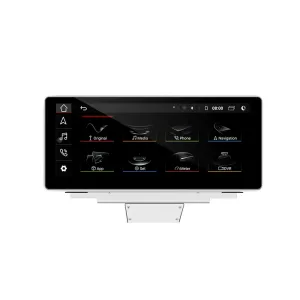
Upgrade your Audi Q7 4L with a vehicle-specific 10.25-inch Android screen route that adds wireless CarPlay, Android Auto, GPS navigation, DSP audio, WiFi/4G and supported Audi system switching without turning the cabin into a generic tablet installation.
Before shipment, iKAGOO checks your model year, dashboard frame, CD/MMI panel, steering position, factory amplifier, MOST fiber-optic route, camera system and connector photos to prepare the correct screen, harness and vehicle interface for your order.
Audi Q7 10.25 Android Screen Upgrade 2006–2015
This iKAGOO upgrade is a vehicle-specific 10.25 Android screen upgrade for selected Audi Q7 4L vehicles from 2006 to 2015. It upgrades the old factory display experience with a wider Android touchscreen, wireless CarPlay, Android Auto, GPS navigation, Bluetooth, WiFi/4G and DSP audio on supported hardware versions. Supported Audi functions such as original system switching, steering-wheel controls, original camera route, original speaker output and vehicle information can continue to work after the correct frame, CANBUS, audio adapter and decoder route are prepared. Before shipment, iKAGOO checks your vehicle year, LHD/RHD position, MMI/CD panel, Bose or MOST fiber-optic requirement and connector photos. It is suitable for Q7 owners who want a modern screen upgrade instead of only repairing or keeping the old MMI screen.
Why This 10.25 Android Screen Upgrade Fits the Audi Q7 4L
Modern screen without a cheap tablet look
The Q7 dashboard has a wide factory screen area. This 10.25-inch route uses the vehicle-specific frame shape so the upgrade looks integrated with the original trim.
Daily-use CarPlay and Android Auto
Use phone maps, calls, music, messages and compatible voice functions on a larger in-dash display instead of relying only on the old MMI interface.
MMI, Bose and MOST checked before shipment
Audi Q7 screen upgrades fail when the audio route is guessed. iKAGOO checks the MMI panel, amplifier and fiber-optic route before preparing the order.
Original Audi Functions Supported After Correct Matching
These functions depend on the confirmed vehicle system, correct harness, CAN decoder, camera route, audio adapter and installation configuration.
- Original Audi menu access
Supported original-system switching can be retained through the matched integration route. - Comandos no volante
Supported steering-wheel buttons can continue to work through the matched CAN decoder. - Original camera route
Rear camera AHD/CVBS and 360 camera routes must be confirmed before shipment. - Bose / amplifier audio route
Factory speaker output can work when the correct amplifier or MOST fiber-optic decoder route is prepared. - Informação original do veículo
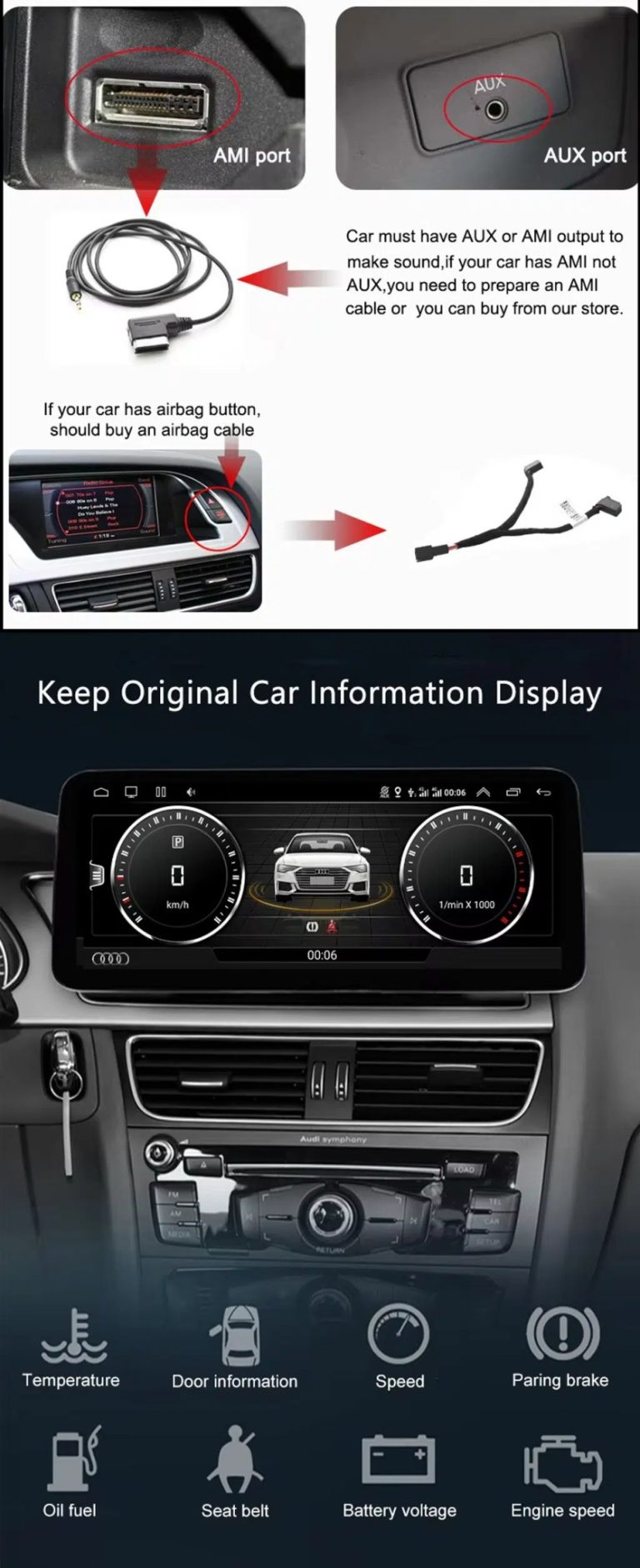
Supported vehicle data can continue to display through the correct system-switching and CANBUS route. - Proteção da cablagem de fábrica
The matched harness is designed for clean connection without intentionally cutting the supported factory main wiring.
Confirm Your Audi Q7 4L Before We Prepare the Screen
Vehicle Information Needed Before Shipment
- Exact Audi Q7 year and market region.
- Volante à esquerda ou volante à direita.
- Original dashboard and screen photo.
- Original CD / MMI control-panel photo.
- Factory audio system: Bose, external amplifier or standard audio.
- Original connector photos if requested.
- Whether your Q7 has MOST fiber optic, original rear camera or 360 camera.
- Preferred hardware version: 4GB+64GB or 8GB+256GB.
Why these details matter
The Audi Q7 4L can use different dashboard frames, CD panels, MMI systems, Bose amplifiers, MOST fiber-optic audio routes, camera systems and LHD/RHD interiors. These details help iKAGOO prepare the correct 10.25 Android screen, wiring harness, CAN decoder, audio adapter, fiber-optic decoder and camera route.
This reduces wrong-order risk such as no sound, wrong frame, no original menu switching, camera mismatch or unsupported steering control behavior after installation.
Principais especificações do produto
| Tipo de produto | Audi Q7 10.25 Android screen upgrade / Android stereo / vehicle-specific Android head unit route. |
|---|---|
| Main Fitment | Selected Audi Q7 4L vehicles in the 2006–2015 range. Some 2005 market-year vehicles may match the same route after dashboard and CD/MMI panel photo confirmation. |
| Tamanho do ecrã | 10.25-inch vehicle-specific display. |
| Sistema | Android 13 system shown in current product attributes. |
| CPU | 8-core CPU route according to selected motherboard. |
| Motherboard | TSK / TSK8259 / TSK8667 according to selected hardware route. |
| Checkout Memory Options | 4GB+64GB 8-core and 8GB+256GB 8-core options shown on the current purchase area. |
| Áudio | DSP 32-band EQ support where selected hardware and audio route support it. |
| Bluetooth | BT 4.0 / BT 5.0 depending on selected hardware version. |
| Navegação | GPS / Glonass support for compatible online or offline navigation apps. |
| Rede | WiFi / 4G support where selected hardware and local service allow it. |
| DVR | USB front / rear 1080P DVR route where compatible accessories are used. |
| Rádio | FM / AM / RDS or FM / RDS depending on selected hardware route. |
| Camera Route | Rear view camera AHD, rear view camera CVBS and 360 panorama routes require vehicle and version confirmation. |
| Posição do volante | Left-hand drive and right-hand drive routes must be confirmed before shipment. |
| Dados da embalagem | Listed weight: 3.5 kg. Listed dimensions: 85 × 35 × 25 cm. |
Choose the Right Hardware Version
4GB + 64GB 8-core
A practical choice for buyers who mainly want CarPlay, Android Auto, Bluetooth, navigation and daily media use without choosing the highest storage option.
- Good daily usability
- Better than basic memory routes
- Suitable for normal app and navigation use
8GB + 256GB 8-core
The stronger option for owners keeping the Q7 long term and wanting smoother Android operation, more storage and better multitasking space.
- Highest listed storage route
- Better for heavier app use
- Recommended for long-term ownership
iKAGOO Purchase Assessment for This Q7 Screen Upgrade
Necessidade de atualização do iKAGOO
89/100Strong Upgrade Case. The first-generation Audi Q7 interior benefits clearly from a modern 10.25-inch Android screen, wireless smartphone integration, navigation and improved media usability.
View Upgrade Necessity StandardCompatibilidade do iKAGOO Original com veículos
84/100Good compatibility route when the correct dashboard frame, MMI route, CAN decoder, amplifier adapter and fiber-optic requirement are checked before shipment.
A score of 84/100 does not mean that 16% of factory functions are lost. It means this product requires stricter checking because Audi Q7 4L audio and MMI configurations vary.
View Compatibility StandardDificuldade de instalação do iKAGOO
Nível 3Advanced DIY. Suitable for experienced DIY installers or an automotive electronics technician. Q7 MMI, MOST fiber optic, amplifier, camera and CANBUS routes must be checked carefully before final reassembly.
View Installation Difficulty GuideWhy Owners Choose iKAGOO for This Audi Q7 Screen Upgrade
Preparação específica para cada veículo
iKAGOO checks your Q7 year, dashboard photos, MMI panel, steering side and audio system before shipment so the correct version can be prepared.
Screen, harness and interface matching
The correct CAN decoder, amplifier route and fiber-optic requirement matter more than buying a screen by size alone.
Original function integration
The upgrade is prepared to retain supported original menus, steering-wheel controls, camera display and vehicle information where the matched route allows it.
Proteção da cablagem de fábrica
The matched wiring harness is designed to avoid unnecessary cutting of the original main wiring when the vehicle and harness match.
Installation and setup support
If your installer needs help identifying the MMI type, fiber-optic route or function test result, iKAGOO can provide order-based support.
Garantia de 12 meses para o hardware
Os problemas de hardware abrangidos pela garantia são tratados ao abrigo da garantia limitada de 12 meses da iKAGOO, com apoio pós-venda para diagnóstico e soluções adequadas.
Keep the Old MMI, Add a Box, or Upgrade with iKAGOO?
Factory MMI Only
Best only if you are satisfied with the old screen size, old interface and limited smartphone integration.
- Sem custos de atualização
- Old interface remains
- Limited app experience
CarPlay-Only Module
Useful if you only need phone projection, but it does not give the Q7 a new Android display or modern screen layout.
- Limited visual change
- No full Android system
- Depends on original screen condition
Universal Android Screen
May be cheaper, but Audi Q7 dashboard frame, MMI, Bose, MOST fiber and camera integration can become the real risk.
- Fitment uncertainty
- May look aftermarket
- Higher audio risk
iKAGOO 10.25 Q7 Screen Upgrade
Best for owners who want a vehicle-specific 10.25-inch screen, CarPlay, Android Auto, navigation, DSP and Q7 configuration review before shipment.
- 10.25-inch Q7-specific frame
- CarPlay sem fios e Android Auto
- Original-system switching route
- Fiber-optic decoder check
- Preparação específica para cada veículo
Conclusão da compra
If you want your Audi Q7 4L to feel modern without making the dashboard look cheap or creating MMI/audio problems, this iKAGOO 10.25 Android screen upgrade is the stronger route than a generic screen or a small add-on box.
Fotografias de produtos e como estas o ajudam a decidir
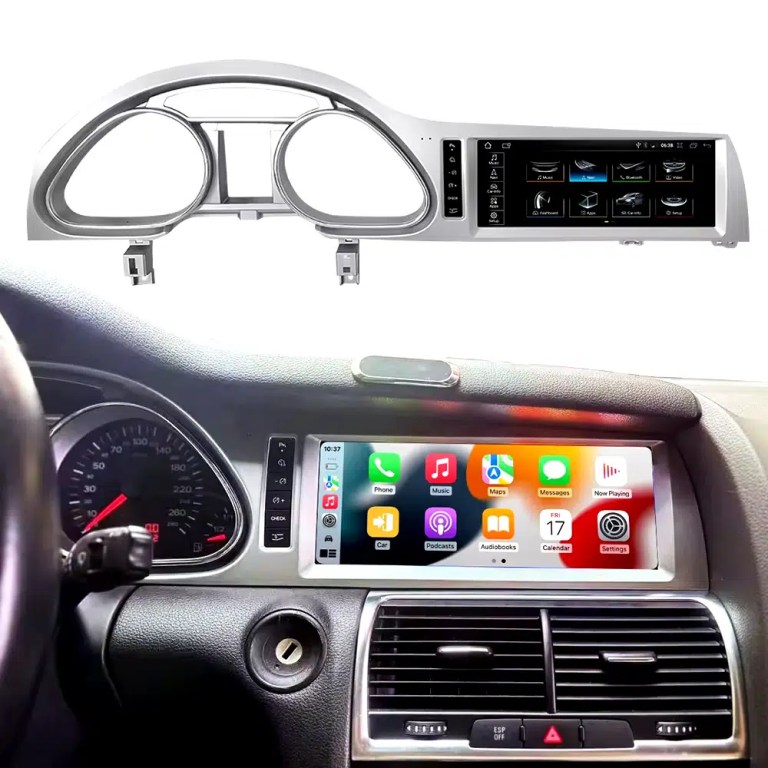
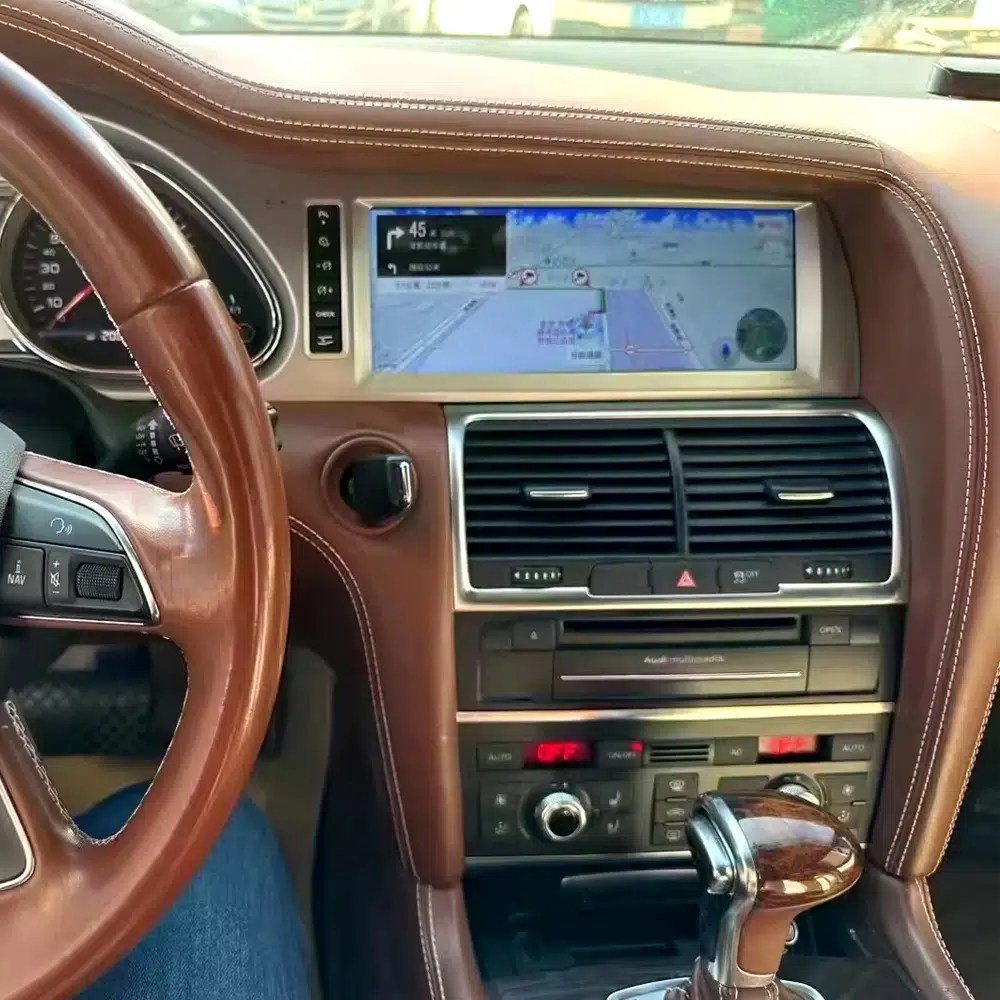
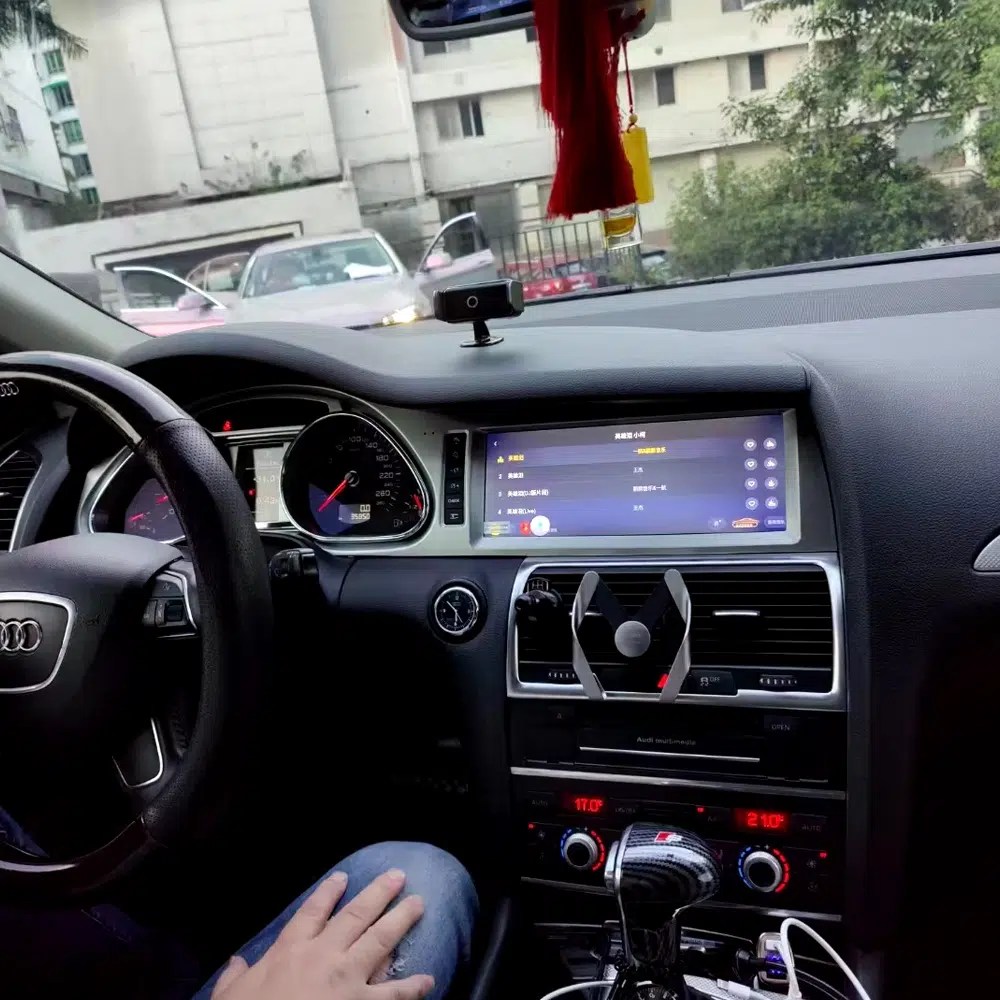
See the installed result inside the Audi Q7 dashboard
This cockpit view helps you judge the final screen position, dashboard balance and CarPlay-style daily-use interface before ordering.
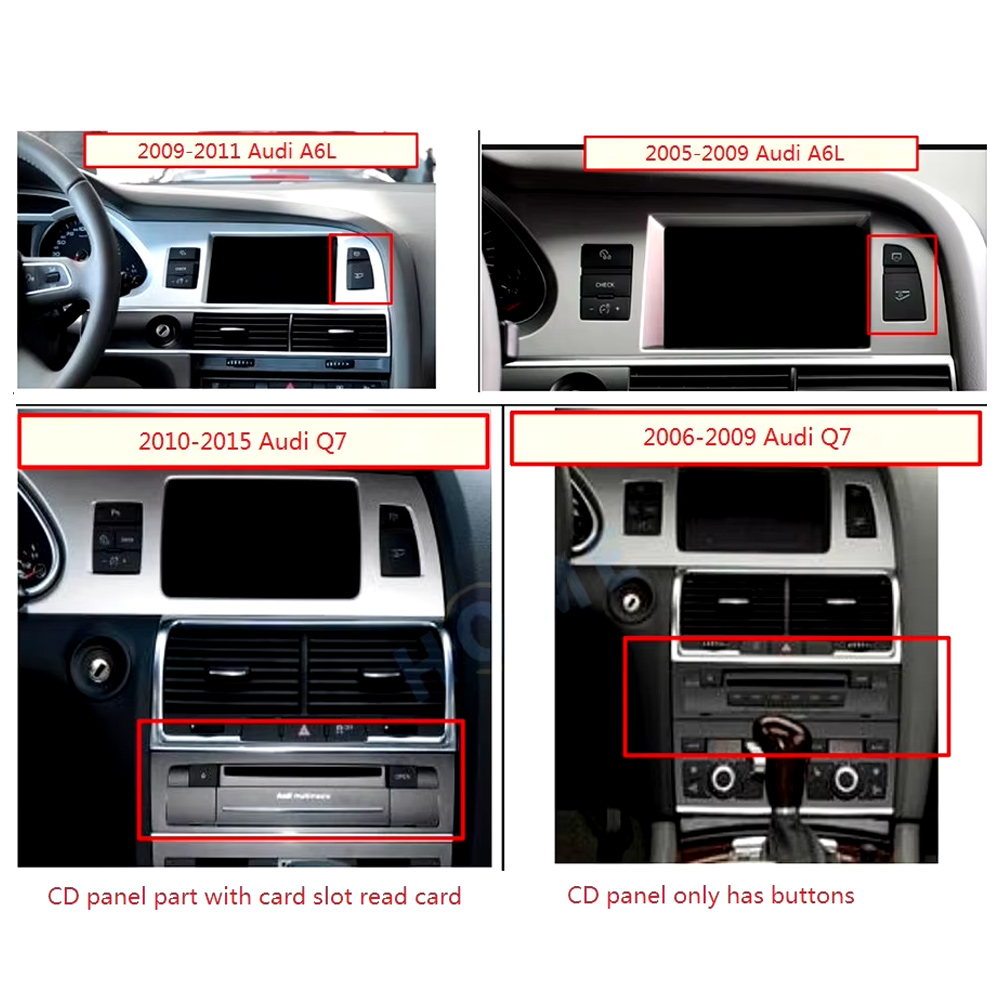
Check the original dashboard and CD/MMI panel before ordering
The correct Audi Q7 Android screen route depends on the original screen area, button layout, CD panel and model-year dashboard structure.
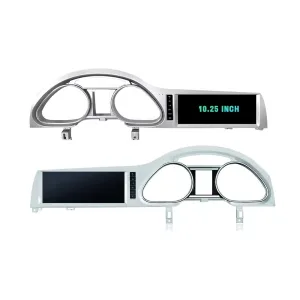
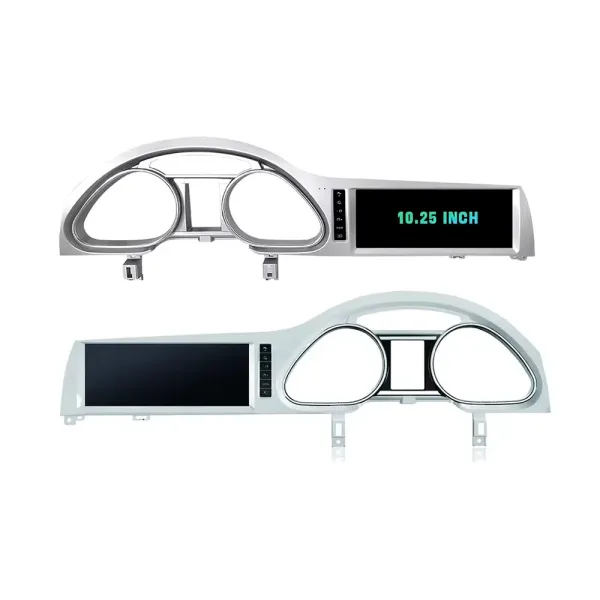
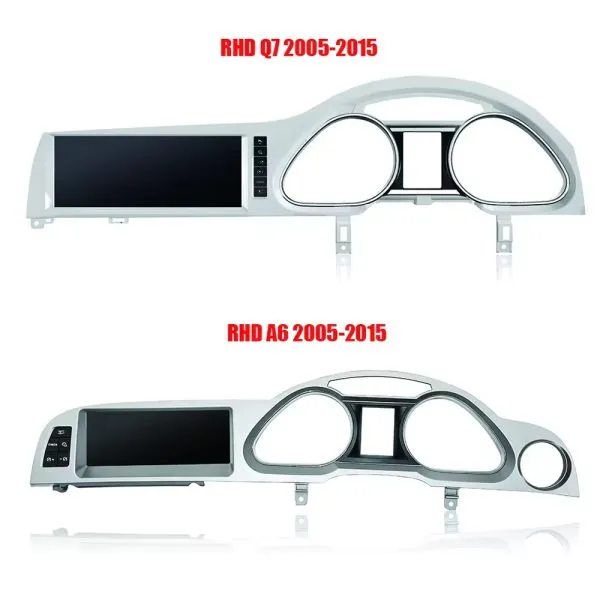
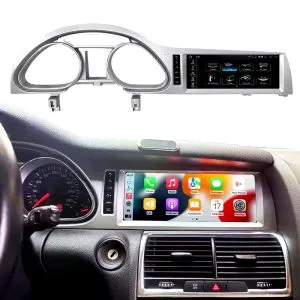
Confirm the 10.25-inch screen frame shape
The product frame view helps you compare steering-side layout and screen position so iKAGOO can prepare the correct Q7-specific frame.
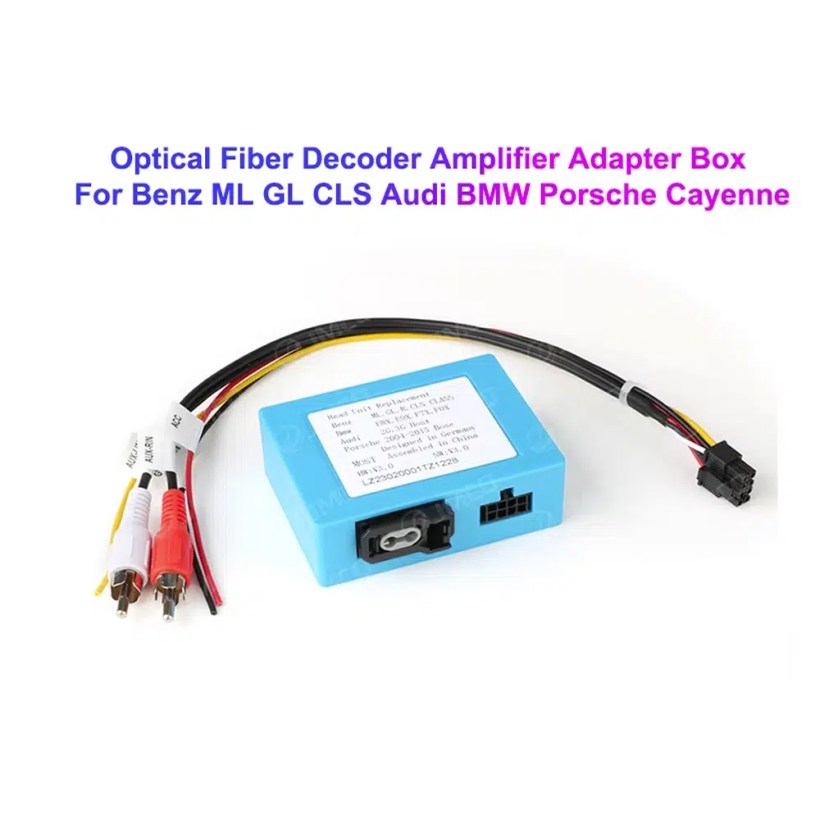
Understand the Bose and MOST fiber-optic decoder route
Many Q7 audio issues come from the amplifier and fiber-optic route. The required decoder must match the original Audi audio system and connector layout.
Compare Q7 and A6 frame routes carefully
This product reference makes one point clear: similar Audi frames are not automatically interchangeable. Your dashboard photo must be checked before shipment.
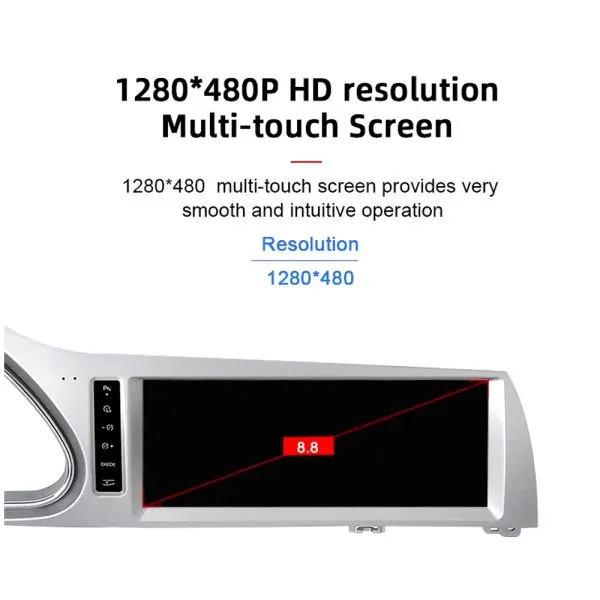
Review the 1280×480 screen reference
The wide display format is designed for the Q7 screen area and gives a cleaner navigation and media layout than the older factory display experience.
See navigation running inside a real Audi Q7 interior
The installed navigation view helps you judge driver visibility, screen angle and how the 10.25 Android display sits inside the used Q7 cabin.
Check another real installation interface
This cabin view gives another practical reference for screen readability, dashboard integration and menu position after installation.
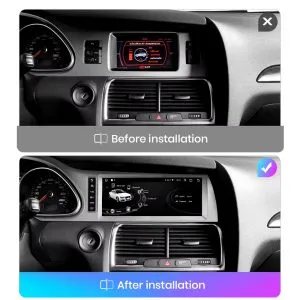
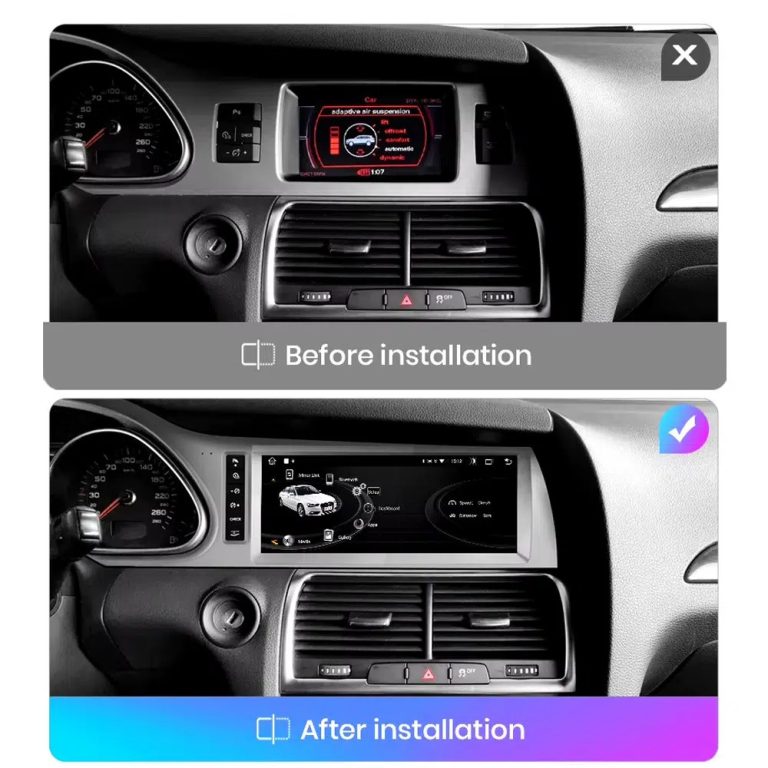
Compare the old display with the upgraded Android display
The before-and-after view shows the main visual change: the old screen area becomes a wider Android interface with a more modern layout.
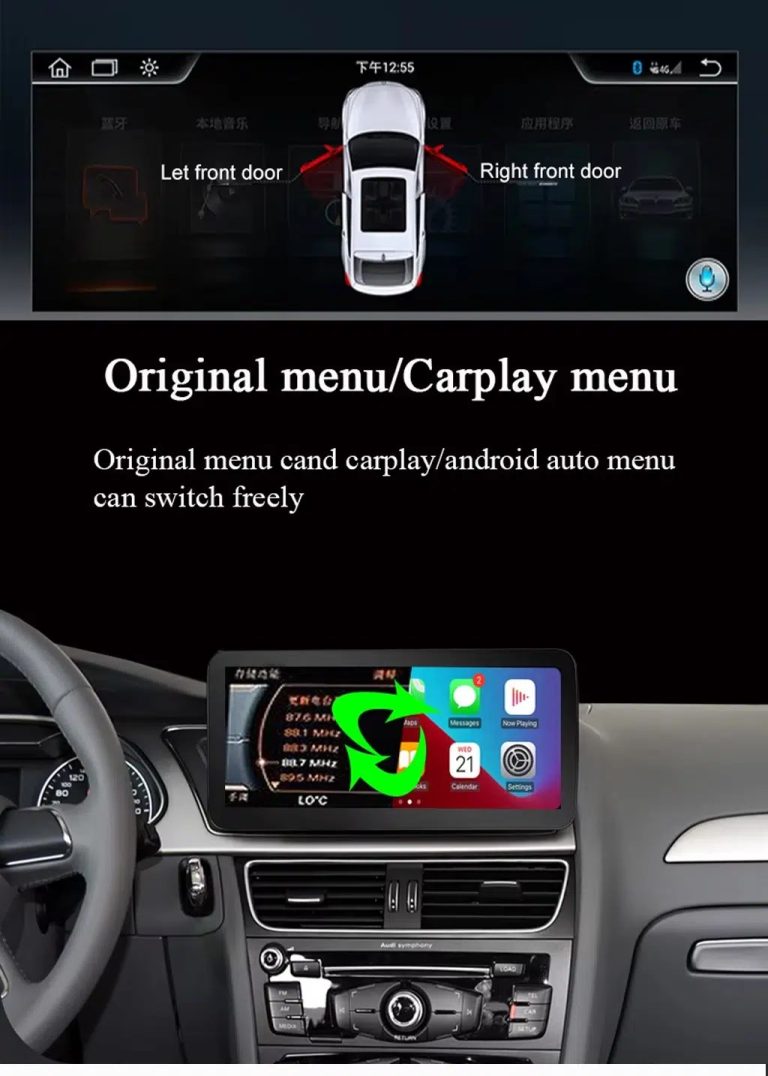
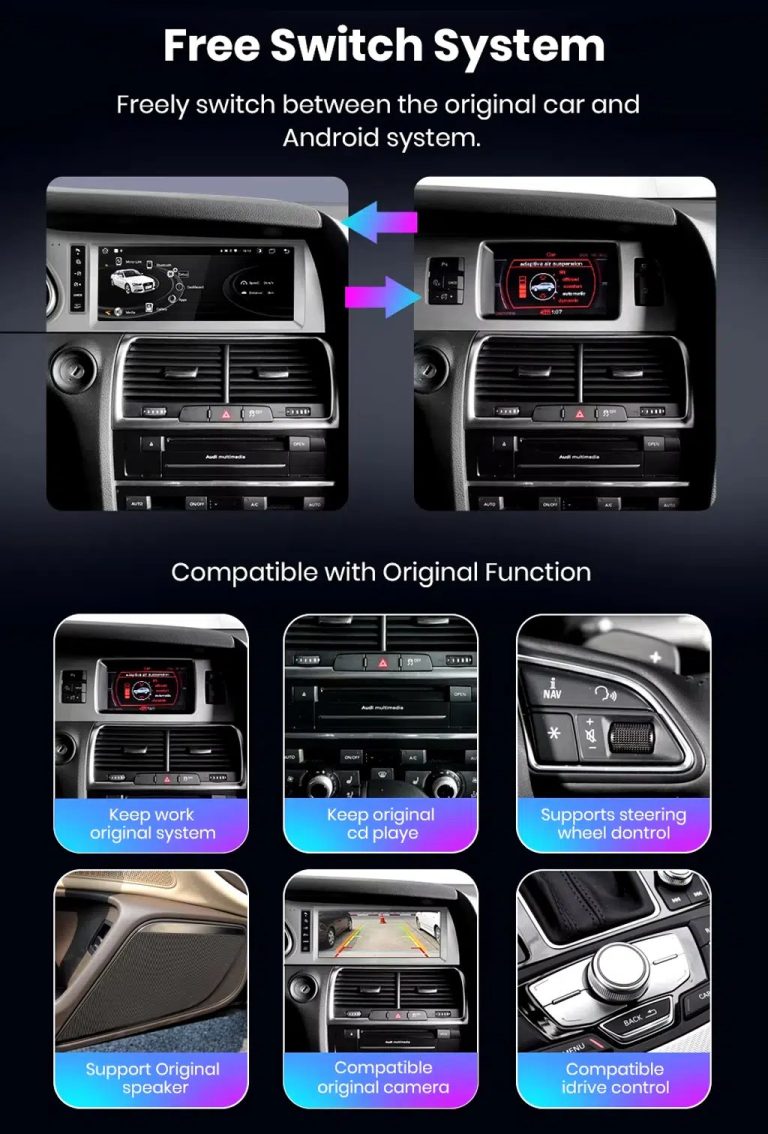
Switch between Android and supported original Audi systems
System switching matters for Q7 owners because it helps keep supported Audi menus available while adding Android, CarPlay and Android Auto functions.
Check AUX, AMI and original vehicle information routes
Some Q7 configurations need the correct AUX, AMI or adapter route for sound and original data display. This should be checked before installation.
Use original menu and CarPlay menu switching
This interface direction shows how the owner can move between the supported original Audi interface and modern CarPlay or Android Auto style display.
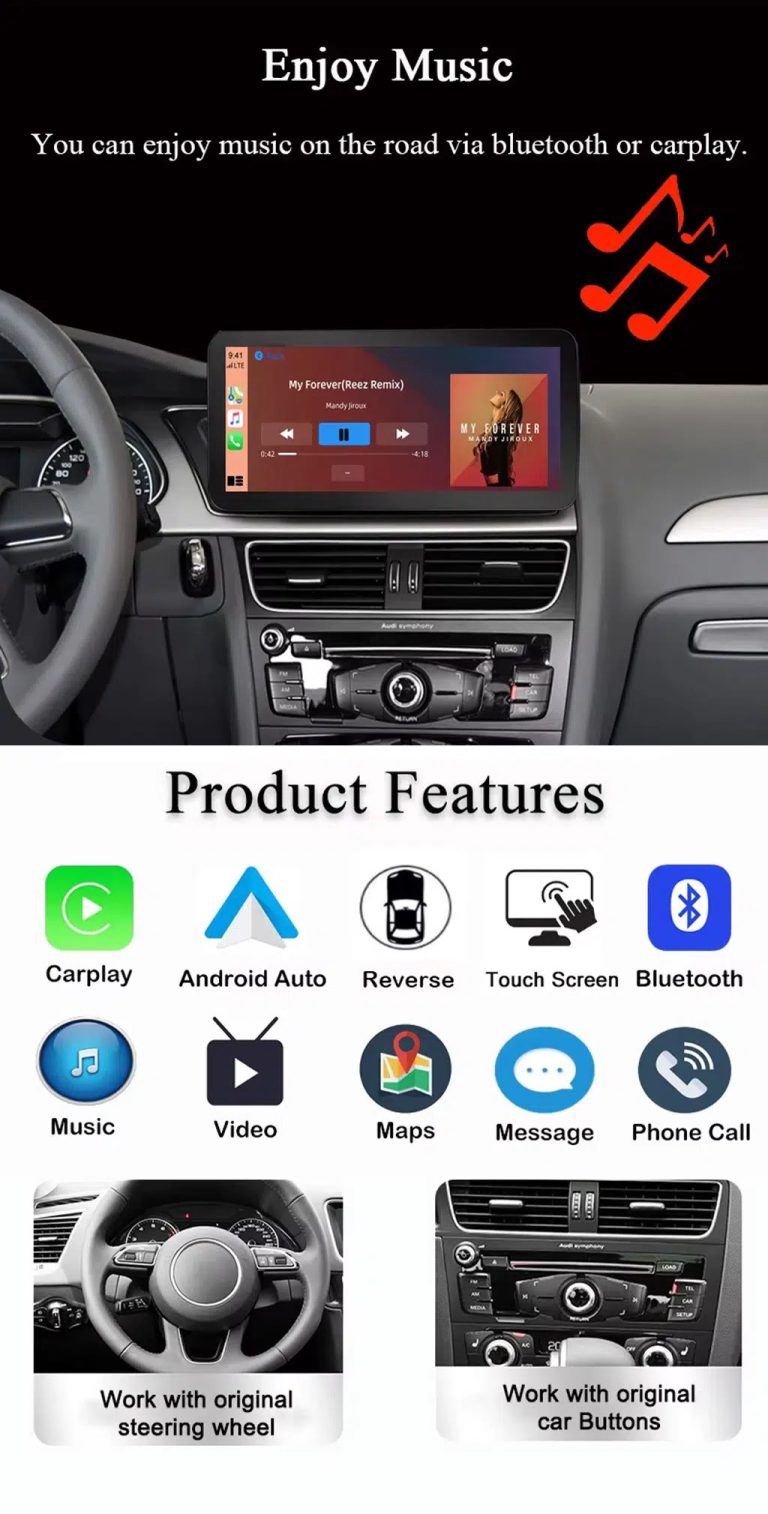
Use music, maps, calls and steering-wheel controls every day
The function overview explains the daily value of the upgrade: music, video, maps, messages, calls, touch operation and supported steering-wheel control.
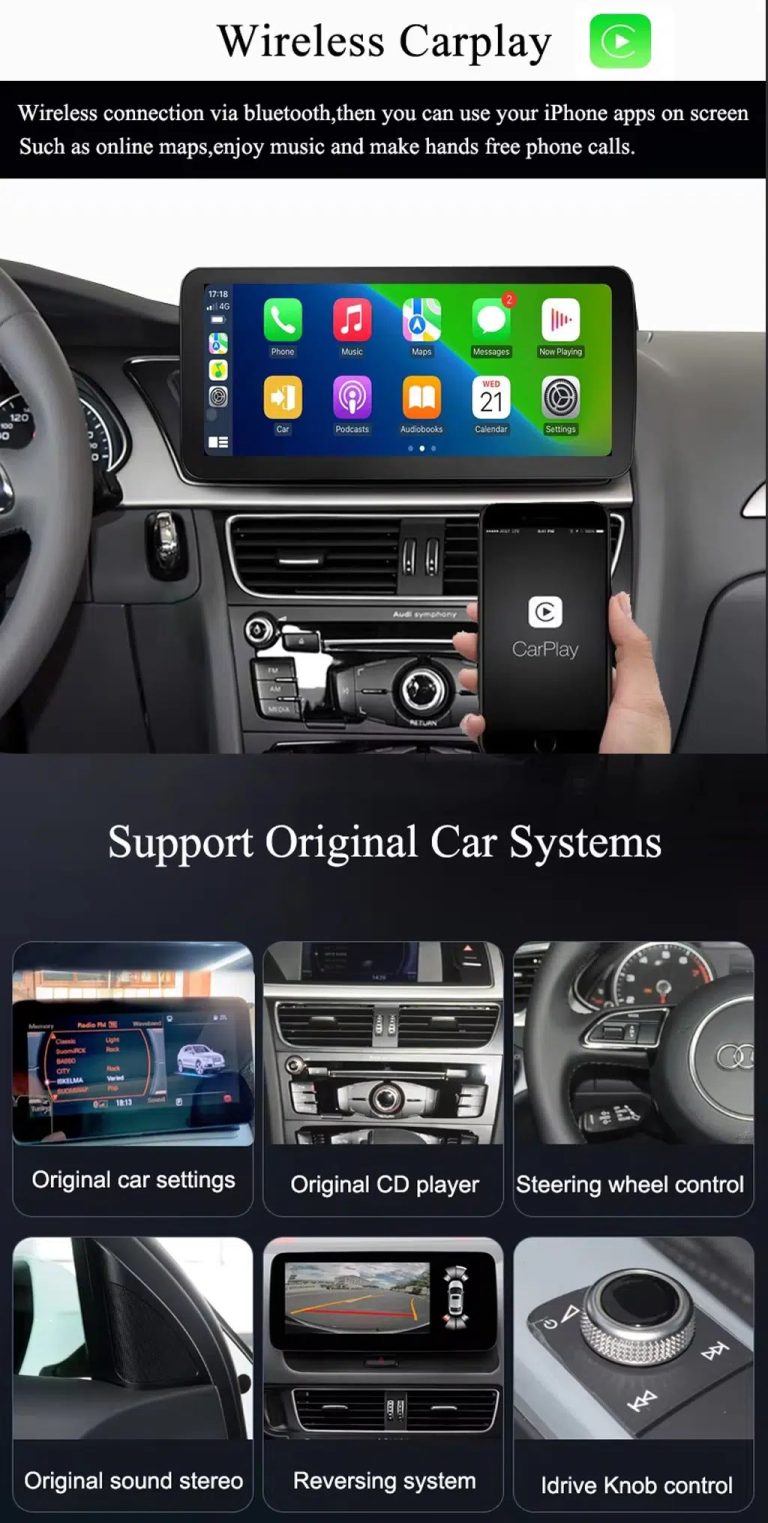
Use wireless CarPlay while keeping supported original car systems
This visual combines wireless CarPlay with original-system value, helping buyers understand that this is more than a simple screen swap.
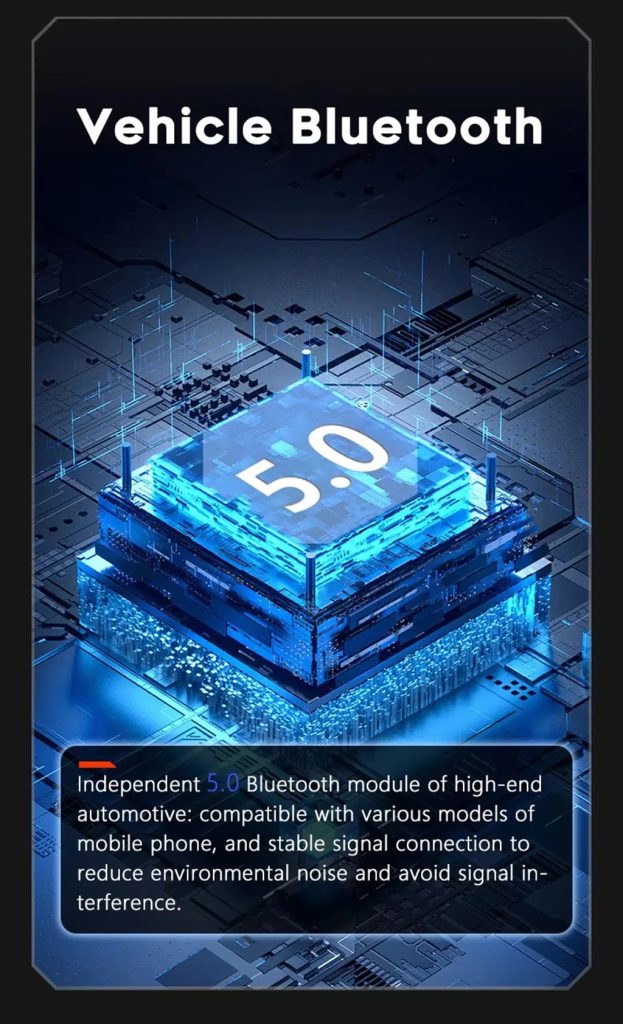
Improve Bluetooth connection on supported hardware
Bluetooth version depends on the selected hardware route, but the upgrade direction supports more practical phone and media connection than relying only on old factory behavior.
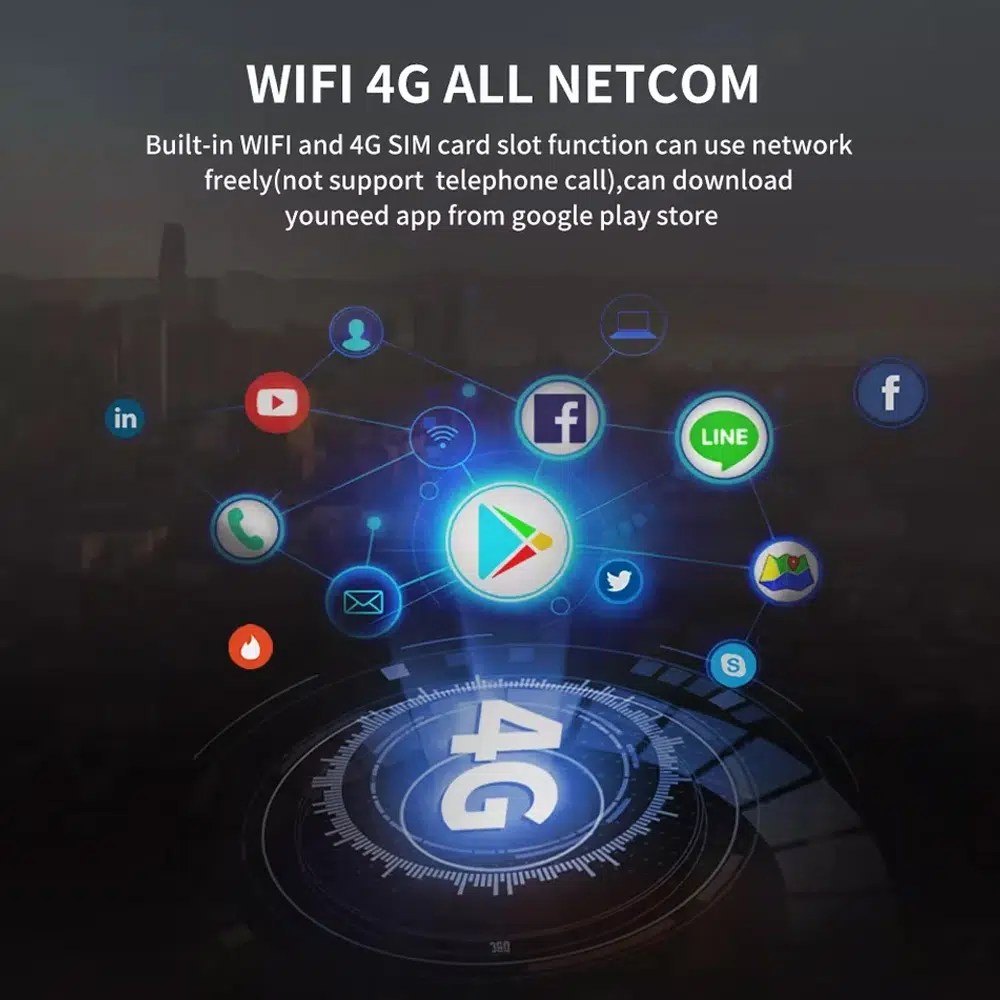
Use WiFi and 4G for apps and online navigation
WiFi and compatible 4G support online maps, app downloads and connected Android functions where local network and selected hardware allow it.
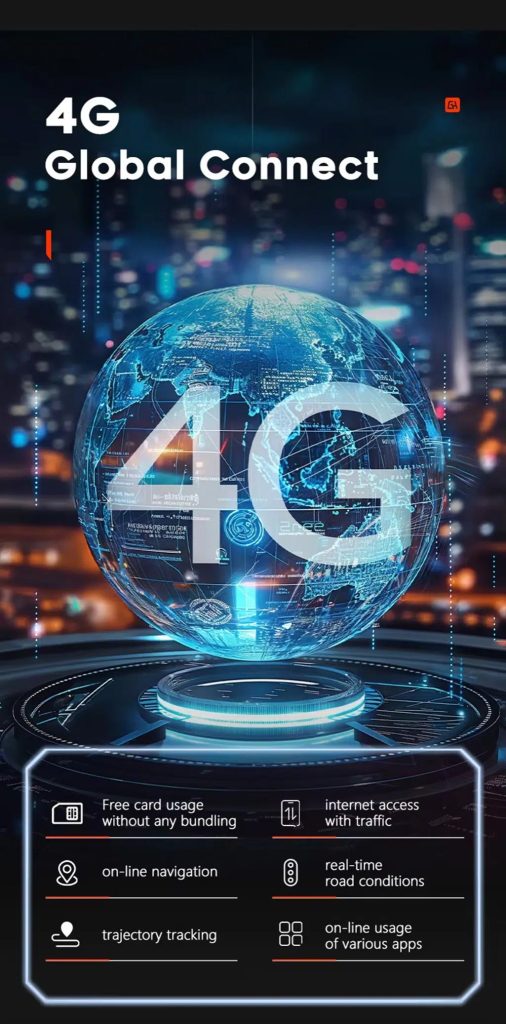
Use 4G network features where local service allows
Online navigation, traffic information and app access depend on compatible network service, SIM support and selected hardware configuration.
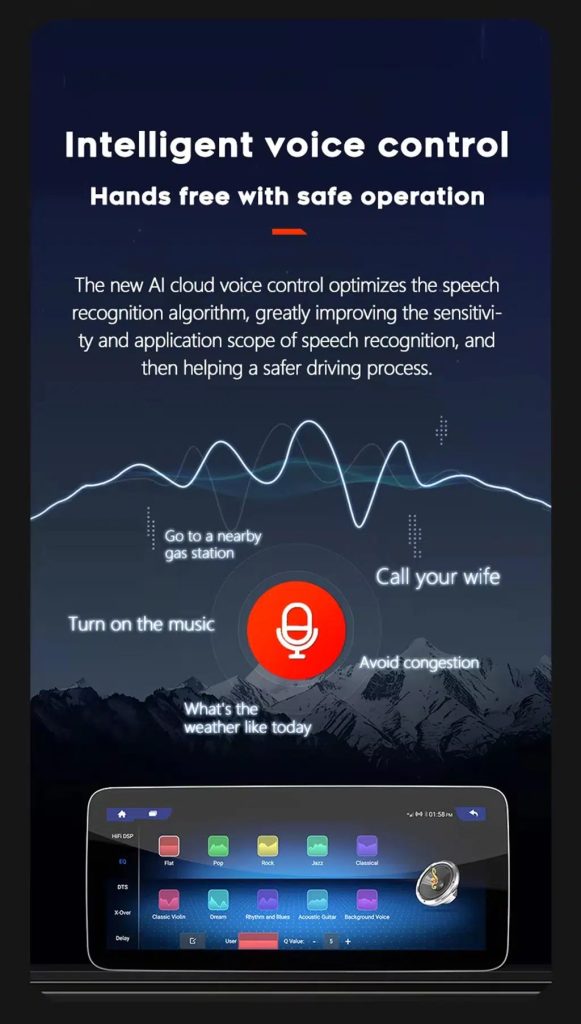
Use voice control with compatible apps
Voice control can make navigation, music and calls easier, but recognition depends on the app, microphone, language, internet connection and phone compatibility.
Tune the audio with DSP where supported
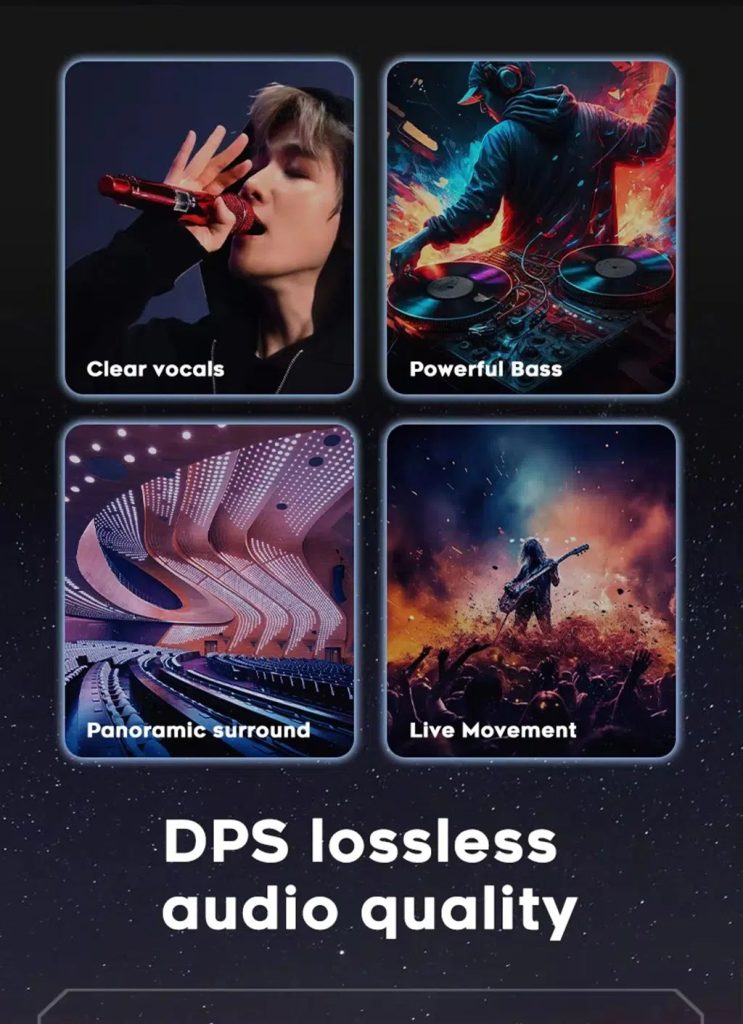
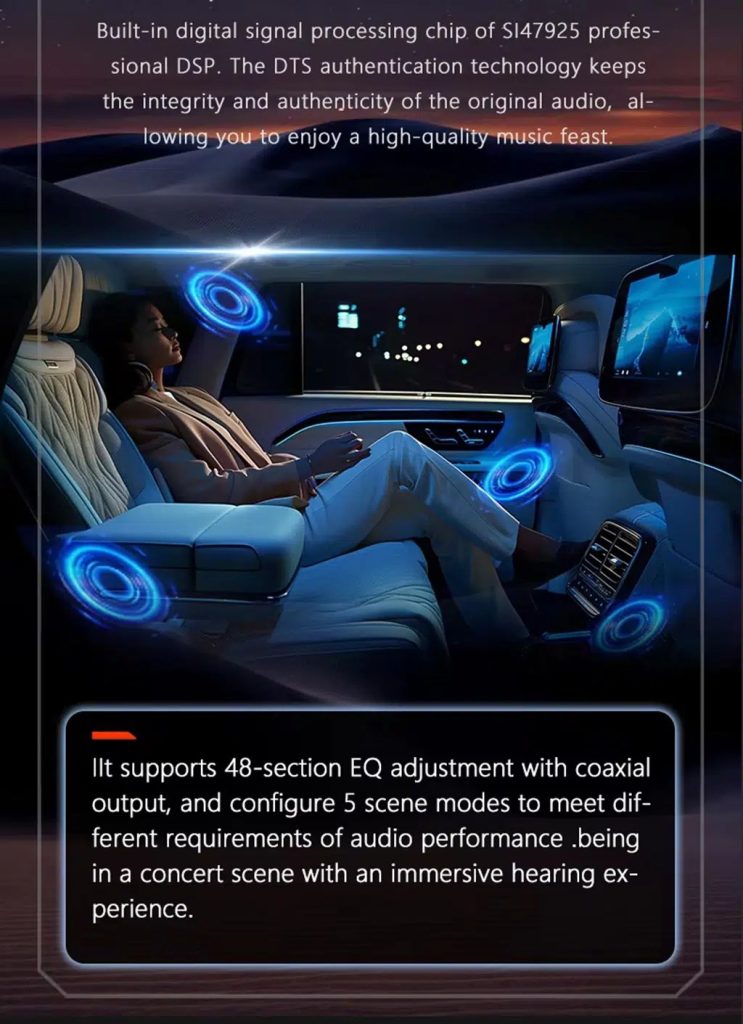
DSP helps tune vocals, bass, surround feeling and sound staging when the selected hardware version includes the supported DSP route.
Review multimedia and DSP function direction
This additional media reference helps buyers understand the entertainment and equalizer direction before choosing the hardware version.
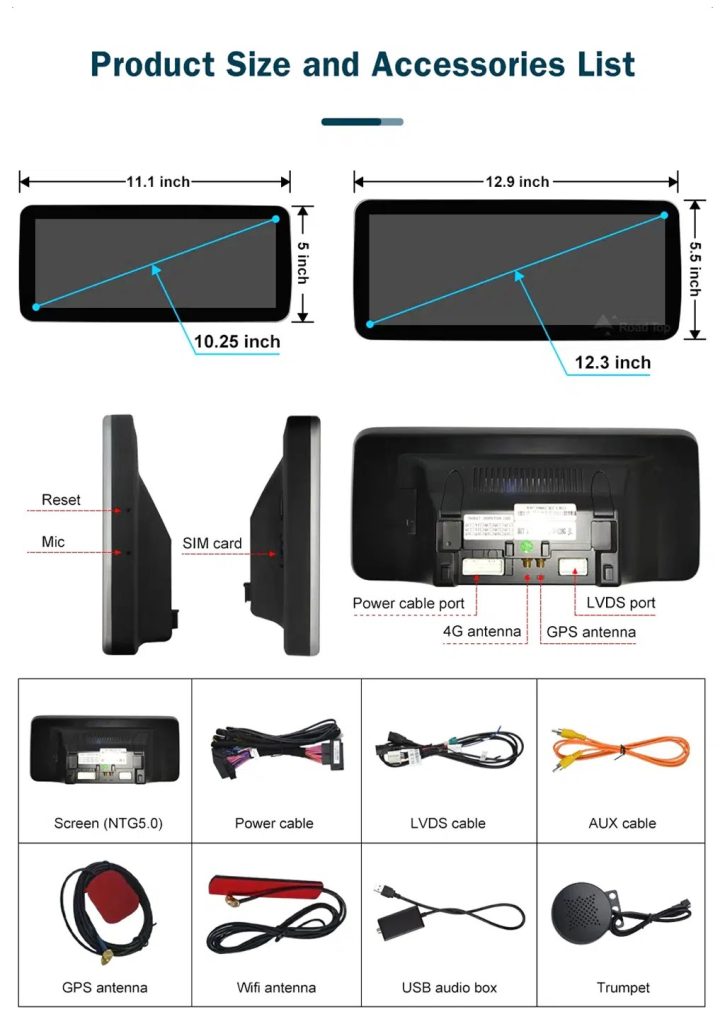
Check product size, rear ports and accessories
The accessory view helps installers understand the screen size, rear connection area, LVDS, power cable, AUX cable, GPS antenna, WiFi antenna, USB audio box and other included parts.
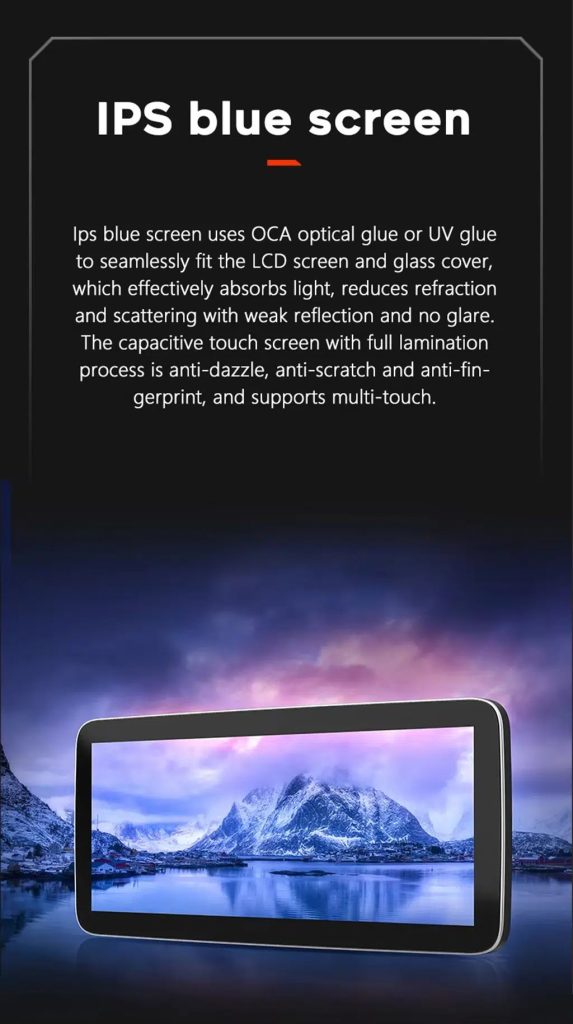
Understand the IPS blue screen display direction
The display construction direction supports a clearer and more comfortable in-car touch experience for daily map, media and menu use.
Review the product gallery before-and-after reference
This gallery view gives another quick reference for the original Q7 display before installation and the wider Android interface after installation.
Confirm another installed dashboard angle
This gallery view shows the unit installed in the Q7 dashboard with a modern interface, helping buyers compare the final visual balance.
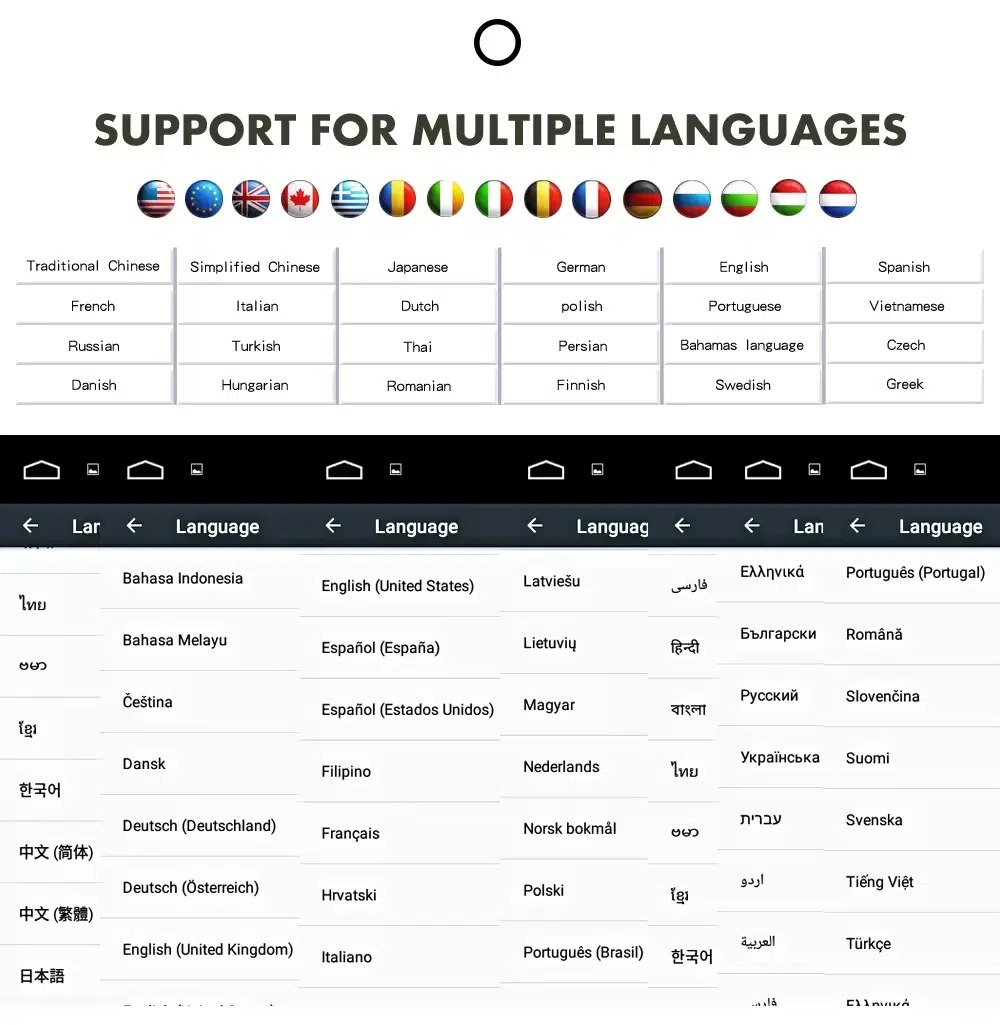
Use the Android interface in multiple languages
Multiple language support helps international owners and installers use the Android interface in a familiar language. Final availability depends on firmware and app settings.
Common interface languages include English, German, French, Spanish, Italian, Portuguese, Dutch, Russian, Arabic, Japanese and Chinese, depending on firmware and app settings.
Installation Route for the Audi Q7 10.25 Android Screen Upgrade
Análise do veículo
Submit the year, dashboard photos, steering position and original audio-system details.
Correspondência de configurações
O iKAGOO verifica os requisitos relativos à estrutura, ao chicote elétrico, ao descodificador CAN, ao amplificador e à fibra ótica.
Preparação pré-expedição
A unidade Android e os acessórios correspondentes estão preparados para a configuração confirmada do veículo.
Apoio à instalação
Estão disponíveis orientações sobre a ligação, a configuração e os testes das funções suportadas.
Main work required
- Confirm dashboard year route, CD panel, MMI system and steering side before shipment.
- Check whether the car has Bose, external amplifier or MOST fiber optic.
- Remove the original screen area and required dashboard trim carefully.
- Connect the matched power harness, CAN decoder, LVDS/video route and audio adapter.
- Install fiber-optic decoder when confirmed necessary.
- Connect GPS, USB, camera, microphone and WiFi/4G accessories according to selected configuration.
- Power on before final reassembly.
- Test original menu switching, CarPlay, Android Auto, audio, steering-wheel controls, cameras, Bluetooth, GPS and sleep/wake behavior.
Stop installation and contact iKAGOO if this happens
- The screen frame does not match the dashboard opening.
- É evidente que a forma do conector ou a disposição dos pinos não corresponde ao chicote fornecido.
- The car has Bose / MOST fiber optic but no confirmed decoder route.
- No sound comes from the speakers after power-on testing.
- The original MMI menu cannot be accessed after connection.
- A fiber-optic cable is bent sharply, crushed or left disconnected.
- Um pino do conector está dobrado, solto ou danificado.
- A fuse blows repeatedly, or abnormal heat, smell or smoke appears.
- A instalação exigiria cortar o chicote elétrico principal da fábrica.
O que está normalmente incluído
Ecrã do Android
Conjunto de ecrã específico para o veículo, com a configuração de hardware Android selecionada.
Chicote elétrico
Cablagem de alimentação, sinal e integração selecionada de acordo com o veículo confirmado.
Decodificador CAN
Decodificador compatível com os comandos de direção suportados e com a integração de informações do veículo.
Antena GPS
Antena GPS externa para as funções de navegação do Android compatíveis.
Ligações USB
Entradas USB de expansão para dispositivos compatíveis, acessórios e atualizações de software.
Adaptadores opcionais
Descodificador de fibra ótica, interface de câmara, cabo AMI ou outros adaptadores, caso se confirme que são necessários.
O conteúdo da embalagem varia consoante a versão selecionada e a configuração do veículo confirmada. Deve verificar-se os detalhes finais da encomenda antes do envio.
Envio, garantia e assistência pós-venda
Preparação da encomenda
A preparação normal da encomenda demora, normalmente, entre 1 e 3 dias úteis após a verificação da configuração do seu veículo.
Tracked global shipping
As entregas internacionais são acompanhadas. O prazo de entrega estimado depende do destino, do desalfandegamento e do método de envio selecionado no momento do pagamento.
Garantia de 12 meses para o hardware
Os problemas de hardware abrangidos pela garantia limitada da iKAGOO são tratados ao abrigo dessa garantia. Os danos resultantes de ligações elétricas incorretas, utilização indevida, infiltração de água ou modificações não autorizadas não estão, normalmente, abrangidos pela garantia.
Vehicle-specific products require accurate vehicle information before shipment. If iKAGOO confirmed compatibility before purchase, your information was accurate, and no reasonable installation solution is available after supported troubleshooting, the current published return and refund policy applies.
Política de devolução e reembolso · Política de garantia · Política de envio
Audi Q7 10.25 Android Screen Upgrade FAQ
Is this Audi Q7 10.25 Android screen upgrade for every Q7 from 2006 to 2015?
Does this product support 2005 Audi Q7?
É compatível com CarPlay sem fios e Android Auto?
Will the original Audi MMI menu still work?
Will Bose or the factory amplifier still work?
Does every Audi Q7 need a fiber optic decoder?
Can the original rear camera be retained?
Does it work with left-hand-drive and right-hand-drive Q7 vehicles?
A instalação é "plug-and-play"?
O que devo enviar antes de fazer a encomenda?
Dê um novo ar moderno ao seu Audi Q7 4L
Choose this Audi Q7 10.25 Android screen upgrade if you want a factory-style display route, wireless CarPlay, Android Auto, GPS navigation, DSP audio and iKAGOO configuration matching for your dashboard, MMI and audio system.
Related Q7 upgrade: Agregado digital do Audi Q7


Comentários
Ainda não há comentários.