













VW Tiguan 5N Digital Cluster Installation Guide (2009–2017): 11 Real Steps, Fitment & Factory Functions
VW Tiguan 5N digital cluster installation guide shows what matters before you buy and before you close the dashboard: the exact physical installation sequence, the factory information that remains on the matched route, CarPlay / Android Auto map display, and iKAGOO’s pre-shipment fitment check.
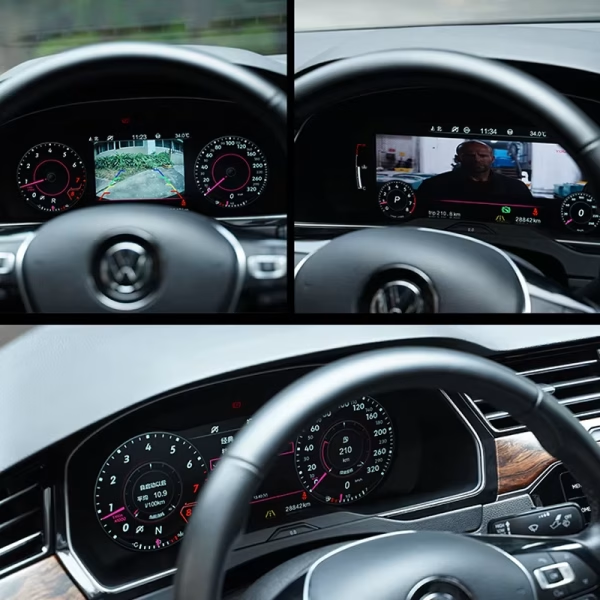
What changes after the Tiguan 5N digital cluster upgrade?
The main value is a cleaner driver view without giving up the vehicle information you still rely on. The matched route combines a modern 12.3-inch cockpit with supported factory data and phone/map display closer to the driver.
Speed, RPM, fuel, gear, mileage, temperature and supported warnings stay in the driver display.
Supported multifunction steering-wheel operation remains familiar after correct matching.
Navigation or phone-projection information can appear through the supported controller or sync route.
The dedicated housing keeps the cluster in the original instrument position instead of adding a tablet on top.
The difference is not only the screen. It is how the correct version reaches your car.
Vehicle-specific electronics can look identical online while using different cluster bodies, connectors or retained-component routes. iKAGOO keeps checkout simple, then adds another vehicle-specific check before shipping and continues support after delivery.
Compare the listed vehicle route with your year, original cluster and dashboard. Ask for help before checkout only when you want it.
After ordering, iKAGOO rechecks the vehicle/version information needed to prepare the correct cluster route.
The matched cluster body, accessories and required route are prepared before packing rather than sending a generic unit first.
If the installer finds a mismatch or supported function issue, photos/video can be reviewed before wiring is altered or the product is returned.
Will this fit every VW Tiguan from 2009–2017?
No—year alone is not enough. The current product route is for selected Tiguan Mk1 / Tiguan 1 / Type 5N / 5N Facelift vehicles. The product listing covers selected 2009–2017 vehicles; the detailed workshop source below is labeled 2010–2017.
For factory warning-light meanings or vehicle-specific reference information, use Volkswagen’s official Owner’s Manual lookup with the vehicle VIN.
VW Tiguan 5N digital cluster installation guide: watch the physical route first

The 11 images below come from the verified Tiguan PQ workshop source and are grouped by the real work sequence: remove, open, rebuild and reinstall.
Complete VW Tiguan 5N digital cluster installation sequence
Get the original cluster onto a protected bench
Prepare the tools, release the lower fixings and open the housing only after the cluster is out of the vehicle.
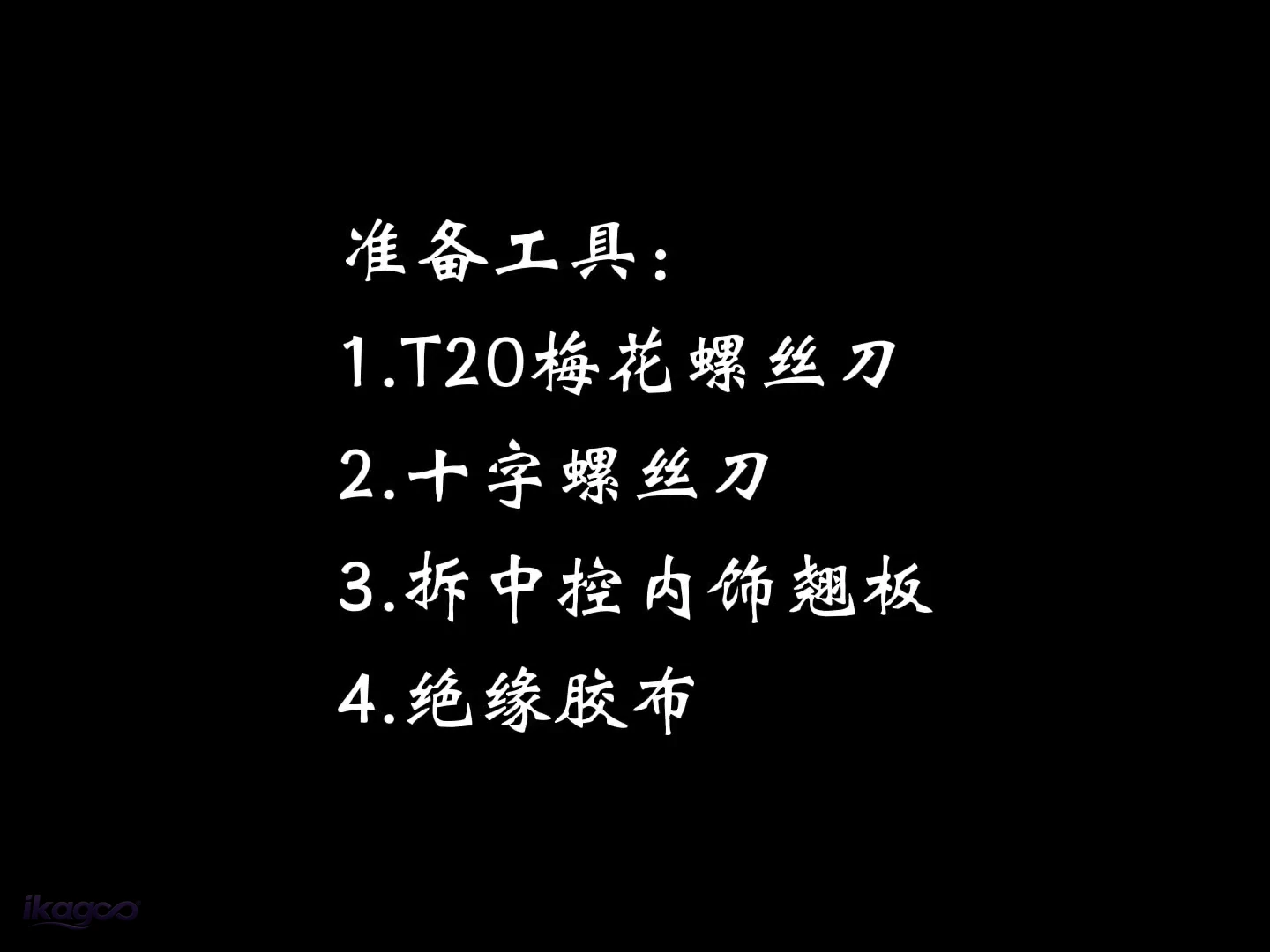 PASSO 01
Prepare the four tools
T20 Torx driver, Phillips screwdriver, interior trim pry tool and electrical insulating tape.
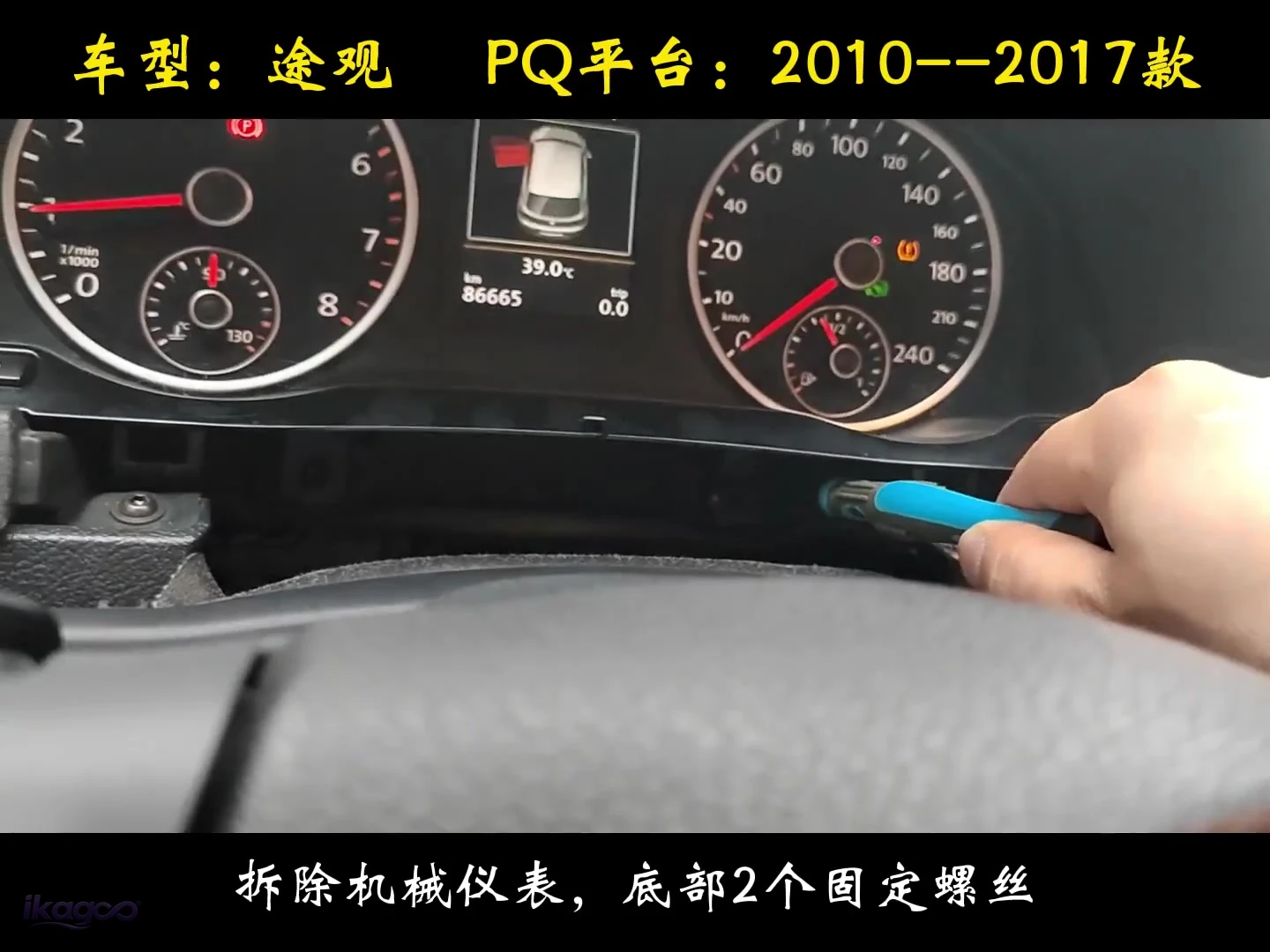 PASSO 02
Remove the two lower cluster screws
Release the two lower fixing points and draw the original instrument cluster carefully out of the dashboard.
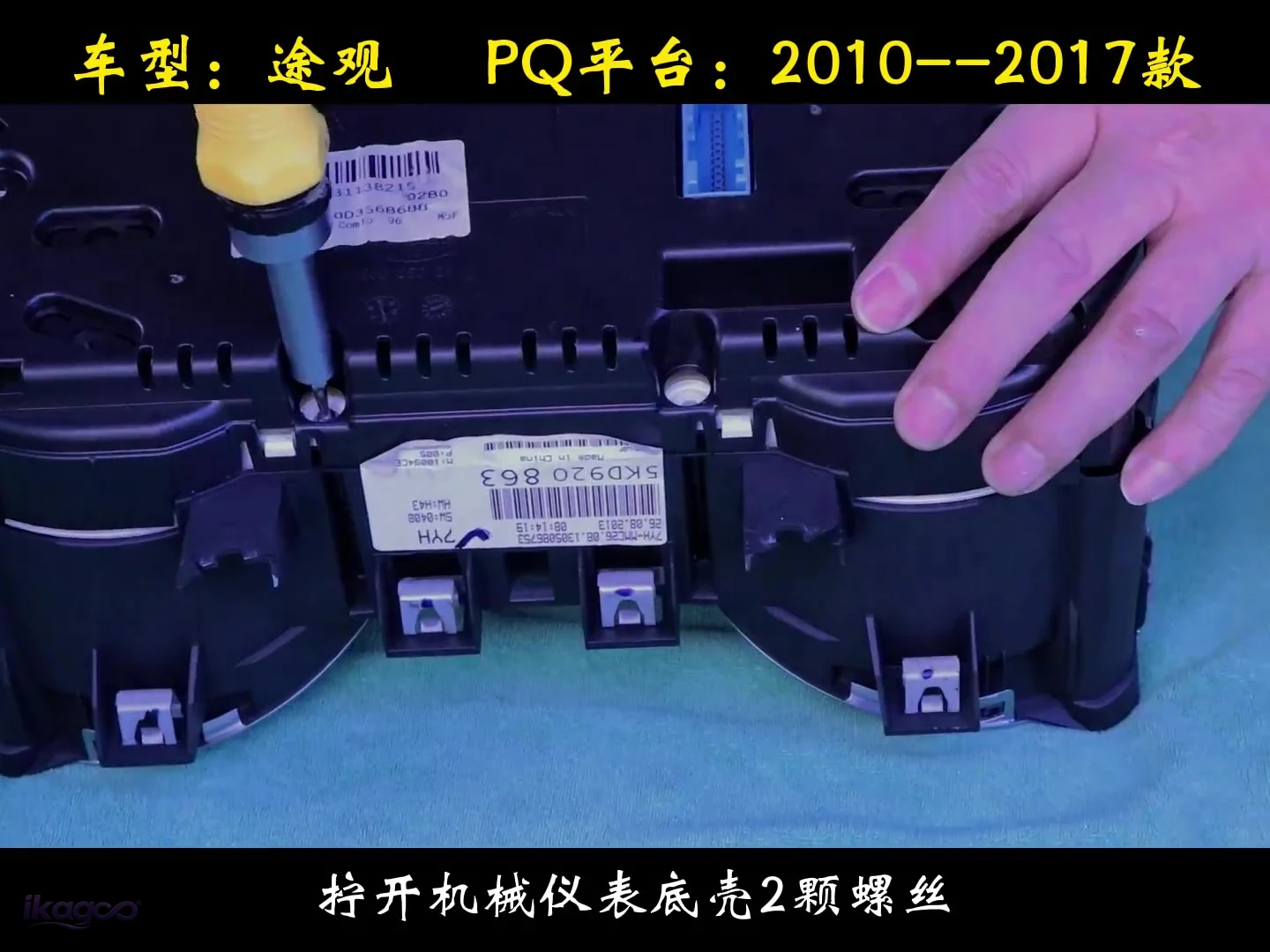 PASSO 03
Remove the two housing screws
Place the removed cluster on a protected bench and undo the two housing screws before opening the assembly.
Separate the factory cluster structure carefully
This is the most delicate part of the installation and the main reason the job is rated L3 rather than a simple screen swap.
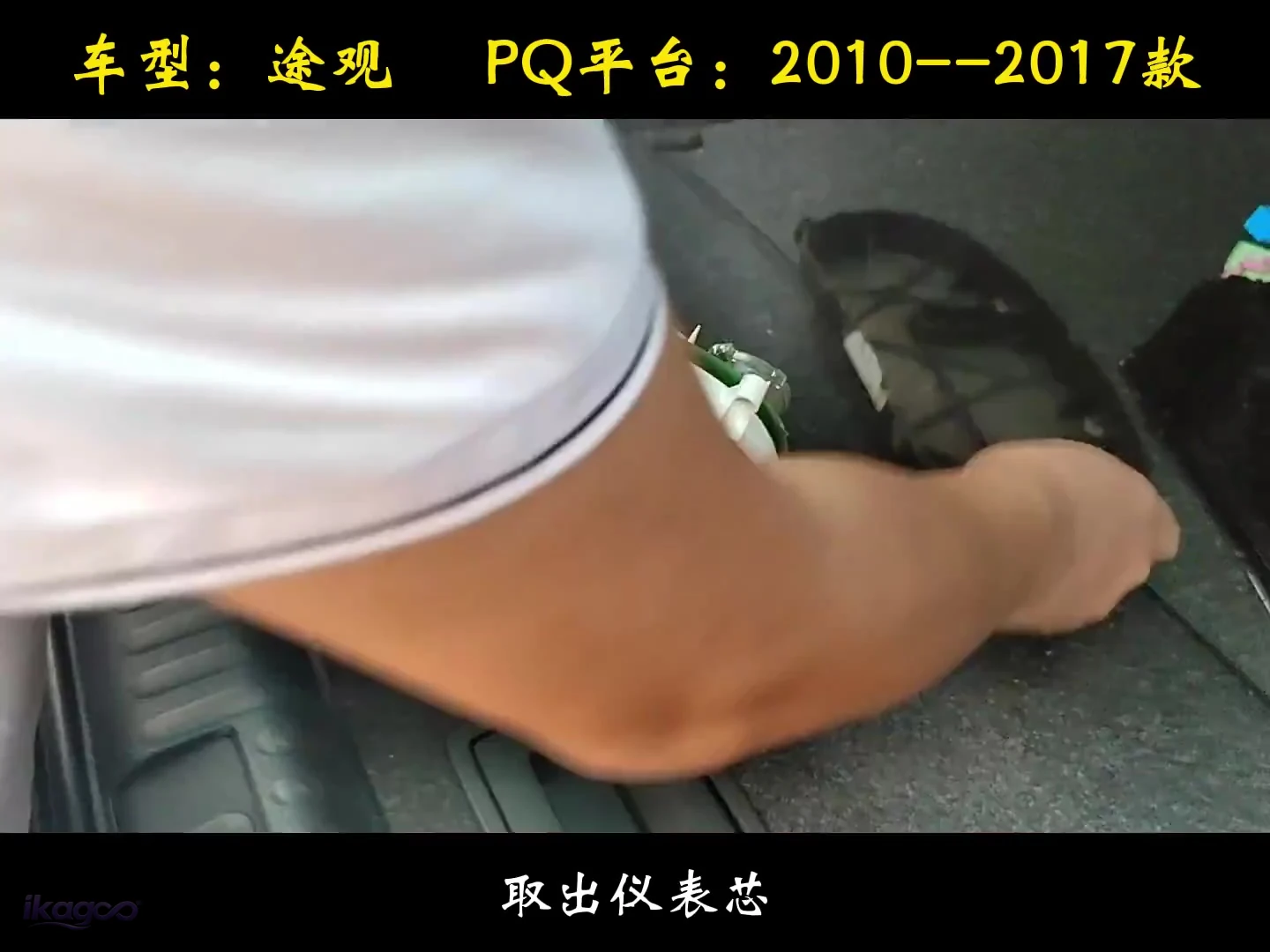 PASSO 04
Lift out the original instrument core
Remove the original core so the dial and PCB structure can be handled cleanly on the bench.
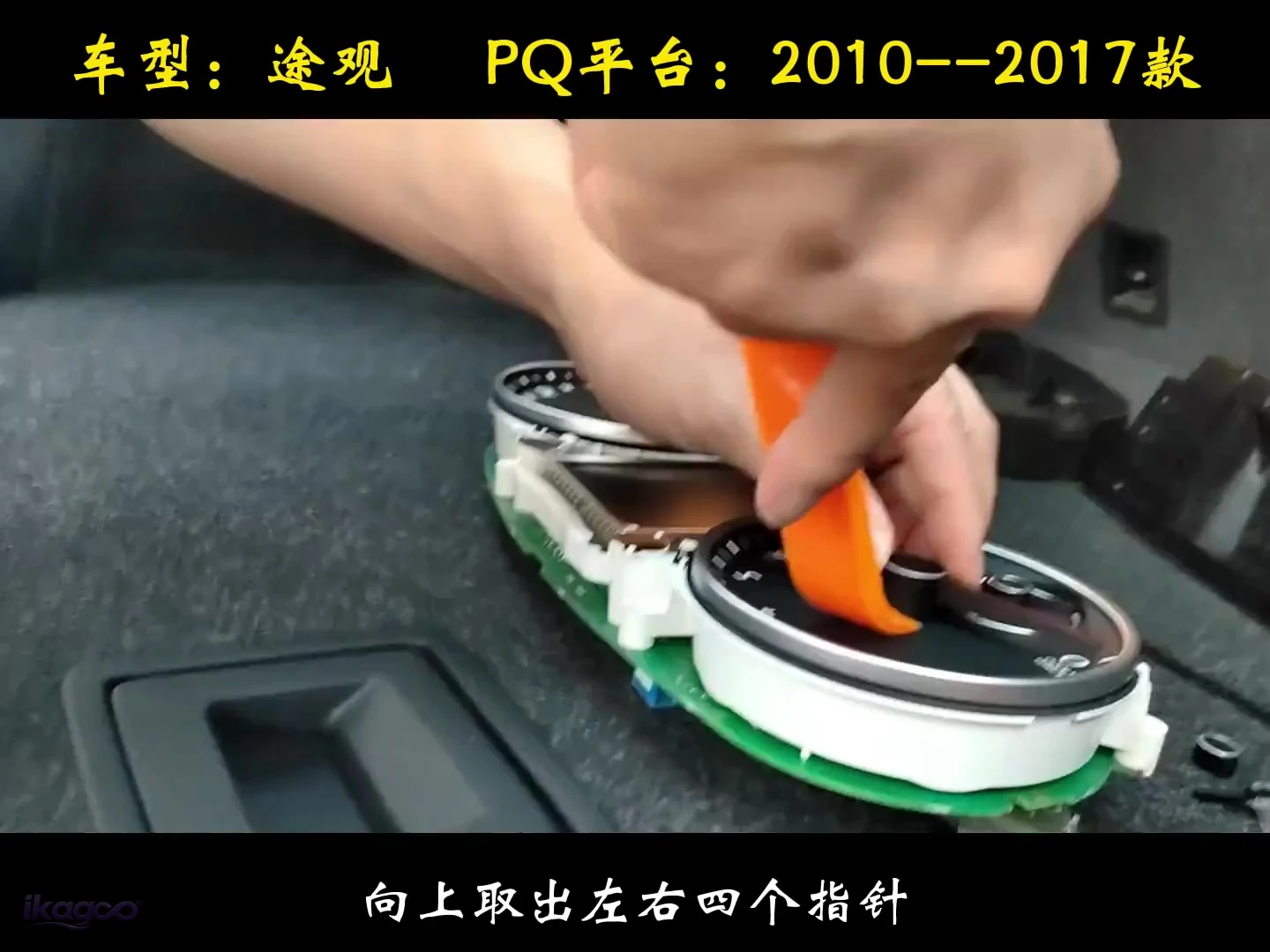 PASSO 05
Pull the four pointers upward
Remove all four instrument pointers vertically before taking off the decorative dial plate.
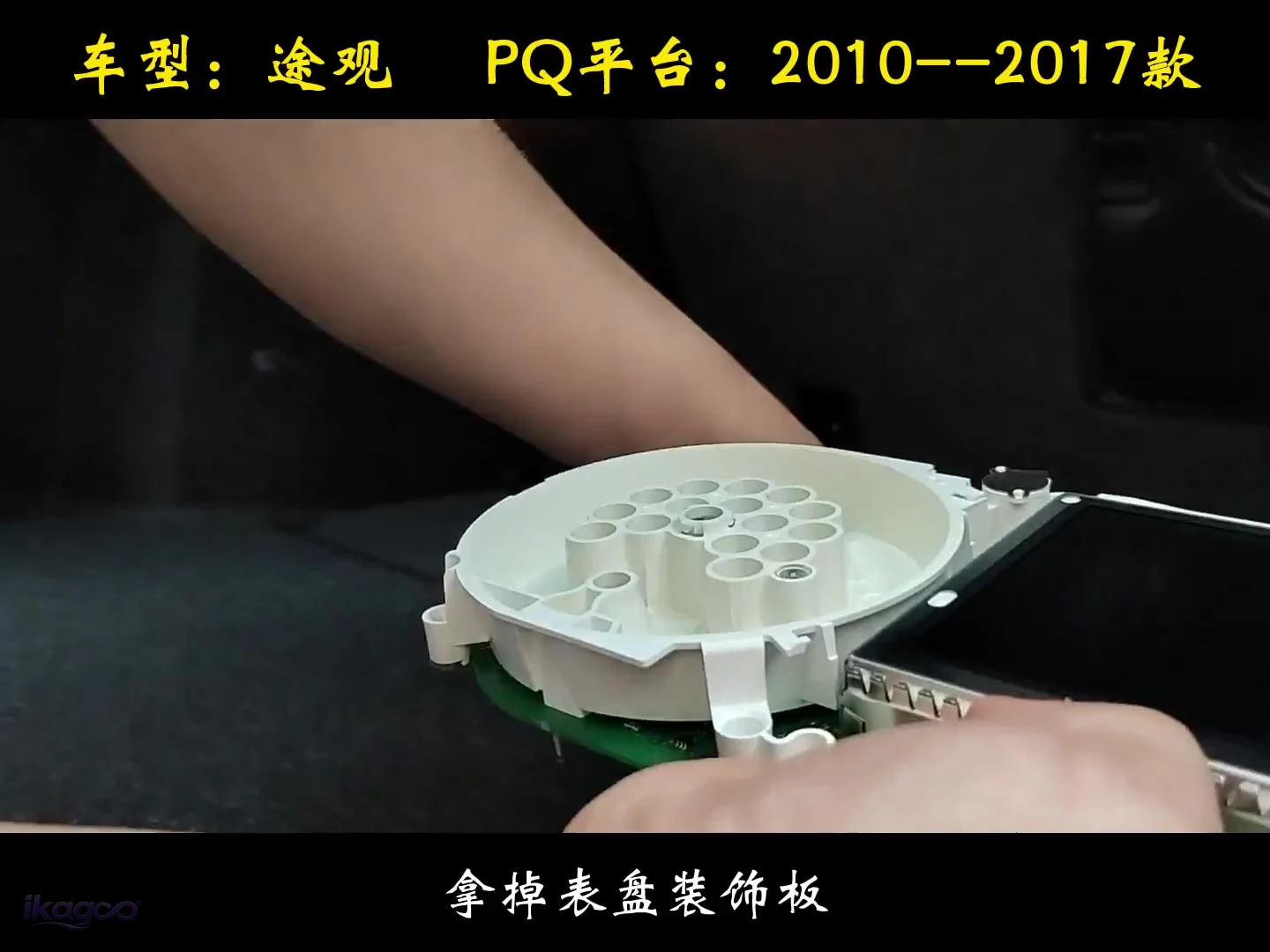 STEP 06
Remove the dial decorative plate
Take off the original face plate to expose the board and retaining structure below.
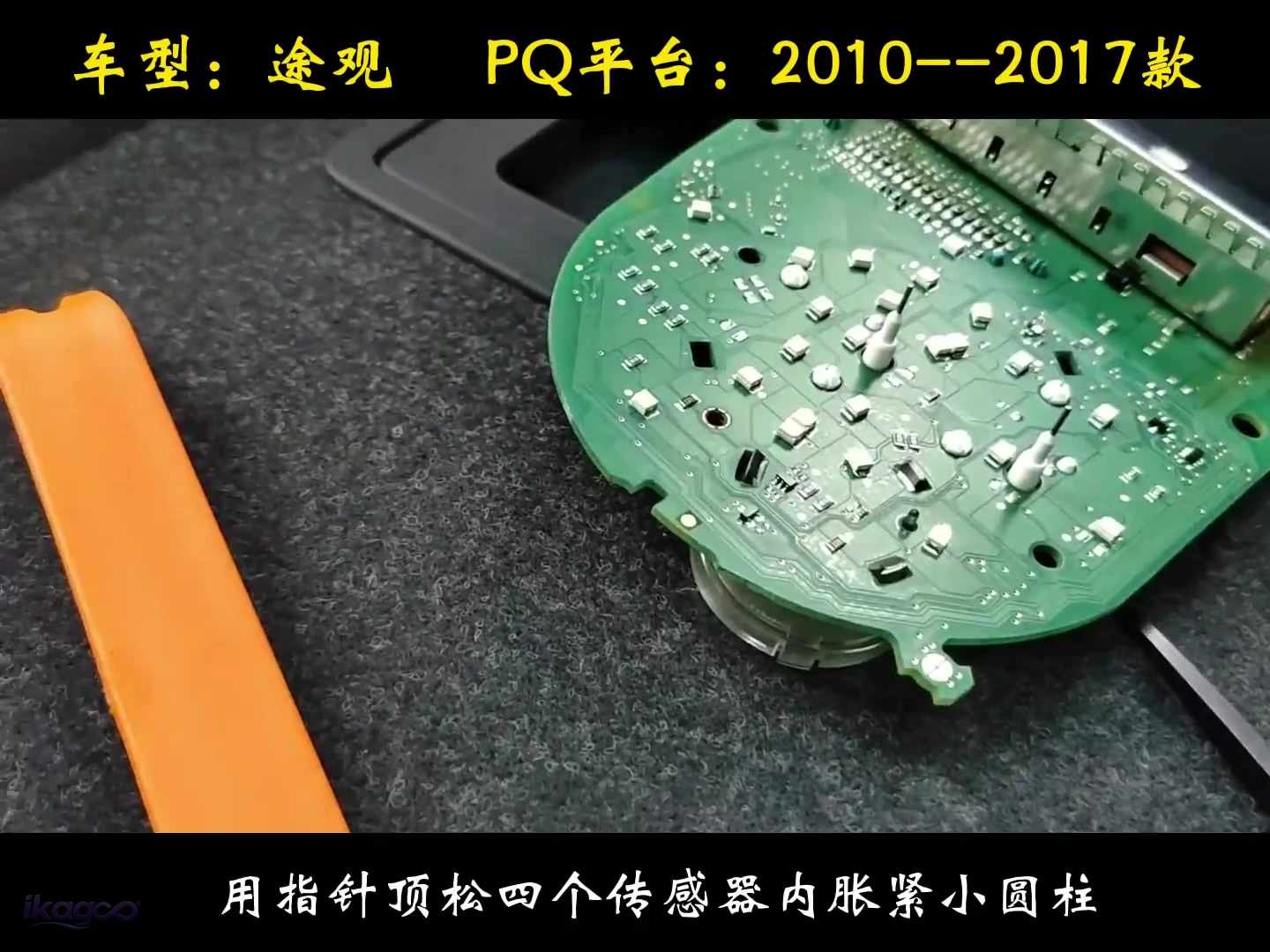 STEP 07
Release the four small retaining points
The verified source shows four small press-fit retaining points being released in the sensor area.
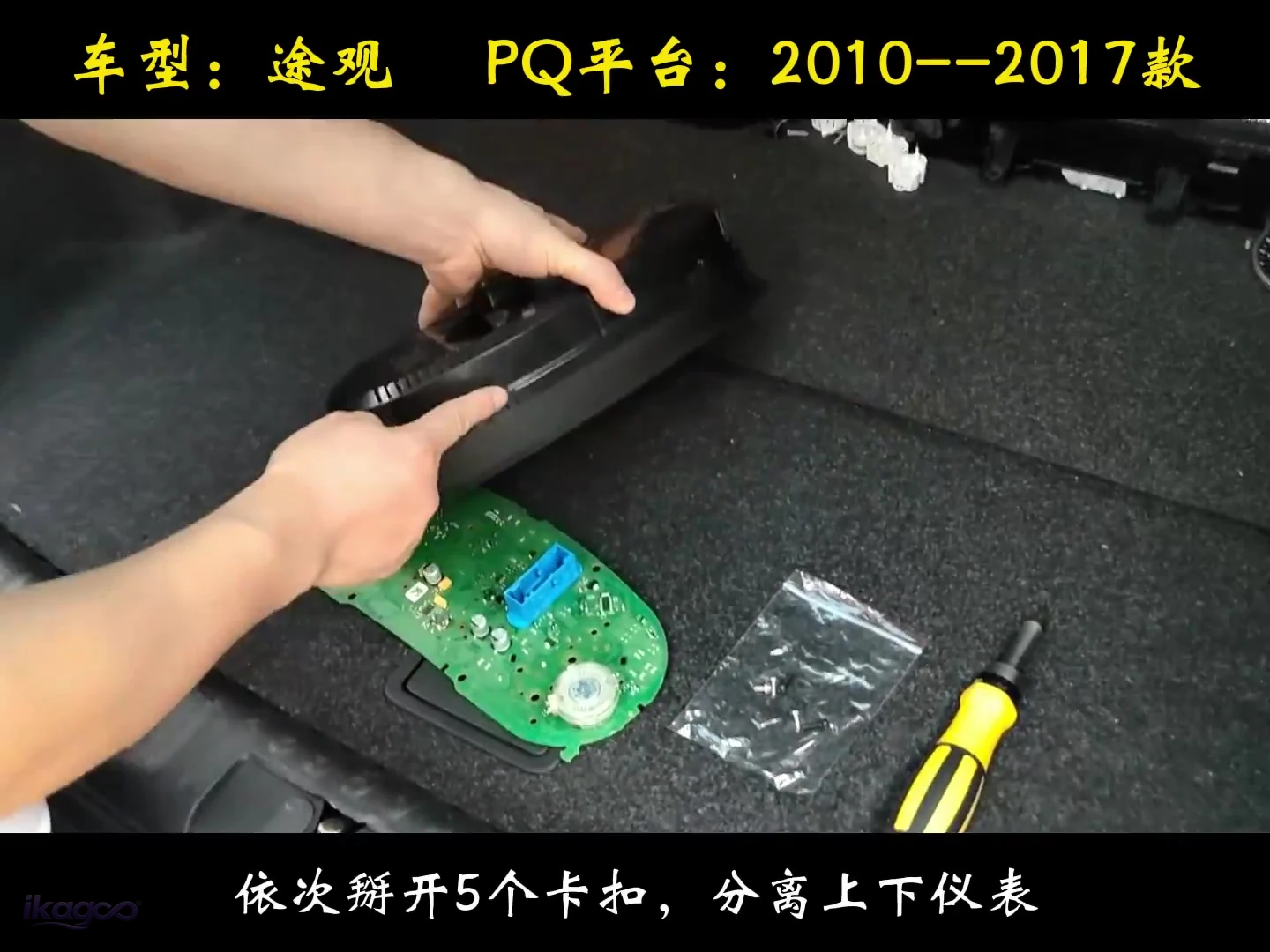 STEP 08
Release five clips one by one
Open all five clips in sequence, then separate the upper and lower cluster sections.
Secure the internal route and close the housing
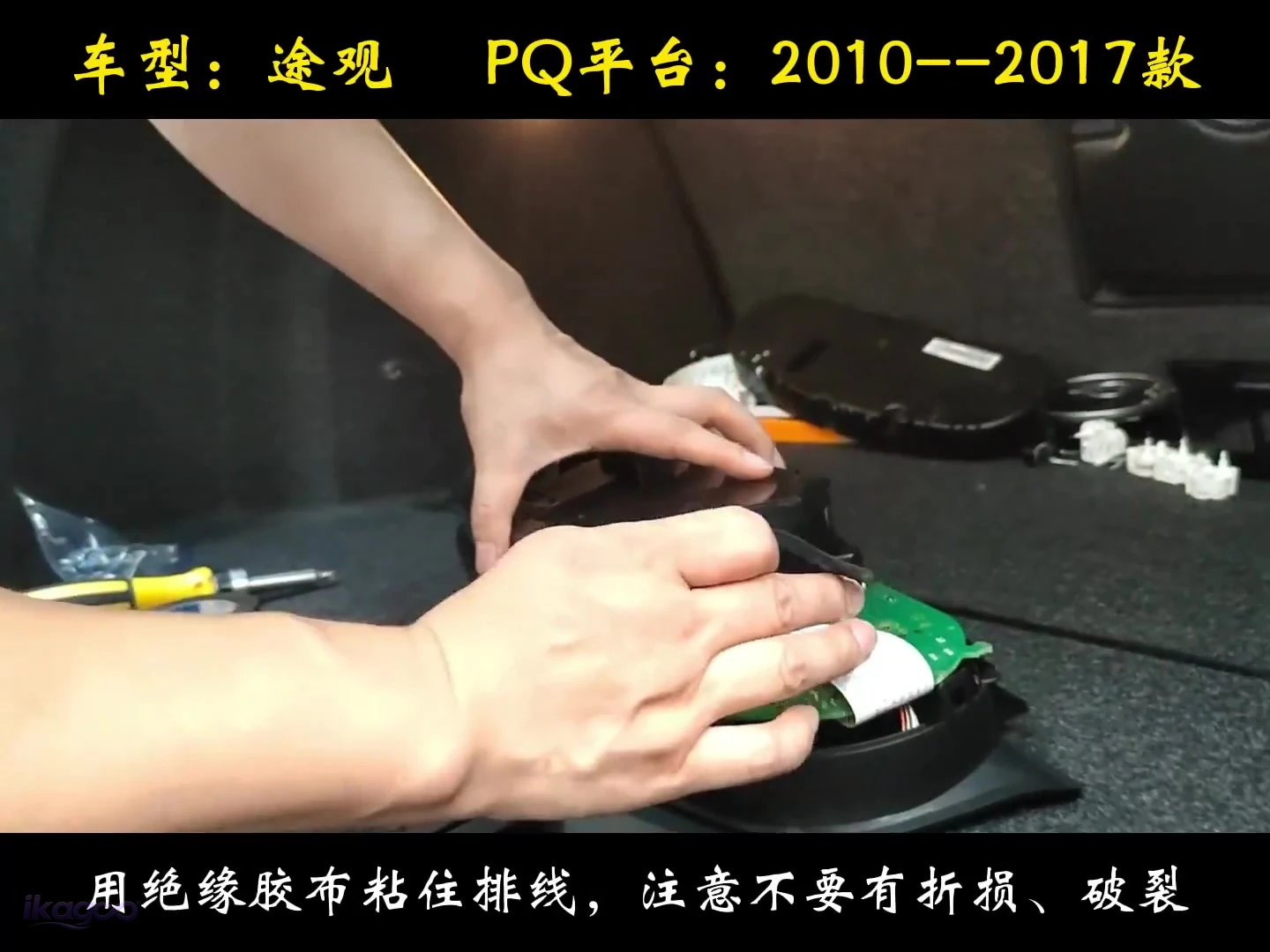 STEP 09
Secure the internal wiring
Use insulating tape to hold the route in place without folding, pinching or damaging the wire.
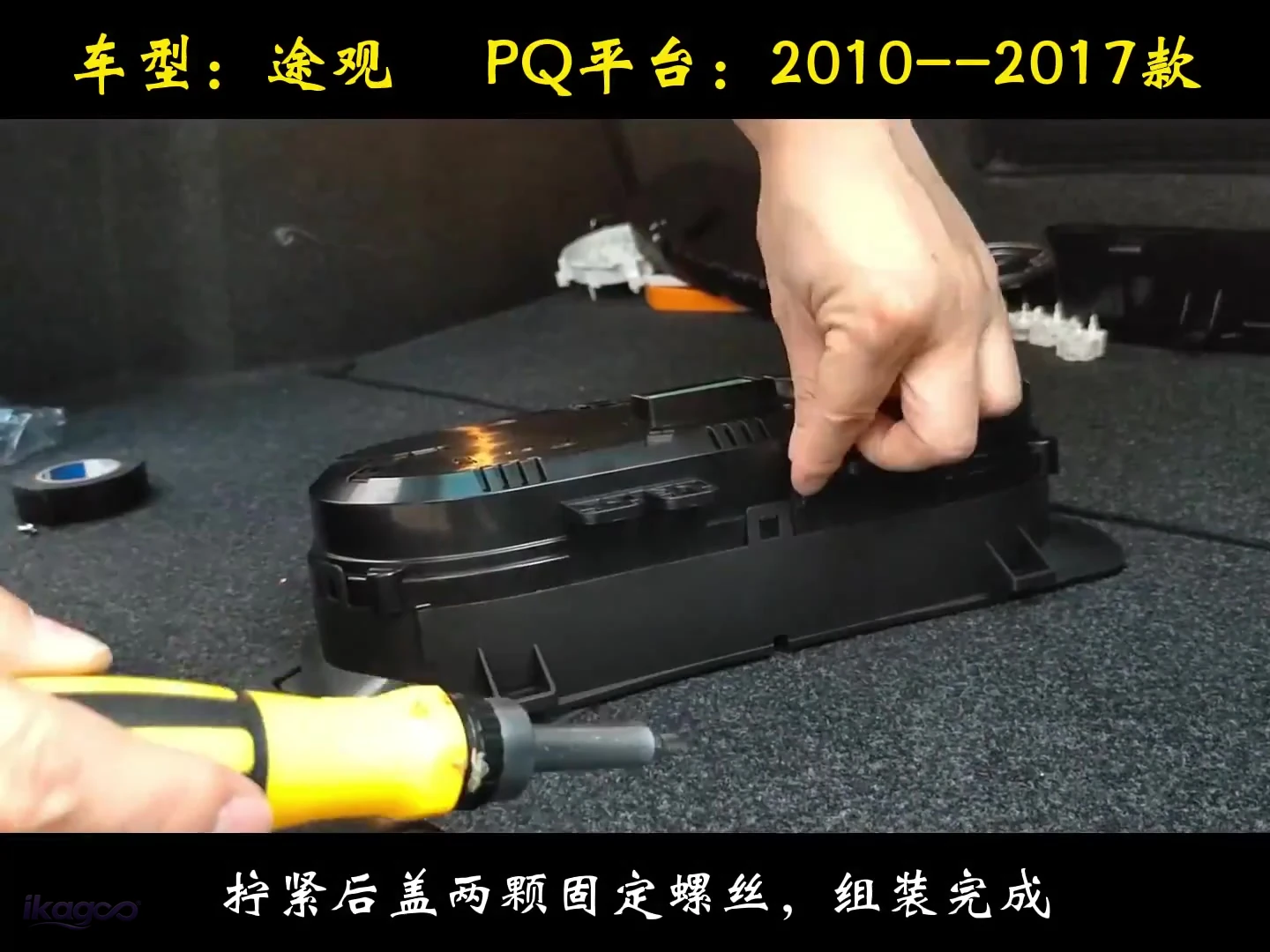 STEP 10
Close the rear cover
Once the internal route is secure, close the housing and tighten the two rear-cover screws.
Return the cluster to the dashboard and test before final closure
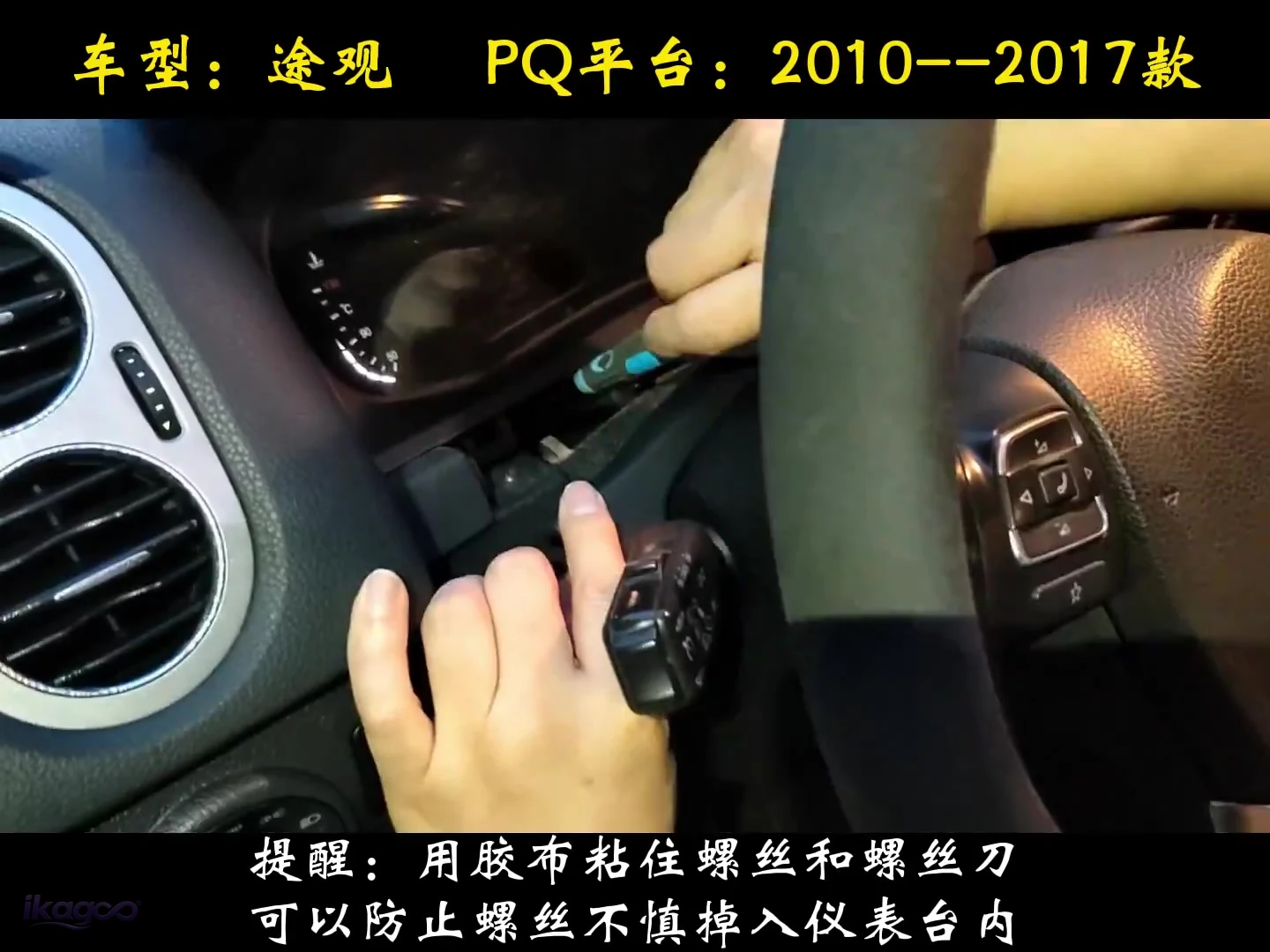 STEP 11
Tape the fixing screw to the screwdriver
Use a small piece of tape to keep the screw on the screwdriver so it does not fall inside the dashboard during reinstallation.
Stop before damage if any of these conditions appear
Do not cut, repin or force it. Photograph the cluster, connector and dashboard and use the order support path.
Do not close the housing over a trapped ribbon, wire or board.
Record the display and connector area before changing wiring or settings so iKAGOO can review the evidence.
What should work before you fully reassemble the dashboard?
A successful installation is more than an LCD that powers on. Verify the driver information and the supplied display route before the final trim goes back.
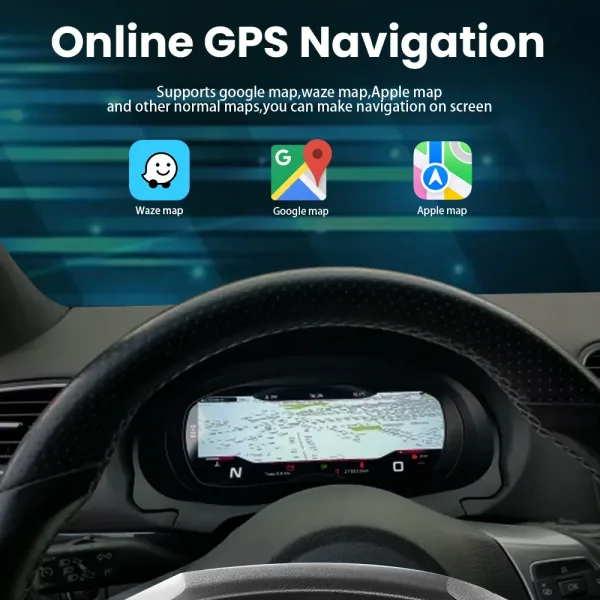

The feature reference belongs after installation because it helps verify the finished display behavior, not the disassembly steps.
Is the Tiguan 5N digital cluster worth the upgrade?
Why it scores high
The older analog cockpit gets a much more modern driver display while keeping useful vehicle information in the same viewing area.
- Strong visible cockpit change
- Map/phone information closer to the driver
- Useful for owners keeping the Tiguan long term
Deduction: the original analog cluster still performs the basic driving-information job.
Upgrade standard →What must match
Supported factory data and controls are strong when the vehicle generation, original cluster, steering position and supplied route match.
- Year + cluster + dashboard
- Volante à esquerda/Volante à direita
- Alterações anteriores
Significado de «comprador»: you can order directly; the final route is rechecked before shipment.
Compatibility standard →Quem deve instalá-lo
The route requires dashboard removal and original-cluster bench disassembly, but it is not a vehicle-programming project.
- Experienced DIY or car-electronics installer
- Follow the exact step order
- Stop on connector or function mismatch
Significado de «comprador»: installation is manageable when the route is matched and the source sequence is followed.
Installation standard →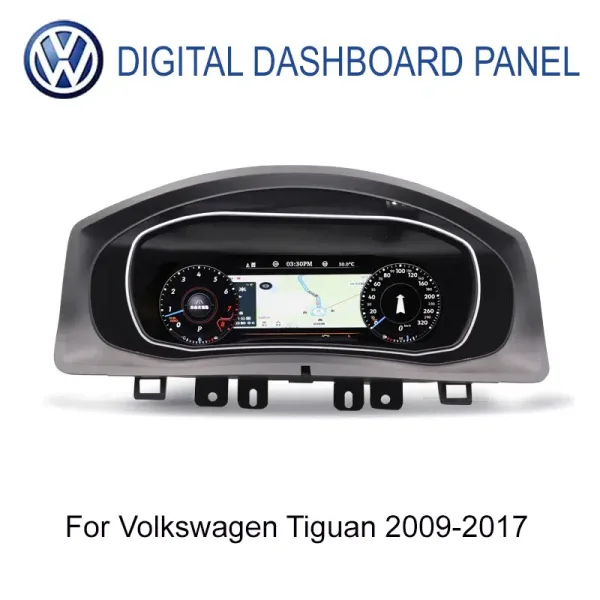
VW Tiguan Digital Cluster 2009–2017 · Mk1 / Type 5N
This VW Tiguan 5N digital cluster installation guide supports the specific iKAGOO 12.3-inch IPS 1920×720 Tiguan route with supported factory driving data, steering-wheel integration and CarPlay / Android Auto / online-map display through the matched controller or sync route.
What happens after you order?
Before dispatch, iKAGOO reviews the vehicle/version information needed to prepare the correct route and asks for extra photos only if needed.
Most in-stock orders are processed within 1–3 business days once payment and required vehicle information are available. Estimated international delivery is generally 7–15 business days after dispatch, depending on destination and route.
Política de envios →Photos/video, connector checks and installation evidence can be reviewed when something is unclear. Eligible hardware faults are covered under the current 12-month limited warranty.
Política de garantia →VW Tiguan 5N digital cluster questions buyers ask before ordering
Will this fit my 2014 VW Tiguan?
Yes, in most correctly matched Mk1 / Type 5N configurations. The original cluster and dashboard shape are still checked so the correct route can be prepared before shipment.
Does this Tiguan cluster require programming?
No vehicle programming is required for this iKAGOO route. The verified work is physical cluster removal, internal transfer/reassembly and final function testing.
Will speed, RPM, fuel, mileage and warnings still work?
Yes, on the correctly matched route. Supported factory driving data remains part of the digital instrument display.
Os comandos no volante continuarão a funcionar?
Yes, where the supported 5N control route is matched correctly. Verify them during the final function test before the dashboard is closed.
Can CarPlay or Android Auto maps appear in the cluster?
Yes, through the supported controller / sync route. The cluster displays phone-projection or map information rather than acting as a standalone Android head unit.
Tenho de cortar a cablagem de fábrica?
The supported route is designed to avoid intentional factory-harness cutting. If the connector does not match, stop and verify the version instead of modifying pins blindly.
Can I order without contacting iKAGOO first?
Sim. You can order directly. Pre-sale review is optional; the vehicle/version route is checked again before shipment.
What information may iKAGOO request before shipping?
Model year, original cluster/dashboard photos, LHD/RHD and connector or configuration details when needed to prepare the correct route.
Posso instalá-lo sozinho?
Experienced DIY is possible. This is an L3 route because the original cluster is opened on the bench. A car-electronics installer is safer for first-time users.
What if something does not work after installation?
Stop before making irreversible changes. Send the order number plus clear photos/video of the display, connector area and observed behavior so the installation, configuration and hardware route can be reviewed.
Quanto tempo demora a expedição?
Processing and delivery are separate. Most in-stock orders are processed within 1–3 business days after payment and required information are available; international delivery is generally 7–15 business days after dispatch.
Que garantia oferece a iKAGOO?
Eligible hardware is covered for 12 months from confirmed delivery under the current limited hardware warranty and its stated conditions.
Use this VW Tiguan 5N digital cluster installation guide to order the right route—not just the right-looking screen
Place the order directly when your Tiguan follows the listed Mk1 / Type 5N route. Use the optional pre-sale review if you want help first; iKAGOO rechecks the vehicle/version information again before shipment.





Add comment
Tem de iniciar a sessão para publicar um comentário.