













Can You Do a Digital Cluster and Android Head Unit Upgrade Together?
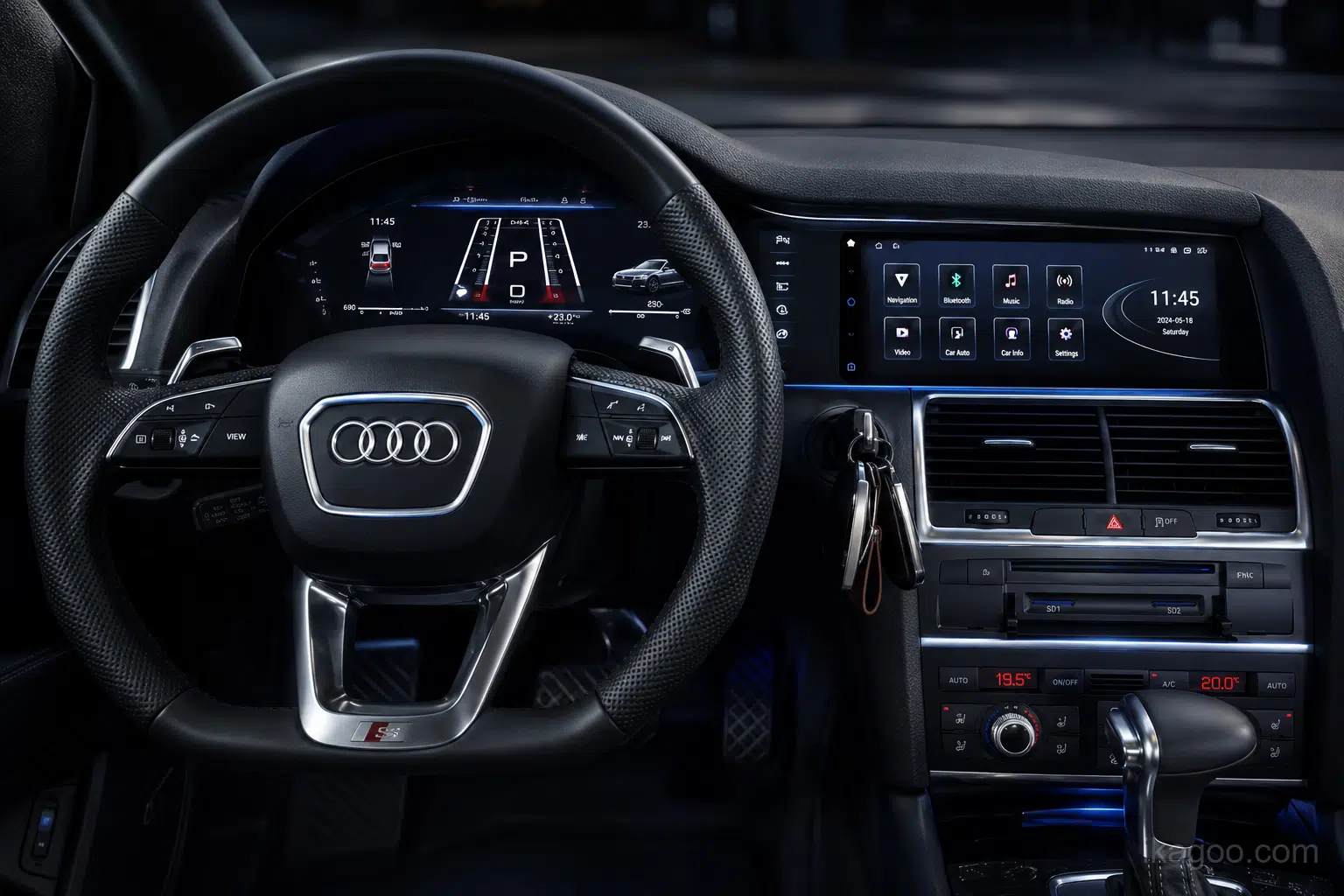
Digital Cockpit Buying Guide
A digital cluster and Android head unit upgrade can work together on many compatible vehicles, but the two products should be reviewed as one vehicle-specific system rather than purchased as two unrelated screens.
What Does Each Screen Do in a Dual-Screen Upgrade?
Uma atualização de sistema de som Android digital cockpit upgrade normally gives the two displays different jobs. The Android head unit manages infotainment, while the digital cluster remains focused on driver information.
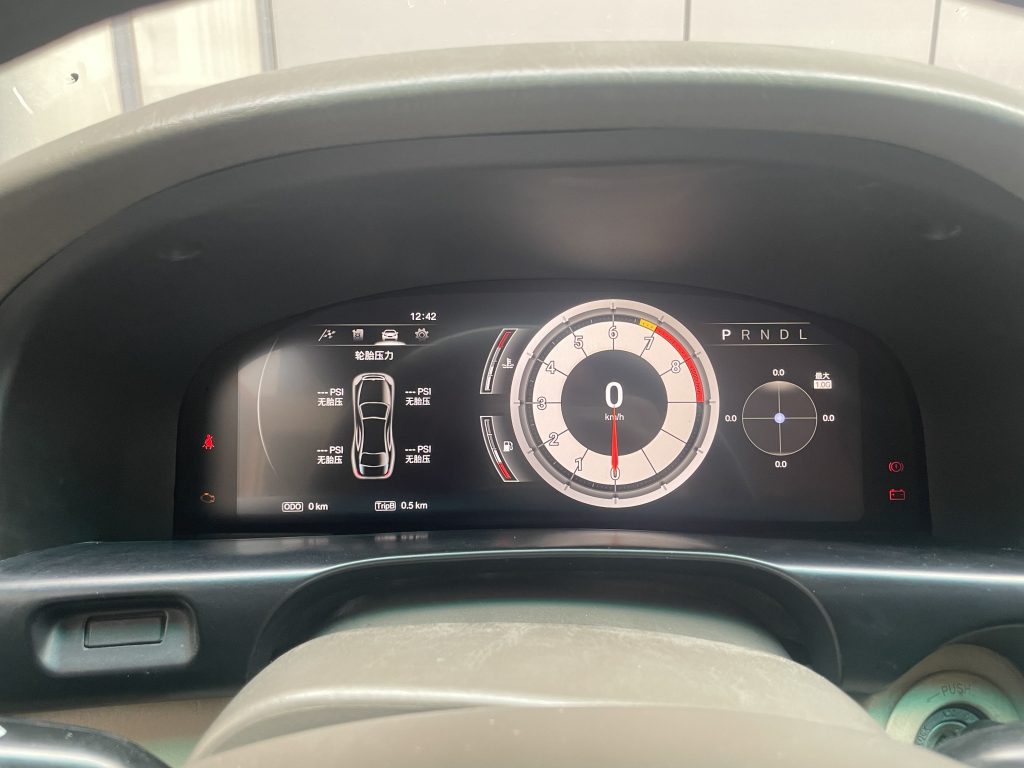
Painel de instrumentos digital
- Vehicle speed and RPM
- Fuel level and temperature
- Posição da mudança
- Supported warnings and vehicle data
- Mileage or trip data according to the vehicle route
- Supported navigation or map information
Unidade principal Android
- Apple CarPlay sem fios
- Android Auto
- Navegação por GPS
- Bluetooth, Wi-Fi and apps
- Multimedia and touchscreen control
- Original-system access where supported
A digital instrument cluster is not simply a second Android tablet. Likewise, an Android head unit supporting CarPlay does not automatically mean the cluster can show the same navigation information.
Can CarPlay or Navigation Appear on the Digital Cluster?
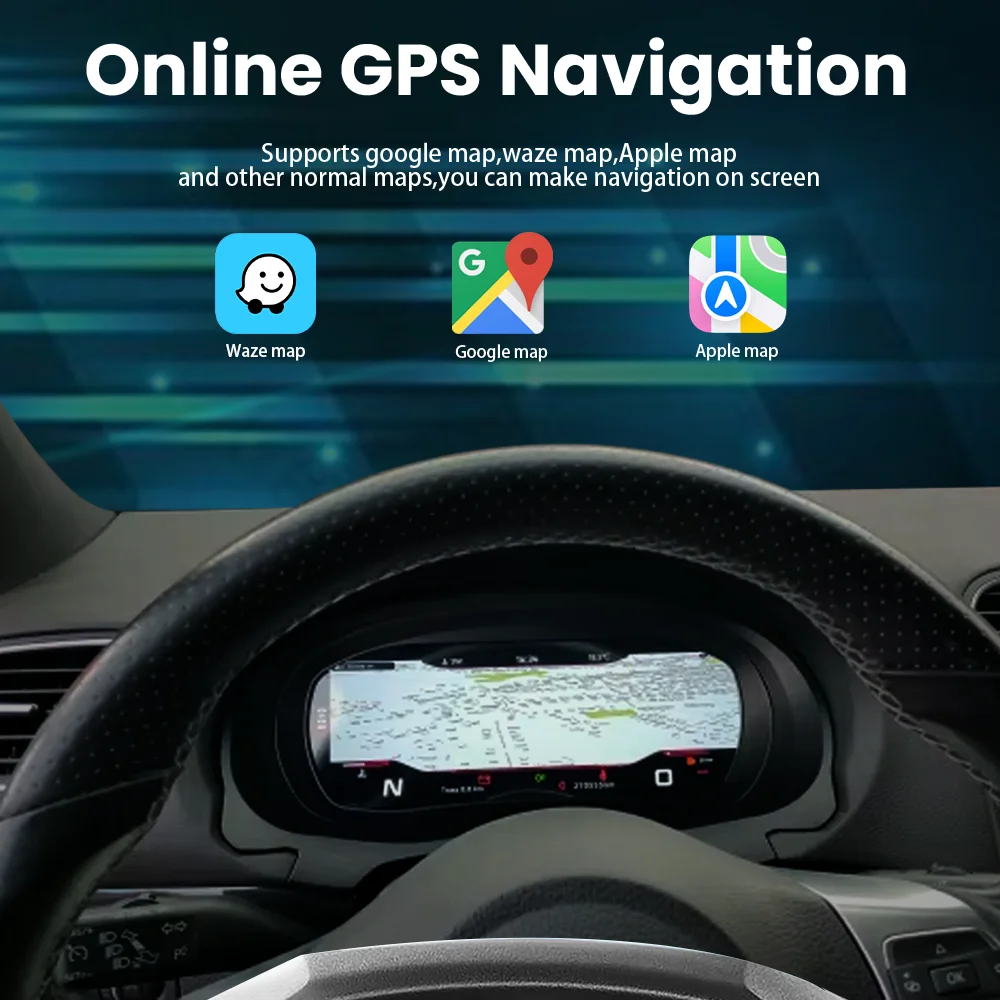
On supported configurations, CarPlay or navigation information can appear in the digital cluster while the Android head unit remains the main infotainment screen.
This is usually a coordinated display route rather than two independent CarPlay sessions. Depending on the vehicle, the connection may involve the Android head unit, a controller, CANBUS, HDMI or video input, the original infotainment system or another vehicle-specific interface.
Volkswagen and Audi owners can also review the VW & Audi Digital Instrument Cluster User Manual for documented navigation, integration and operating routes.
Will the Original Vehicle Functions Still Work?
For a combined digital cluster and Android head unit upgrade, physical fitment is only the first check. The more important question is which original functions remain usable after installation.
Cluster Functions to Confirm
- Velocidade e RPM
- Combustível e temperatura
- Posição da mudança
- Informações de aviso
- Dados de quilometragem e de viagem
- TPMS where applicable
- Steering-wheel cluster controls
- Vehicle-specific ADAS prompts
Android Functions to Confirm
- Botões no volante
- Câmara de marcha-atrás de fábrica
- Factory 360° camera
- Parking sensor display
- Regulações originais do veículo
- Amplificador de fábrica
- Original controller
- Climate information where applicable
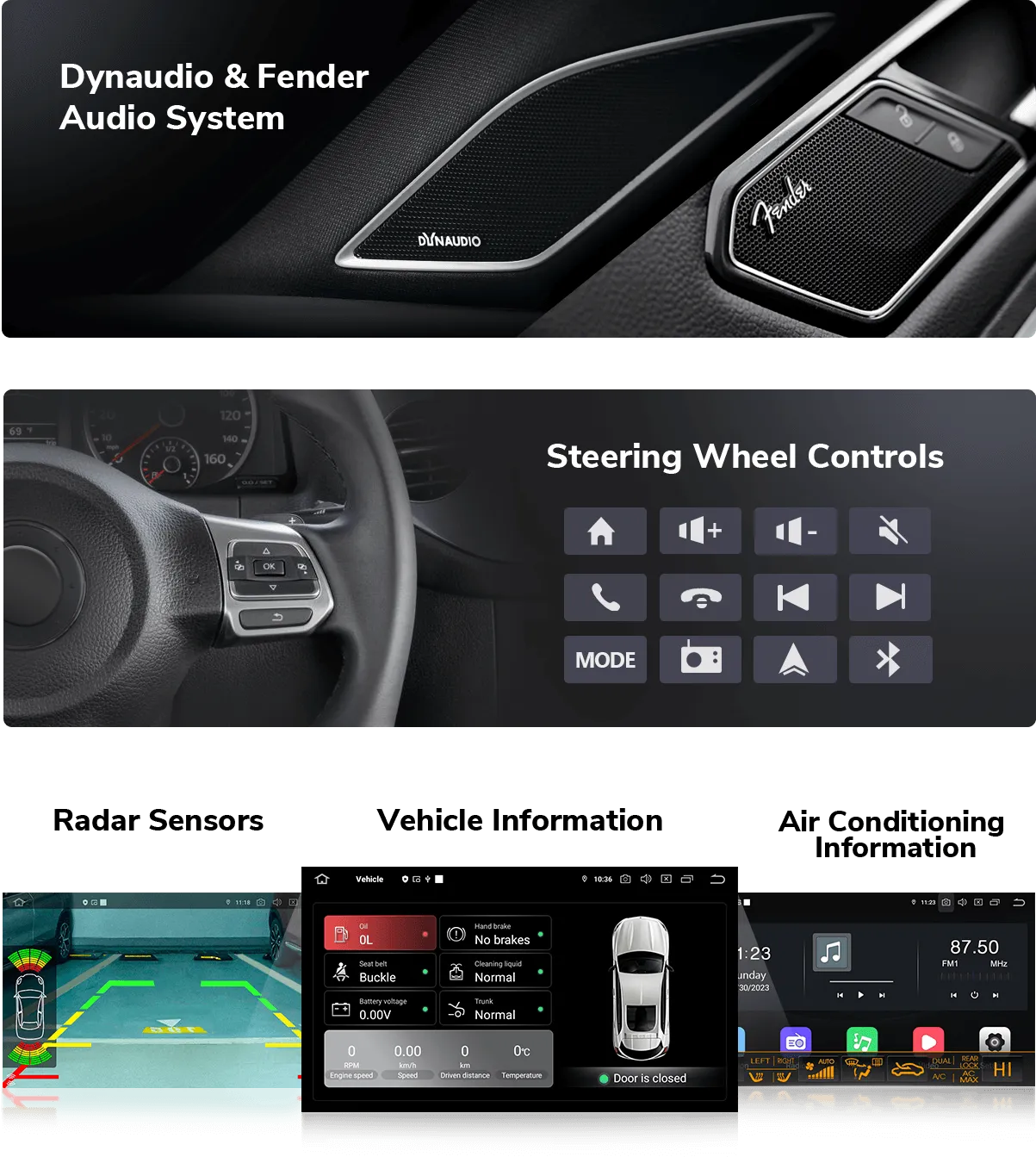
iKAGOO does not treat “retains everything” as a universal promise. Supported functions depend on the vehicle and selected product route. Read the Norma de Manutenção das Funcionalidades de Fábrica da iKAGOO for the full evaluation method.
What About Bose, Mark Levinson, Harman Kardon or Burmester?
Factory premium audio is one of the most important checks when choosing an Android head unit. Vehicles equipped with Bose, Mark Levinson, Harman Kardon, Bang & Olufsen, Burmester or another amplified or fiber-optic audio system may require a dedicated audio interface.
The digital cluster is normally not the main audio concern. The critical question is how the Android head unit connects to the original amplifier and factory audio architecture.
Depending on the vehicle, this may require a matched amplifier interface, MOST fiber-optic connection, CANBUS configuration or dedicated vehicle-specific wiring.
Why CANBUS and the Wiring Route Matter
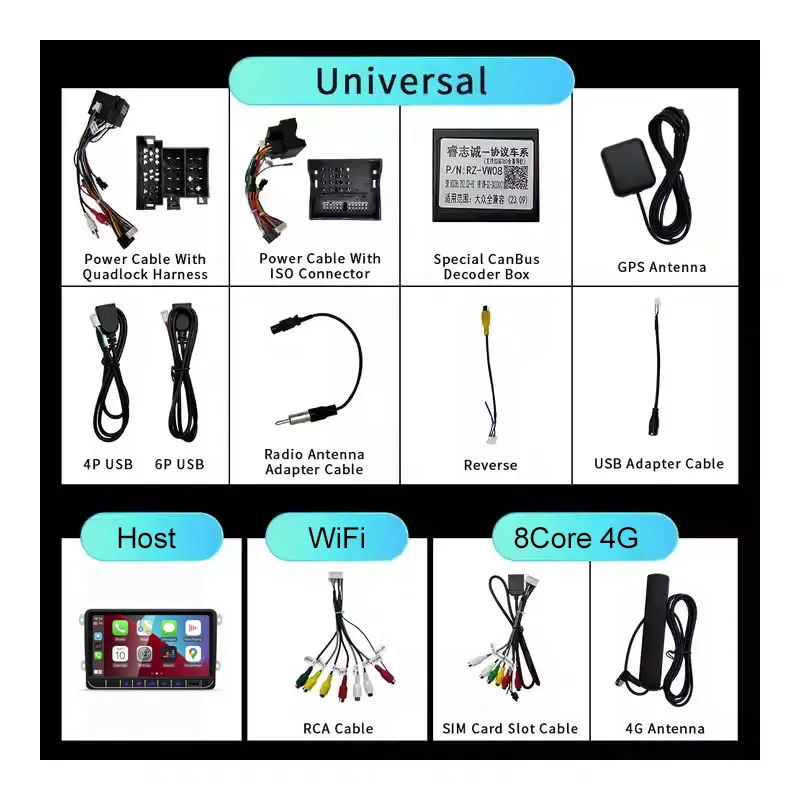
CANBUS may coordinate steering-wheel controls, reverse signals, vehicle status, door information, parking information, climate data and other functions depending on the vehicle.
A complete dual-screen upgrade should therefore be treated as:
This is why a generic screen chosen only by size or dashboard appearance can create problems even when it physically fits.
Is a Digital Cluster and Android Head Unit Upgrade Plug-and-Play?
Many iKAGOO vehicle-specific routes use matched connectors and are designed to avoid intentional cutting of the original main wiring harness. That does not mean the installation requires no work.
- Dashboard trim removal may be required
- The original cluster may need to be removed
- CANBUS configuration may be required
- Cluster-to-head-unit cable routing may be required
- Factory amplifier integration may be required
- Some clusters require original PCB or component transfer
- Camera or MOST interfaces may be required
- All functions should be tested before reassembly
Before installation, review the iKAGOO Installation Guides for real vehicle-specific procedures and testing steps.
When Does Upgrading Both Screens Make Sense?
A dual-screen car upgrade makes the most sense when the owner wants more than a single infotainment change.
Older Infotainment
The factory system lacks modern CarPlay, Android Auto, navigation or app support.
Dated Driver Display
The original analog or limited cluster no longer matches the rest of the cabin.
Painel de instrumentos integrado
Upgrading both displays can create a more consistent vehicle-specific digital cockpit.
Navigation Near the Driver
Supported routes can move navigation information closer to the driver's normal line of sight.
Examples of Vehicle-Specific Digital Cockpit Upgrade Routes
The following products show how a digital cluster and Android head unit may be selected around the same vehicle platform. They are examples of product routes, not a promise that every cross-screen feature is identical on every vehicle.
Agregado digital VW Tiguan 2017-2022
Pairing direction: Central multimédia Android Volkswagen
Audi A5 B8 Virtual Cockpit Retrofit
Pairing direction: Audi A4 A5 Rádio Android 2009-2016
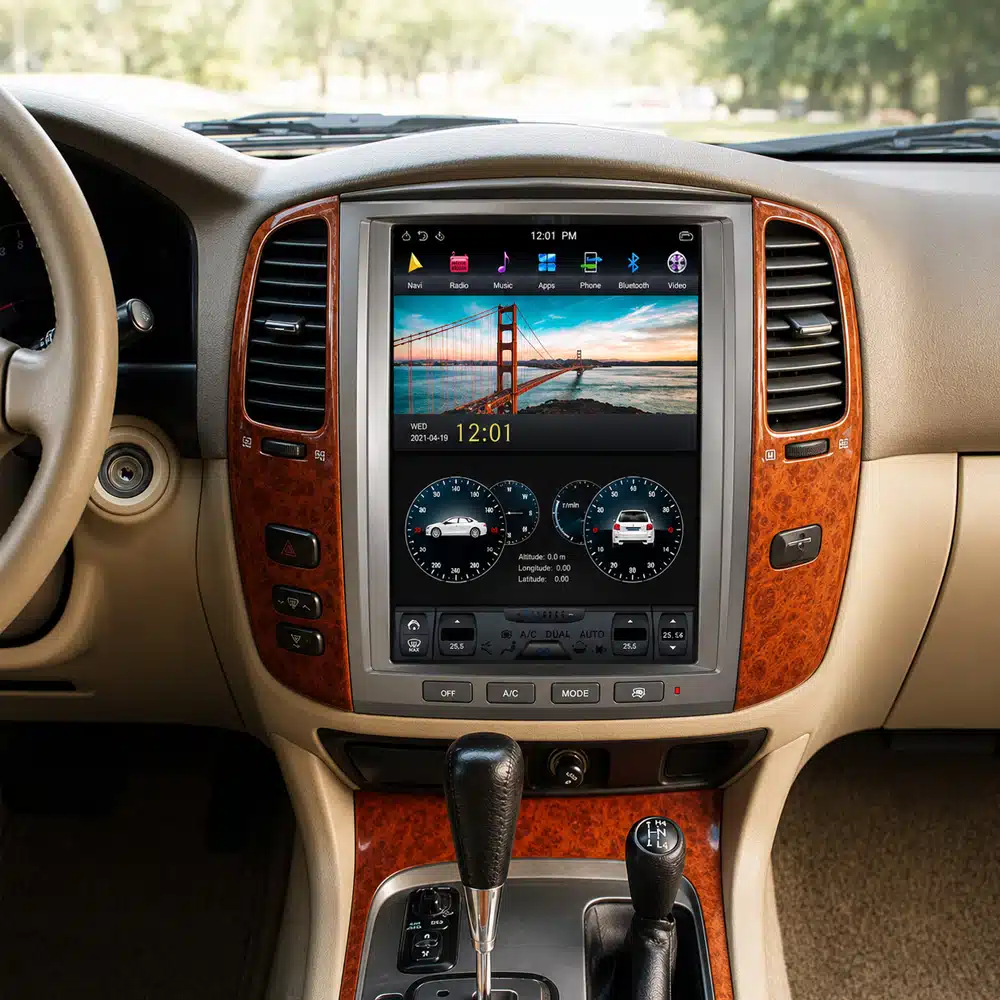
Pairing direction: Land Cruiser 100 / Lexus LX470 Android Head Unit
What Should You Send Before Buying Both Products?
If your final goal is a digital cluster and Android head unit upgrade, send enough information to review the complete cockpit rather than only one screen.
- Vehicle brand and exact model
- Ano do modelo
- Versão por país ou mercado
- LHD ou RHD
- Complete original cluster photo
- Fotografia completa do painel de instrumentos central
- Original infotainment interface
- Sistema de áudio de fábrica
- Factory reverse or 360° camera
- Any previous aftermarket modifications
For the general vehicle-review process, see the iKAGOO Compatibility and Installation Guide .
Why Confirm Both Products as One System?
Both Products Fit, but Map Sync Does Not
The Android head unit may support CarPlay while the selected digital cluster uses a different navigation-display route.
Cluster Works, but Factory Audio Needs Another Interface
A Bose, Mark Levinson, Harman Kardon, Burmester or MOST-equipped vehicle may require additional audio integration.
Same Model Year, Different Original System
Vehicles sharing the same badge and year may use different infotainment, amplifier, camera or connector configurations.
Physical Fit Does Not Guarantee Electronic Integration
Screen shape alone cannot confirm CANBUS, vehicle-data, camera, audio or cross-screen compatibility.
How iKAGOO Handles a Combined Upgrade
A iKAGOO dedica-se a vehicle-specific digital clusters, OEM-style Android head units and integrated cockpit upgrade solutions.
If a buyer plans to upgrade both displays, the vehicle information, original system, required functions and available integration route should be reviewed together. When additional confirmation is required, iKAGOO requests the relevant vehicle details and performs a final compatibility check before dispatch.
The goal is not a universal-fit promise. The goal is to prepare the appropriate product version, harness, CANBUS or interface route for the available vehicle evidence, then keep the order connected to installation guidance, a 12-month hardware warranty and long-term after-sales support.
Digital Cluster and Android Head Unit FAQ
Can I install a digital cluster and Android head unit at the same time?
Yes, on compatible vehicles. The two products, required harnesses and interfaces should be matched to the same vehicle configuration.
Can both screens show CarPlay?
The Android head unit can provide the primary CarPlay interface. Some digital clusters can display supported navigation or CarPlay information through a compatible synchronization route. This is not automatically two independent CarPlay systems.
Os comandos no volante vão continuar a funcionar?
Supported controls can normally remain usable when the correct CANBUS and interface match the vehicle. Exact button behavior is vehicle-specific.
Can I keep my factory reverse or 360° camera?
Many systems can retain a factory camera, but the original camera type and required decoder or interface must be confirmed.
Will an Android head unit work with Bose, Mark Levinson, Harman Kardon or Burmester?
It can on supported vehicles when the correct factory-amplifier or fiber-optic integration route is used. The original audio configuration should be identified before shipment.
Will the mileage stay the same after installing a digital cluster?
Mileage handling depends on the vehicle and cluster architecture. Some routes retain original hardware or data, while others use another synchronization method. Confirm the exact product route before installation.
Do I need to cut the original wiring?
iKAGOO vehicle-specific routes prioritize matched harness connections without intentional cutting of the original main vehicle wiring where supported. Dashboard removal, cable routing, adapters, original-component transfer or configuration may still be required.
Can I buy the Android head unit first and add the digital cluster later?
Often yes. If your final goal includes CarPlay or navigation map synchronization between the displays, confirm the planned complete setup before buying the first component.
Check Your Complete Digital Cockpit Upgrade Before You Buy
Send your vehicle model, year, steering position, original cluster photo, center-dashboard photo, infotainment configuration and factory audio/camera details.
iKAGOO can then review the appropriate digital cluster, Android head unit and required integration route for the available vehicle configuration.
Check Both Products Compatibility








Add comment
Tem de iniciar a sessão para publicar um comentário.